Compare commits
1 Commits
v1.56.0rc1
...
release-v1
| Author | SHA1 | Date | |
|---|---|---|---|

|
4ffbebf09b |
@@ -21,7 +21,7 @@ python -m synapse.app.homeserver --generate-keys -c .ci/sqlite-config.yaml
|
||||
echo "--- Prepare test database"
|
||||
|
||||
# Make sure the SQLite3 database is using the latest schema and has no pending background update.
|
||||
update_synapse_database --database-config .ci/sqlite-config.yaml --run-background-updates
|
||||
scripts/update_synapse_database --database-config .ci/sqlite-config.yaml --run-background-updates
|
||||
|
||||
# Run the export-data command on the sqlite test database
|
||||
python -m synapse.app.admin_cmd -c .ci/sqlite-config.yaml export-data @anon-20191002_181700-832:localhost:8800 \
|
||||
@@ -41,7 +41,7 @@ fi
|
||||
|
||||
# Port the SQLite databse to postgres so we can check command works against postgres
|
||||
echo "+++ Port SQLite3 databse to postgres"
|
||||
synapse_port_db --sqlite-database .ci/test_db.db --postgres-config .ci/postgres-config.yaml
|
||||
scripts/synapse_port_db --sqlite-database .ci/test_db.db --postgres-config .ci/postgres-config.yaml
|
||||
|
||||
# Run the export-data command on postgres database
|
||||
python -m synapse.app.admin_cmd -c .ci/postgres-config.yaml export-data @anon-20191002_181700-832:localhost:8800 \
|
||||
|
||||
@@ -1,20 +1,16 @@
|
||||
#!/usr/bin/env bash
|
||||
# this script is run by GitHub Actions in a plain `focal` container; it installs the
|
||||
# minimal requirements for tox and hands over to the py3-old tox environment.
|
||||
|
||||
# Prevent tzdata from asking for user input
|
||||
export DEBIAN_FRONTEND=noninteractive
|
||||
# this script is run by GitHub Actions in a plain `bionic` container; it installs the
|
||||
# minimal requirements for tox and hands over to the py3-old tox environment.
|
||||
|
||||
set -ex
|
||||
|
||||
apt-get update
|
||||
apt-get install -y \
|
||||
python3 python3-dev python3-pip python3-venv \
|
||||
libxml2-dev libxslt-dev xmlsec1 zlib1g-dev tox libjpeg-dev libwebp-dev
|
||||
apt-get install -y python3 python3-dev python3-pip libxml2-dev libxslt-dev xmlsec1 zlib1g-dev tox
|
||||
|
||||
export LANG="C.UTF-8"
|
||||
|
||||
# Prevent virtualenv from auto-updating pip to an incompatible version
|
||||
export VIRTUALENV_NO_DOWNLOAD=1
|
||||
|
||||
exec tox -e py3-old
|
||||
exec tox -e py3-old,combine
|
||||
|
||||
@@ -25,19 +25,17 @@ python -m synapse.app.homeserver --generate-keys -c .ci/sqlite-config.yaml
|
||||
echo "--- Prepare test database"
|
||||
|
||||
# Make sure the SQLite3 database is using the latest schema and has no pending background update.
|
||||
update_synapse_database --database-config .ci/sqlite-config.yaml --run-background-updates
|
||||
scripts/update_synapse_database --database-config .ci/sqlite-config.yaml --run-background-updates
|
||||
|
||||
# Create the PostgreSQL database.
|
||||
.ci/scripts/postgres_exec.py "CREATE DATABASE synapse"
|
||||
|
||||
echo "+++ Run synapse_port_db against test database"
|
||||
# TODO: this invocation of synapse_port_db (and others below) used to be prepended with `coverage run`,
|
||||
# but coverage seems unable to find the entrypoints installed by `pip install -e .`.
|
||||
synapse_port_db --sqlite-database .ci/test_db.db --postgres-config .ci/postgres-config.yaml
|
||||
coverage run scripts/synapse_port_db --sqlite-database .ci/test_db.db --postgres-config .ci/postgres-config.yaml
|
||||
|
||||
# We should be able to run twice against the same database.
|
||||
echo "+++ Run synapse_port_db a second time"
|
||||
synapse_port_db --sqlite-database .ci/test_db.db --postgres-config .ci/postgres-config.yaml
|
||||
coverage run scripts/synapse_port_db --sqlite-database .ci/test_db.db --postgres-config .ci/postgres-config.yaml
|
||||
|
||||
#####
|
||||
|
||||
@@ -48,7 +46,7 @@ echo "--- Prepare empty SQLite database"
|
||||
# we do this by deleting the sqlite db, and then doing the same again.
|
||||
rm .ci/test_db.db
|
||||
|
||||
update_synapse_database --database-config .ci/sqlite-config.yaml --run-background-updates
|
||||
scripts/update_synapse_database --database-config .ci/sqlite-config.yaml --run-background-updates
|
||||
|
||||
# re-create the PostgreSQL database.
|
||||
.ci/scripts/postgres_exec.py \
|
||||
@@ -56,4 +54,4 @@ update_synapse_database --database-config .ci/sqlite-config.yaml --run-backgroun
|
||||
"CREATE DATABASE synapse"
|
||||
|
||||
echo "+++ Run synapse_port_db against empty database"
|
||||
synapse_port_db --sqlite-database .ci/test_db.db --postgres-config .ci/postgres-config.yaml
|
||||
coverage run scripts/synapse_port_db --sqlite-database .ci/test_db.db --postgres-config .ci/postgres-config.yaml
|
||||
|
||||
@@ -3,9 +3,11 @@
|
||||
|
||||
# things to include
|
||||
!docker
|
||||
!scripts
|
||||
!synapse
|
||||
!MANIFEST.in
|
||||
!README.rst
|
||||
!setup.py
|
||||
!synctl
|
||||
|
||||
**/__pycache__
|
||||
|
||||
11
.flake8
11
.flake8
@@ -1,11 +0,0 @@
|
||||
# TODO: incorporate this into pyproject.toml if flake8 supports it in the future.
|
||||
# See https://github.com/PyCQA/flake8/issues/234
|
||||
[flake8]
|
||||
# see https://pycodestyle.readthedocs.io/en/latest/intro.html#error-codes
|
||||
# for error codes. The ones we ignore are:
|
||||
# W503: line break before binary operator
|
||||
# W504: line break after binary operator
|
||||
# E203: whitespace before ':' (which is contrary to pep8?)
|
||||
# E731: do not assign a lambda expression, use a def
|
||||
# E501: Line too long (black enforces this for us)
|
||||
ignore=W503,W504,E203,E731,E501
|
||||
1
.github/PULL_REQUEST_TEMPLATE.md
vendored
1
.github/PULL_REQUEST_TEMPLATE.md
vendored
@@ -8,7 +8,6 @@
|
||||
- Use markdown where necessary, mostly for `code blocks`.
|
||||
- End with either a period (.) or an exclamation mark (!).
|
||||
- Start with a capital letter.
|
||||
- Feel free to credit yourself, by adding a sentence "Contributed by @github_username." or "Contributed by [Your Name]." to the end of the entry.
|
||||
* [ ] Pull request includes a [sign off](https://matrix-org.github.io/synapse/latest/development/contributing_guide.html#sign-off)
|
||||
* [ ] [Code style](https://matrix-org.github.io/synapse/latest/code_style.html) is correct
|
||||
(run the [linters](https://matrix-org.github.io/synapse/latest/development/contributing_guide.html#run-the-linters))
|
||||
|
||||
19
.github/workflows/docker.yml
vendored
19
.github/workflows/docker.yml
vendored
@@ -5,7 +5,7 @@ name: Build docker images
|
||||
on:
|
||||
push:
|
||||
tags: ["v*"]
|
||||
branches: [ master, main, develop ]
|
||||
branches: [ master, main ]
|
||||
workflow_dispatch:
|
||||
|
||||
permissions:
|
||||
@@ -34,15 +34,10 @@ jobs:
|
||||
username: ${{ secrets.DOCKERHUB_USERNAME }}
|
||||
password: ${{ secrets.DOCKERHUB_TOKEN }}
|
||||
|
||||
# TODO: consider using https://github.com/docker/metadata-action instead of this
|
||||
# custom magic
|
||||
- name: Calculate docker image tag
|
||||
id: set-tag
|
||||
run: |
|
||||
case "${GITHUB_REF}" in
|
||||
refs/heads/develop)
|
||||
tag=develop
|
||||
;;
|
||||
refs/heads/master|refs/heads/main)
|
||||
tag=latest
|
||||
;;
|
||||
@@ -55,6 +50,18 @@ jobs:
|
||||
esac
|
||||
echo "::set-output name=tag::$tag"
|
||||
|
||||
# for release builds, we want to get the amd64 image out asap, so first
|
||||
# we do an amd64-only build, before following up with a multiarch build.
|
||||
- name: Build and push amd64
|
||||
uses: docker/build-push-action@v2
|
||||
if: "${{ startsWith(github.ref, 'refs/tags/v') }}"
|
||||
with:
|
||||
push: true
|
||||
labels: "gitsha1=${{ github.sha }}"
|
||||
tags: "matrixdotorg/synapse:${{ steps.set-tag.outputs.tag }}"
|
||||
file: "docker/Dockerfile"
|
||||
platforms: linux/amd64
|
||||
|
||||
- name: Build and push all platforms
|
||||
uses: docker/build-push-action@v2
|
||||
with:
|
||||
|
||||
21
.github/workflows/release-artifacts.yml
vendored
21
.github/workflows/release-artifacts.yml
vendored
@@ -7,7 +7,7 @@ on:
|
||||
# of things breaking (but only build one set of debs)
|
||||
pull_request:
|
||||
push:
|
||||
branches: ["develop", "release-*"]
|
||||
branches: ["develop"]
|
||||
|
||||
# we do the full build on tags.
|
||||
tags: ["v*"]
|
||||
@@ -31,7 +31,7 @@ jobs:
|
||||
# if we're running from a tag, get the full list of distros; otherwise just use debian:sid
|
||||
dists='["debian:sid"]'
|
||||
if [[ $GITHUB_REF == refs/tags/* ]]; then
|
||||
dists=$(scripts-dev/build_debian_packages.py --show-dists-json)
|
||||
dists=$(scripts-dev/build_debian_packages --show-dists-json)
|
||||
fi
|
||||
echo "::set-output name=distros::$dists"
|
||||
# map the step outputs to job outputs
|
||||
@@ -74,7 +74,7 @@ jobs:
|
||||
# see https://github.com/docker/build-push-action/issues/252
|
||||
# for the cache magic here
|
||||
run: |
|
||||
./src/scripts-dev/build_debian_packages.py \
|
||||
./src/scripts-dev/build_debian_packages \
|
||||
--docker-build-arg=--cache-from=type=local,src=/tmp/.buildx-cache \
|
||||
--docker-build-arg=--cache-to=type=local,mode=max,dest=/tmp/.buildx-cache-new \
|
||||
--docker-build-arg=--progress=plain \
|
||||
@@ -91,7 +91,17 @@ jobs:
|
||||
|
||||
build-sdist:
|
||||
name: "Build pypi distribution files"
|
||||
uses: "matrix-org/backend-meta/.github/workflows/packaging.yml@v1"
|
||||
runs-on: ubuntu-latest
|
||||
steps:
|
||||
- uses: actions/checkout@v2
|
||||
- uses: actions/setup-python@v2
|
||||
- run: pip install wheel
|
||||
- run: |
|
||||
python setup.py sdist bdist_wheel
|
||||
- uses: actions/upload-artifact@v2
|
||||
with:
|
||||
name: python-dist
|
||||
path: dist/*
|
||||
|
||||
# if it's a tag, create a release and attach the artifacts to it
|
||||
attach-assets:
|
||||
@@ -112,8 +122,7 @@ jobs:
|
||||
GITHUB_TOKEN: ${{ secrets.GITHUB_TOKEN }}
|
||||
with:
|
||||
files: |
|
||||
Sdist/*
|
||||
Wheel/*
|
||||
python-dist/*
|
||||
debs.tar.xz
|
||||
# if it's not already published, keep the release as a draft.
|
||||
draft: true
|
||||
|
||||
116
.github/workflows/tests.yml
vendored
116
.github/workflows/tests.yml
vendored
@@ -10,20 +10,12 @@ concurrency:
|
||||
cancel-in-progress: true
|
||||
|
||||
jobs:
|
||||
check-sampleconfig:
|
||||
runs-on: ubuntu-latest
|
||||
steps:
|
||||
- uses: actions/checkout@v2
|
||||
- uses: actions/setup-python@v2
|
||||
- run: pip install -e .
|
||||
- run: scripts-dev/generate_sample_config.sh --check
|
||||
- run: scripts-dev/config-lint.sh
|
||||
|
||||
lint:
|
||||
runs-on: ubuntu-latest
|
||||
strategy:
|
||||
matrix:
|
||||
toxenv:
|
||||
- "check-sampleconfig"
|
||||
- "check_codestyle"
|
||||
- "check_isort"
|
||||
- "mypy"
|
||||
@@ -51,15 +43,29 @@ jobs:
|
||||
ref: ${{ github.event.pull_request.head.sha }}
|
||||
fetch-depth: 0
|
||||
- uses: actions/setup-python@v2
|
||||
- run: "pip install 'towncrier>=18.6.0rc1'"
|
||||
- run: scripts-dev/check-newsfragment.sh
|
||||
- run: pip install tox
|
||||
- run: scripts-dev/check-newsfragment
|
||||
env:
|
||||
PULL_REQUEST_NUMBER: ${{ github.event.number }}
|
||||
|
||||
lint-sdist:
|
||||
runs-on: ubuntu-latest
|
||||
steps:
|
||||
- uses: actions/checkout@v2
|
||||
- uses: actions/setup-python@v2
|
||||
with:
|
||||
python-version: "3.x"
|
||||
- run: pip install wheel
|
||||
- run: python setup.py sdist bdist_wheel
|
||||
- uses: actions/upload-artifact@v2
|
||||
with:
|
||||
name: Python Distributions
|
||||
path: dist/*
|
||||
|
||||
# Dummy step to gate other tests on without repeating the whole list
|
||||
linting-done:
|
||||
if: ${{ !cancelled() }} # Run this even if prior jobs were skipped
|
||||
needs: [lint, lint-crlf, lint-newsfile, check-sampleconfig]
|
||||
needs: [lint, lint-crlf, lint-newsfile, lint-sdist]
|
||||
runs-on: ubuntu-latest
|
||||
steps:
|
||||
- run: "true"
|
||||
@@ -70,7 +76,7 @@ jobs:
|
||||
runs-on: ubuntu-latest
|
||||
strategy:
|
||||
matrix:
|
||||
python-version: ["3.7", "3.8", "3.9", "3.10"]
|
||||
python-version: ["3.6", "3.7", "3.8", "3.9", "3.10"]
|
||||
database: ["sqlite"]
|
||||
toxenv: ["py"]
|
||||
include:
|
||||
@@ -79,9 +85,9 @@ jobs:
|
||||
toxenv: "py-noextras"
|
||||
|
||||
# Oldest Python with PostgreSQL
|
||||
- python-version: "3.7"
|
||||
- python-version: "3.6"
|
||||
database: "postgres"
|
||||
postgres-version: "10"
|
||||
postgres-version: "9.6"
|
||||
toxenv: "py"
|
||||
|
||||
# Newest Python with newest PostgreSQL
|
||||
@@ -135,7 +141,7 @@ jobs:
|
||||
steps:
|
||||
- uses: actions/checkout@v2
|
||||
- name: Test with old deps
|
||||
uses: docker://ubuntu:focal # For old python and sqlite
|
||||
uses: docker://ubuntu:bionic # For old python and sqlite
|
||||
with:
|
||||
workdir: /github/workspace
|
||||
entrypoint: .ci/scripts/test_old_deps.sh
|
||||
@@ -161,7 +167,7 @@ jobs:
|
||||
runs-on: ubuntu-latest
|
||||
strategy:
|
||||
matrix:
|
||||
python-version: ["pypy-3.7"]
|
||||
python-version: ["pypy-3.6"]
|
||||
|
||||
steps:
|
||||
- uses: actions/checkout@v2
|
||||
@@ -207,15 +213,15 @@ jobs:
|
||||
fail-fast: false
|
||||
matrix:
|
||||
include:
|
||||
- sytest-tag: focal
|
||||
- sytest-tag: bionic
|
||||
|
||||
- sytest-tag: focal
|
||||
- sytest-tag: bionic
|
||||
postgres: postgres
|
||||
|
||||
- sytest-tag: testing
|
||||
postgres: postgres
|
||||
|
||||
- sytest-tag: focal
|
||||
- sytest-tag: bionic
|
||||
postgres: multi-postgres
|
||||
workers: workers
|
||||
|
||||
@@ -285,8 +291,8 @@ jobs:
|
||||
strategy:
|
||||
matrix:
|
||||
include:
|
||||
- python-version: "3.7"
|
||||
postgres-version: "10"
|
||||
- python-version: "3.6"
|
||||
postgres-version: "9.6"
|
||||
|
||||
- python-version: "3.10"
|
||||
postgres-version: "14"
|
||||
@@ -317,29 +323,24 @@ jobs:
|
||||
if: ${{ !failure() && !cancelled() }}
|
||||
needs: linting-done
|
||||
runs-on: ubuntu-latest
|
||||
container:
|
||||
# https://github.com/matrix-org/complement/blob/master/dockerfiles/ComplementCIBuildkite.Dockerfile
|
||||
image: matrixdotorg/complement:latest
|
||||
env:
|
||||
CI: true
|
||||
ports:
|
||||
- 8448:8448
|
||||
volumes:
|
||||
- /var/run/docker.sock:/var/run/docker.sock
|
||||
|
||||
steps:
|
||||
# The path is set via a file given by $GITHUB_PATH. We need both Go 1.17 and GOPATH on the path to run Complement.
|
||||
# See https://docs.github.com/en/actions/using-workflows/workflow-commands-for-github-actions#adding-a-system-path
|
||||
- name: "Set Go Version"
|
||||
run: |
|
||||
# Add Go 1.17 to the PATH: see https://github.com/actions/virtual-environments/blob/main/images/linux/Ubuntu2004-Readme.md#environment-variables-2
|
||||
echo "$GOROOT_1_17_X64/bin" >> $GITHUB_PATH
|
||||
# Add the Go path to the PATH: We need this so we can call gotestfmt
|
||||
echo "~/go/bin" >> $GITHUB_PATH
|
||||
|
||||
- name: "Install Complement Dependencies"
|
||||
run: |
|
||||
sudo apt-get update && sudo apt-get install -y libolm3 libolm-dev
|
||||
go get -v github.com/haveyoudebuggedit/gotestfmt/v2/cmd/gotestfmt@latest
|
||||
|
||||
- name: Run actions/checkout@v2 for synapse
|
||||
uses: actions/checkout@v2
|
||||
with:
|
||||
path: synapse
|
||||
|
||||
# Attempt to check out the same branch of Complement as the PR. If it
|
||||
# doesn't exist, fallback to HEAD.
|
||||
# doesn't exist, fallback to master.
|
||||
- name: Checkout complement
|
||||
shell: bash
|
||||
run: |
|
||||
@@ -352,8 +353,8 @@ jobs:
|
||||
# for pull requests, otherwise GITHUB_REF).
|
||||
# 2. Attempt to use the base branch, e.g. when merging into release-vX.Y
|
||||
# (GITHUB_BASE_REF for pull requests).
|
||||
# 3. Use the default complement branch ("HEAD").
|
||||
for BRANCH_NAME in "$GITHUB_HEAD_REF" "$GITHUB_BASE_REF" "${GITHUB_REF#refs/heads/}" "HEAD"; do
|
||||
# 3. Use the default complement branch ("master").
|
||||
for BRANCH_NAME in "$GITHUB_HEAD_REF" "$GITHUB_BASE_REF" "${GITHUB_REF#refs/heads/}" "master"; do
|
||||
# Skip empty branch names and merge commits.
|
||||
if [[ -z "$BRANCH_NAME" || $BRANCH_NAME =~ ^refs/pull/.* ]]; then
|
||||
continue
|
||||
@@ -365,8 +366,6 @@ jobs:
|
||||
# Build initial Synapse image
|
||||
- run: docker build -t matrixdotorg/synapse:latest -f docker/Dockerfile .
|
||||
working-directory: synapse
|
||||
env:
|
||||
DOCKER_BUILDKIT: 1
|
||||
|
||||
# Build a ready-to-run Synapse image based on the initial image above.
|
||||
# This new image includes a config file, keys for signing and TLS, and
|
||||
@@ -375,11 +374,7 @@ jobs:
|
||||
working-directory: complement/dockerfiles
|
||||
|
||||
# Run Complement
|
||||
- run: |
|
||||
set -o pipefail
|
||||
go test -v -json -tags synapse_blacklist,msc2403,msc2716,msc3030 ./tests/... 2>&1 | gotestfmt
|
||||
shell: bash
|
||||
name: Run Complement Tests
|
||||
- run: go test -v -tags synapse_blacklist,msc2403,msc2946,msc3083 ./tests/...
|
||||
env:
|
||||
COMPLEMENT_BASE_IMAGE: complement-synapse:latest
|
||||
working-directory: complement
|
||||
@@ -388,22 +383,35 @@ jobs:
|
||||
tests-done:
|
||||
if: ${{ always() }}
|
||||
needs:
|
||||
- check-sampleconfig
|
||||
- lint
|
||||
- lint-crlf
|
||||
- lint-newsfile
|
||||
- lint-sdist
|
||||
- trial
|
||||
- trial-olddeps
|
||||
- sytest
|
||||
- export-data
|
||||
- portdb
|
||||
- complement
|
||||
runs-on: ubuntu-latest
|
||||
steps:
|
||||
- uses: matrix-org/done-action@v2
|
||||
with:
|
||||
needs: ${{ toJSON(needs) }}
|
||||
- name: Set build result
|
||||
env:
|
||||
NEEDS_CONTEXT: ${{ toJSON(needs) }}
|
||||
# the `jq` incantation dumps out a series of "<job> <result>" lines.
|
||||
# we set it to an intermediate variable to avoid a pipe, which makes it
|
||||
# hard to set $rc.
|
||||
run: |
|
||||
rc=0
|
||||
results=$(jq -r 'to_entries[] | [.key,.value.result] | join(" ")' <<< $NEEDS_CONTEXT)
|
||||
while read job result ; do
|
||||
# The newsfile lint may be skipped on non PR builds
|
||||
if [ $result == "skipped" ] && [ $job == "lint-newsfile" ]; then
|
||||
continue
|
||||
fi
|
||||
|
||||
# The newsfile lint may be skipped on non PR builds
|
||||
skippable:
|
||||
lint-newsfile
|
||||
if [ "$result" != "success" ]; then
|
||||
echo "::set-failed ::Job $job returned $result"
|
||||
rc=1
|
||||
fi
|
||||
done <<< $results
|
||||
exit $rc
|
||||
|
||||
2
.github/workflows/twisted_trunk.yml
vendored
2
.github/workflows/twisted_trunk.yml
vendored
@@ -25,7 +25,7 @@ jobs:
|
||||
- run: sudo apt-get -qq install xmlsec1
|
||||
- uses: actions/setup-python@v2
|
||||
with:
|
||||
python-version: 3.7
|
||||
python-version: 3.6
|
||||
- run: .ci/patch_for_twisted_trunk.sh
|
||||
- run: pip install tox
|
||||
- run: tox -e py
|
||||
|
||||
4
.gitignore
vendored
4
.gitignore
vendored
@@ -50,7 +50,3 @@ __pycache__/
|
||||
|
||||
# docs
|
||||
book/
|
||||
|
||||
# complement
|
||||
/complement-*
|
||||
/master.tar.gz
|
||||
|
||||
3640
CHANGES-pre-1.0.md
3640
CHANGES-pre-1.0.md
File diff suppressed because it is too large
Load Diff
4558
CHANGES.md
4558
CHANGES.md
File diff suppressed because it is too large
Load Diff
@@ -1,3 +1,4 @@
|
||||
include synctl
|
||||
include LICENSE
|
||||
include VERSION
|
||||
include *.rst
|
||||
@@ -16,6 +17,7 @@ recursive-include synapse/storage *.txt
|
||||
recursive-include synapse/storage *.md
|
||||
|
||||
recursive-include docs *
|
||||
recursive-include scripts *
|
||||
recursive-include scripts-dev *
|
||||
recursive-include synapse *.pyi
|
||||
recursive-include tests *.py
|
||||
@@ -43,7 +45,6 @@ include book.toml
|
||||
include pyproject.toml
|
||||
recursive-include changelog.d *
|
||||
|
||||
include .flake8
|
||||
prune .circleci
|
||||
prune .github
|
||||
prune .ci
|
||||
@@ -51,4 +52,5 @@ prune contrib
|
||||
prune debian
|
||||
prune demo/etc
|
||||
prune docker
|
||||
prune snap
|
||||
prune stubs
|
||||
|
||||
@@ -246,7 +246,7 @@ Password reset
|
||||
==============
|
||||
|
||||
Users can reset their password through their client. Alternatively, a server admin
|
||||
can reset a users password using the `admin API <docs/admin_api/user_admin_api.md#reset-password>`_
|
||||
can reset a users password using the `admin API <docs/admin_api/user_admin_api.rst#reset-password>`_
|
||||
or by directly editing the database as shown below.
|
||||
|
||||
First calculate the hash of the new password::
|
||||
@@ -312,9 +312,6 @@ We recommend using the demo which starts 3 federated instances running on ports
|
||||
|
||||
(to stop, you can use `./demo/stop.sh`)
|
||||
|
||||
See the [demo documentation](https://matrix-org.github.io/synapse/develop/development/demo.html)
|
||||
for more information.
|
||||
|
||||
If you just want to start a single instance of the app and run it directly::
|
||||
|
||||
# Create the homeserver.yaml config once
|
||||
|
||||
12
book.toml
12
book.toml
@@ -34,6 +34,14 @@ additional-css = [
|
||||
"docs/website_files/table-of-contents.css",
|
||||
"docs/website_files/remove-nav-buttons.css",
|
||||
"docs/website_files/indent-section-headers.css",
|
||||
"docs/website_files/version-picker.css",
|
||||
]
|
||||
additional-js = ["docs/website_files/table-of-contents.js"]
|
||||
theme = "docs/website_files/theme"
|
||||
additional-js = [
|
||||
"docs/website_files/table-of-contents.js",
|
||||
"docs/website_files/version-picker.js",
|
||||
"docs/website_files/version.js",
|
||||
]
|
||||
theme = "docs/website_files/theme"
|
||||
|
||||
[preprocessor.schema_versions]
|
||||
command = "./scripts-dev/schema_versions.py"
|
||||
|
||||
@@ -14,7 +14,6 @@ services:
|
||||
# failure
|
||||
restart: unless-stopped
|
||||
# See the readme for a full documentation of the environment settings
|
||||
# NOTE: You must edit homeserver.yaml to use postgres, it defaults to sqlite
|
||||
environment:
|
||||
- SYNAPSE_CONFIG_PATH=/data/homeserver.yaml
|
||||
volumes:
|
||||
|
||||
@@ -92,6 +92,22 @@ new PromConsole.Graph({
|
||||
})
|
||||
</script>
|
||||
|
||||
<h3>Pending calls per tick</h3>
|
||||
<div id="reactor_pending_calls"></div>
|
||||
<script>
|
||||
new PromConsole.Graph({
|
||||
node: document.querySelector("#reactor_pending_calls"),
|
||||
expr: "rate(python_twisted_reactor_pending_calls_sum[30s]) / rate(python_twisted_reactor_pending_calls_count[30s])",
|
||||
name: "[[job]]-[[index]]",
|
||||
min: 0,
|
||||
renderer: "line",
|
||||
height: 150,
|
||||
yAxisFormatter: PromConsole.NumberFormatter.humanize,
|
||||
yHoverFormatter: PromConsole.NumberFormatter.humanize,
|
||||
yTitle: "Pending Calls"
|
||||
})
|
||||
</script>
|
||||
|
||||
<h1>Storage</h1>
|
||||
|
||||
<h3>Queries</h3>
|
||||
|
||||
150
debian/changelog
vendored
150
debian/changelog
vendored
@@ -1,153 +1,3 @@
|
||||
matrix-synapse-py3 (1.56.0~rc1) stable; urgency=medium
|
||||
|
||||
* New synapse release 1.56.0~rc1.
|
||||
|
||||
-- Synapse Packaging team <packages@matrix.org> Tue, 29 Mar 2022 10:40:50 +0100
|
||||
|
||||
matrix-synapse-py3 (1.55.2) stable; urgency=medium
|
||||
|
||||
* New synapse release 1.55.2.
|
||||
|
||||
-- Synapse Packaging team <packages@matrix.org> Thu, 24 Mar 2022 19:07:11 +0000
|
||||
|
||||
matrix-synapse-py3 (1.55.1) stable; urgency=medium
|
||||
|
||||
* New synapse release 1.55.1.
|
||||
|
||||
-- Synapse Packaging team <packages@matrix.org> Thu, 24 Mar 2022 17:44:23 +0000
|
||||
|
||||
matrix-synapse-py3 (1.55.0) stable; urgency=medium
|
||||
|
||||
* New synapse release 1.55.0.
|
||||
|
||||
-- Synapse Packaging team <packages@matrix.org> Tue, 22 Mar 2022 13:59:26 +0000
|
||||
|
||||
matrix-synapse-py3 (1.55.0~rc1) stable; urgency=medium
|
||||
|
||||
* New synapse release 1.55.0~rc1.
|
||||
|
||||
-- Synapse Packaging team <packages@matrix.org> Tue, 15 Mar 2022 10:59:31 +0000
|
||||
|
||||
matrix-synapse-py3 (1.54.0) stable; urgency=medium
|
||||
|
||||
* New synapse release 1.54.0.
|
||||
|
||||
-- Synapse Packaging team <packages@matrix.org> Tue, 08 Mar 2022 10:54:52 +0000
|
||||
|
||||
matrix-synapse-py3 (1.54.0~rc1) stable; urgency=medium
|
||||
|
||||
* New synapse release 1.54.0~rc1.
|
||||
|
||||
-- Synapse Packaging team <packages@matrix.org> Wed, 02 Mar 2022 10:43:22 +0000
|
||||
|
||||
matrix-synapse-py3 (1.53.0) stable; urgency=medium
|
||||
|
||||
* New synapse release 1.53.0.
|
||||
|
||||
-- Synapse Packaging team <packages@matrix.org> Tue, 22 Feb 2022 11:32:06 +0000
|
||||
|
||||
matrix-synapse-py3 (1.53.0~rc1) stable; urgency=medium
|
||||
|
||||
* New synapse release 1.53.0~rc1.
|
||||
|
||||
-- Synapse Packaging team <packages@matrix.org> Tue, 15 Feb 2022 10:40:50 +0000
|
||||
|
||||
matrix-synapse-py3 (1.52.0) stable; urgency=medium
|
||||
|
||||
* New synapse release 1.52.0.
|
||||
|
||||
-- Synapse Packaging team <packages@matrix.org> Tue, 08 Feb 2022 11:34:54 +0000
|
||||
|
||||
matrix-synapse-py3 (1.52.0~rc1) stable; urgency=medium
|
||||
|
||||
* New synapse release 1.52.0~rc1.
|
||||
|
||||
-- Synapse Packaging team <packages@matrix.org> Tue, 01 Feb 2022 11:04:09 +0000
|
||||
|
||||
matrix-synapse-py3 (1.51.0) stable; urgency=medium
|
||||
|
||||
* New synapse release 1.51.0.
|
||||
|
||||
-- Synapse Packaging team <packages@matrix.org> Tue, 25 Jan 2022 11:28:51 +0000
|
||||
|
||||
matrix-synapse-py3 (1.51.0~rc2) stable; urgency=medium
|
||||
|
||||
* New synapse release 1.51.0~rc2.
|
||||
|
||||
-- Synapse Packaging team <packages@matrix.org> Mon, 24 Jan 2022 12:25:00 +0000
|
||||
|
||||
matrix-synapse-py3 (1.51.0~rc1) stable; urgency=medium
|
||||
|
||||
* New synapse release 1.51.0~rc1.
|
||||
|
||||
-- Synapse Packaging team <packages@matrix.org> Fri, 21 Jan 2022 10:46:02 +0000
|
||||
|
||||
matrix-synapse-py3 (1.50.2) stable; urgency=medium
|
||||
|
||||
* New synapse release 1.50.2.
|
||||
|
||||
-- Synapse Packaging team <packages@matrix.org> Mon, 24 Jan 2022 13:37:11 +0000
|
||||
|
||||
matrix-synapse-py3 (1.50.1) stable; urgency=medium
|
||||
|
||||
* New synapse release 1.50.1.
|
||||
|
||||
-- Synapse Packaging team <packages@matrix.org> Tue, 18 Jan 2022 16:06:26 +0000
|
||||
|
||||
matrix-synapse-py3 (1.50.0) stable; urgency=medium
|
||||
|
||||
* New synapse release 1.50.0.
|
||||
|
||||
-- Synapse Packaging team <packages@matrix.org> Tue, 18 Jan 2022 10:40:38 +0000
|
||||
|
||||
matrix-synapse-py3 (1.50.0~rc2) stable; urgency=medium
|
||||
|
||||
* New synapse release 1.50.0~rc2.
|
||||
|
||||
-- Synapse Packaging team <packages@matrix.org> Fri, 14 Jan 2022 11:18:06 +0000
|
||||
|
||||
matrix-synapse-py3 (1.50.0~rc1) stable; urgency=medium
|
||||
|
||||
* New synapse release 1.50.0~rc1.
|
||||
|
||||
-- Synapse Packaging team <packages@matrix.org> Wed, 05 Jan 2022 12:36:17 +0000
|
||||
|
||||
matrix-synapse-py3 (1.49.2) stable; urgency=medium
|
||||
|
||||
* New synapse release 1.49.2.
|
||||
|
||||
-- Synapse Packaging team <packages@matrix.org> Tue, 21 Dec 2021 17:31:03 +0000
|
||||
|
||||
matrix-synapse-py3 (1.49.1) stable; urgency=medium
|
||||
|
||||
* New synapse release 1.49.1.
|
||||
|
||||
-- Synapse Packaging team <packages@matrix.org> Tue, 21 Dec 2021 11:07:30 +0000
|
||||
|
||||
matrix-synapse-py3 (1.49.0) stable; urgency=medium
|
||||
|
||||
* New synapse release 1.49.0.
|
||||
|
||||
-- Synapse Packaging team <packages@matrix.org> Tue, 14 Dec 2021 12:39:46 +0000
|
||||
|
||||
matrix-synapse-py3 (1.49.0~rc1) stable; urgency=medium
|
||||
|
||||
* New synapse release 1.49.0~rc1.
|
||||
|
||||
-- Synapse Packaging team <packages@matrix.org> Tue, 07 Dec 2021 13:52:21 +0000
|
||||
|
||||
matrix-synapse-py3 (1.48.0) stable; urgency=medium
|
||||
|
||||
* New synapse release 1.48.0.
|
||||
|
||||
-- Synapse Packaging team <packages@matrix.org> Tue, 30 Nov 2021 11:24:15 +0000
|
||||
|
||||
matrix-synapse-py3 (1.48.0~rc1) stable; urgency=medium
|
||||
|
||||
* New synapse release 1.48.0~rc1.
|
||||
|
||||
-- Synapse Packaging team <packages@matrix.org> Thu, 25 Nov 2021 15:56:03 +0000
|
||||
|
||||
matrix-synapse-py3 (1.47.1) stable; urgency=medium
|
||||
|
||||
* New synapse release 1.47.1.
|
||||
|
||||
11
demo/.gitignore
vendored
11
demo/.gitignore
vendored
@@ -1,4 +1,7 @@
|
||||
# Ignore all the temporary files from the demo servers.
|
||||
8080/
|
||||
8081/
|
||||
8082/
|
||||
*.db
|
||||
*.log
|
||||
*.log.*
|
||||
*.pid
|
||||
|
||||
/media_store.*
|
||||
/etc
|
||||
|
||||
26
demo/README
Normal file
26
demo/README
Normal file
@@ -0,0 +1,26 @@
|
||||
DO NOT USE THESE DEMO SERVERS IN PRODUCTION
|
||||
|
||||
Requires you to have done:
|
||||
python setup.py develop
|
||||
|
||||
|
||||
The demo start.sh will start three synapse servers on ports 8080, 8081 and 8082, with host names localhost:$port. This can be easily changed to `hostname`:$port in start.sh if required.
|
||||
|
||||
To enable the servers to communicate untrusted ssl certs are used. In order to do this the servers do not check the certs
|
||||
and are configured in a highly insecure way. Do not use these configuration files in production.
|
||||
|
||||
stop.sh will stop the synapse servers and the webclient.
|
||||
|
||||
clean.sh will delete the databases and log files.
|
||||
|
||||
To start a completely new set of servers, run:
|
||||
|
||||
./demo/stop.sh; ./demo/clean.sh && ./demo/start.sh
|
||||
|
||||
|
||||
Logs and sqlitedb will be stored in demo/808{0,1,2}.{log,db}
|
||||
|
||||
|
||||
|
||||
Also note that when joining a public room on a differnt HS via "#foo:bar.net", then you are (in the current impl) joining a room with room_id "foo". This means that it won't work if your HS already has a room with that name.
|
||||
|
||||
@@ -4,9 +4,6 @@ set -e
|
||||
|
||||
DIR="$( cd "$( dirname "$0" )" && pwd )"
|
||||
|
||||
# Ensure that the servers are stopped.
|
||||
$DIR/stop.sh
|
||||
|
||||
PID_FILE="$DIR/servers.pid"
|
||||
|
||||
if [ -f "$PID_FILE" ]; then
|
||||
|
||||
@@ -6,6 +6,8 @@ CWD=$(pwd)
|
||||
|
||||
cd "$DIR/.." || exit
|
||||
|
||||
mkdir -p demo/etc
|
||||
|
||||
PYTHONPATH=$(readlink -f "$(pwd)")
|
||||
export PYTHONPATH
|
||||
|
||||
@@ -19,27 +21,22 @@ for port in 8080 8081 8082; do
|
||||
mkdir -p demo/$port
|
||||
pushd demo/$port || exit
|
||||
|
||||
# Generate the configuration for the homeserver at localhost:848x.
|
||||
#rm $DIR/etc/$port.config
|
||||
python3 -m synapse.app.homeserver \
|
||||
--generate-config \
|
||||
--server-name "localhost:$port" \
|
||||
--config-path "$port.config" \
|
||||
-H "localhost:$https_port" \
|
||||
--config-path "$DIR/etc/$port.config" \
|
||||
--report-stats no
|
||||
|
||||
if ! grep -F "Customisation made by demo/start.sh" -q "$port.config"; then
|
||||
# Generate TLS keys.
|
||||
openssl req -x509 -newkey rsa:4096 \
|
||||
-keyout "localhost:$port.tls.key" \
|
||||
-out "localhost:$port.tls.crt" \
|
||||
-days 365 -nodes -subj "/O=matrix"
|
||||
if ! grep -F "Customisation made by demo/start.sh" -q "$DIR/etc/$port.config"; then
|
||||
# Generate tls keys
|
||||
openssl req -x509 -newkey rsa:4096 -keyout "$DIR/etc/localhost:$https_port.tls.key" -out "$DIR/etc/localhost:$https_port.tls.crt" -days 365 -nodes -subj "/O=matrix"
|
||||
|
||||
# Add customisations to the configuration.
|
||||
# Regenerate configuration
|
||||
{
|
||||
printf '\n\n# Customisation made by demo/start.sh\n\n'
|
||||
printf '\n\n# Customisation made by demo/start.sh\n'
|
||||
echo "public_baseurl: http://localhost:$port/"
|
||||
echo 'enable_registration: true'
|
||||
echo 'enable_registration_without_verification: true'
|
||||
echo ''
|
||||
|
||||
# Warning, this heredoc depends on the interaction of tabs and spaces.
|
||||
# Please don't accidentaly bork me with your fancy settings.
|
||||
@@ -66,34 +63,38 @@ for port in 8080 8081 8082; do
|
||||
|
||||
echo "${listeners}"
|
||||
|
||||
# Disable TLS for the servers
|
||||
printf '\n\n# Disable TLS for the servers.'
|
||||
# Disable tls for the servers
|
||||
printf '\n\n# Disable tls on the servers.'
|
||||
echo '# DO NOT USE IN PRODUCTION'
|
||||
echo 'use_insecure_ssl_client_just_for_testing_do_not_use: true'
|
||||
echo 'federation_verify_certificates: false'
|
||||
|
||||
# Set paths for the TLS certificates.
|
||||
echo "tls_certificate_path: \"$DIR/$port/localhost:$port.tls.crt\""
|
||||
echo "tls_private_key_path: \"$DIR/$port/localhost:$port.tls.key\""
|
||||
# Set tls paths
|
||||
echo "tls_certificate_path: \"$DIR/etc/localhost:$https_port.tls.crt\""
|
||||
echo "tls_private_key_path: \"$DIR/etc/localhost:$https_port.tls.key\""
|
||||
|
||||
# Ignore keys from the trusted keys server
|
||||
echo '# Ignore keys from the trusted keys server'
|
||||
echo 'trusted_key_servers:'
|
||||
echo ' - server_name: "matrix.org"'
|
||||
echo ' accept_keys_insecurely: true'
|
||||
echo ''
|
||||
|
||||
# Allow the servers to communicate over localhost.
|
||||
allow_list=$(cat <<-ALLOW_LIST
|
||||
# Allow the servers to communicate over localhost.
|
||||
ip_range_whitelist:
|
||||
- '127.0.0.1/8'
|
||||
- '::1/128'
|
||||
ALLOW_LIST
|
||||
# Reduce the blacklist
|
||||
blacklist=$(cat <<-BLACK
|
||||
# Set the blacklist so that it doesn't include 127.0.0.1, ::1
|
||||
federation_ip_range_blacklist:
|
||||
- '10.0.0.0/8'
|
||||
- '172.16.0.0/12'
|
||||
- '192.168.0.0/16'
|
||||
- '100.64.0.0/10'
|
||||
- '169.254.0.0/16'
|
||||
- 'fe80::/64'
|
||||
- 'fc00::/7'
|
||||
BLACK
|
||||
)
|
||||
|
||||
echo "${allow_list}"
|
||||
} >> "$port.config"
|
||||
echo "${blacklist}"
|
||||
} >> "$DIR/etc/$port.config"
|
||||
fi
|
||||
|
||||
# Check script parameters
|
||||
@@ -140,18 +141,19 @@ for port in 8080 8081 8082; do
|
||||
burst_count: 1000
|
||||
RC
|
||||
)
|
||||
echo "${ratelimiting}" >> "$port.config"
|
||||
echo "${ratelimiting}" >> "$DIR/etc/$port.config"
|
||||
fi
|
||||
fi
|
||||
|
||||
# Always disable reporting of stats if the option is not there.
|
||||
if ! grep -F "report_stats" -q "$port.config" ; then
|
||||
echo "report_stats: false" >> "$port.config"
|
||||
if ! grep -F "full_twisted_stacktraces" -q "$DIR/etc/$port.config"; then
|
||||
echo "full_twisted_stacktraces: true" >> "$DIR/etc/$port.config"
|
||||
fi
|
||||
if ! grep -F "report_stats" -q "$DIR/etc/$port.config" ; then
|
||||
echo "report_stats: false" >> "$DIR/etc/$port.config"
|
||||
fi
|
||||
|
||||
# Run the homeserver in the background.
|
||||
python3 -m synapse.app.homeserver \
|
||||
--config-path "$port.config" \
|
||||
--config-path "$DIR/etc/$port.config" \
|
||||
-D \
|
||||
|
||||
popd || exit
|
||||
|
||||
@@ -1,20 +1,17 @@
|
||||
# Dockerfile to build the matrixdotorg/synapse docker images.
|
||||
#
|
||||
# Note that it uses features which are only available in BuildKit - see
|
||||
# https://docs.docker.com/go/buildkit/ for more information.
|
||||
#
|
||||
# To build the image, run `docker build` command from the root of the
|
||||
# synapse repository:
|
||||
#
|
||||
# DOCKER_BUILDKIT=1 docker build -f docker/Dockerfile .
|
||||
# docker build -f docker/Dockerfile .
|
||||
#
|
||||
# There is an optional PYTHON_VERSION build argument which sets the
|
||||
# version of python to build against: for example:
|
||||
#
|
||||
# DOCKER_BUILDKIT=1 docker build -f docker/Dockerfile --build-arg PYTHON_VERSION=3.10 .
|
||||
# docker build -f docker/Dockerfile --build-arg PYTHON_VERSION=3.6 .
|
||||
#
|
||||
|
||||
ARG PYTHON_VERSION=3.9
|
||||
ARG PYTHON_VERSION=3.8
|
||||
|
||||
###
|
||||
### Stage 0: builder
|
||||
@@ -22,16 +19,7 @@ ARG PYTHON_VERSION=3.9
|
||||
FROM docker.io/python:${PYTHON_VERSION}-slim as builder
|
||||
|
||||
# install the OS build deps
|
||||
#
|
||||
# RUN --mount is specific to buildkit and is documented at
|
||||
# https://github.com/moby/buildkit/blob/master/frontend/dockerfile/docs/syntax.md#build-mounts-run---mount.
|
||||
# Here we use it to set up a cache for apt, to improve rebuild speeds on
|
||||
# slow connections.
|
||||
#
|
||||
RUN \
|
||||
--mount=type=cache,target=/var/cache/apt,sharing=locked \
|
||||
--mount=type=cache,target=/var/lib/apt,sharing=locked \
|
||||
apt-get update && apt-get install -y \
|
||||
RUN apt-get update && apt-get install -y \
|
||||
build-essential \
|
||||
libffi-dev \
|
||||
libjpeg-dev \
|
||||
@@ -46,7 +34,8 @@ RUN \
|
||||
&& rm -rf /var/lib/apt/lists/*
|
||||
|
||||
# Copy just what we need to pip install
|
||||
COPY MANIFEST.in README.rst setup.py /synapse/
|
||||
COPY scripts /synapse/scripts/
|
||||
COPY MANIFEST.in README.rst setup.py synctl /synapse/
|
||||
COPY synapse/__init__.py /synapse/synapse/__init__.py
|
||||
COPY synapse/python_dependencies.py /synapse/synapse/python_dependencies.py
|
||||
|
||||
@@ -55,8 +44,7 @@ COPY synapse/python_dependencies.py /synapse/synapse/python_dependencies.py
|
||||
# used while you develop on the source
|
||||
#
|
||||
# This is aiming at installing the `install_requires` and `extras_require` from `setup.py`
|
||||
RUN --mount=type=cache,target=/root/.cache/pip \
|
||||
pip install --prefix="/install" --no-warn-script-location \
|
||||
RUN pip install --prefix="/install" --no-warn-script-location \
|
||||
/synapse[all]
|
||||
|
||||
# Copy over the rest of the project
|
||||
@@ -78,10 +66,7 @@ LABEL org.opencontainers.image.documentation='https://github.com/matrix-org/syna
|
||||
LABEL org.opencontainers.image.source='https://github.com/matrix-org/synapse.git'
|
||||
LABEL org.opencontainers.image.licenses='Apache-2.0'
|
||||
|
||||
RUN \
|
||||
--mount=type=cache,target=/var/cache/apt,sharing=locked \
|
||||
--mount=type=cache,target=/var/lib/apt,sharing=locked \
|
||||
apt-get update && apt-get install -y \
|
||||
RUN apt-get update && apt-get install -y \
|
||||
curl \
|
||||
gosu \
|
||||
libjpeg62-turbo \
|
||||
@@ -97,6 +82,8 @@ COPY --from=builder /install /usr/local
|
||||
COPY ./docker/start.py /start.py
|
||||
COPY ./docker/conf /conf
|
||||
|
||||
VOLUME ["/data"]
|
||||
|
||||
EXPOSE 8008/tcp 8009/tcp 8448/tcp
|
||||
|
||||
ENTRYPOINT ["/start.py"]
|
||||
|
||||
@@ -16,7 +16,7 @@ ARG distro=""
|
||||
### Stage 0: build a dh-virtualenv
|
||||
###
|
||||
|
||||
# This is only really needed on focal, since other distributions we
|
||||
# This is only really needed on bionic and focal, since other distributions we
|
||||
# care about have a recent version of dh-virtualenv by default. Unfortunately,
|
||||
# it looks like focal is going to be with us for a while.
|
||||
#
|
||||
@@ -36,8 +36,9 @@ RUN env DEBIAN_FRONTEND=noninteractive apt-get install \
|
||||
wget
|
||||
|
||||
# fetch and unpack the package
|
||||
# TODO: Upgrade to 1.2.2 once bionic is dropped (1.2.2 requires debhelper 12; bionic has only 11)
|
||||
RUN mkdir /dh-virtualenv
|
||||
RUN wget -q -O /dh-virtualenv.tar.gz https://github.com/spotify/dh-virtualenv/archive/refs/tags/1.2.2.tar.gz
|
||||
RUN wget -q -O /dh-virtualenv.tar.gz https://github.com/spotify/dh-virtualenv/archive/ac6e1b1.tar.gz
|
||||
RUN tar -xv --strip-components=1 -C /dh-virtualenv -f /dh-virtualenv.tar.gz
|
||||
|
||||
# install its build deps. We do another apt-cache-update here, because we might
|
||||
@@ -85,12 +86,12 @@ RUN apt-get update -qq -o Acquire::Languages=none \
|
||||
libpq-dev \
|
||||
xmlsec1
|
||||
|
||||
COPY --from=builder /dh-virtualenv_1.2.2-1_all.deb /
|
||||
COPY --from=builder /dh-virtualenv_1.2~dev-1_all.deb /
|
||||
|
||||
# install dhvirtualenv. Update the apt cache again first, in case we got a
|
||||
# cached cache from docker the first time.
|
||||
RUN apt-get update -qq -o Acquire::Languages=none \
|
||||
&& apt-get install -yq /dh-virtualenv_1.2.2-1_all.deb
|
||||
&& apt-get install -yq /dh-virtualenv_1.2~dev-1_all.deb
|
||||
|
||||
WORKDIR /synapse/source
|
||||
ENTRYPOINT ["bash","/synapse/source/docker/build_debian.sh"]
|
||||
|
||||
@@ -1,6 +1,6 @@
|
||||
# Use the Sytest image that comes with a lot of the build dependencies
|
||||
# pre-installed
|
||||
FROM matrixdotorg/sytest:focal
|
||||
FROM matrixdotorg/sytest:bionic
|
||||
|
||||
# The Sytest image doesn't come with python, so install that
|
||||
RUN apt-get update && apt-get -qq install -y python3 python3-dev python3-pip
|
||||
|
||||
@@ -21,6 +21,3 @@ VOLUME ["/data"]
|
||||
# files to run the desired worker configuration. Will start supervisord.
|
||||
COPY ./docker/configure_workers_and_start.py /configure_workers_and_start.py
|
||||
ENTRYPOINT ["/configure_workers_and_start.py"]
|
||||
|
||||
HEALTHCHECK --start-period=5s --interval=15s --timeout=5s \
|
||||
CMD /bin/sh /healthcheck.sh
|
||||
|
||||
@@ -68,10 +68,6 @@ The following environment variables are supported in `generate` mode:
|
||||
directories. If unset, and no user is set via `docker run --user`, defaults
|
||||
to `991`, `991`.
|
||||
|
||||
## Postgres
|
||||
|
||||
By default the config will use SQLite. See the [docs on using Postgres](https://github.com/matrix-org/synapse/blob/develop/docs/postgres.md) for more info on how to use Postgres. Until this section is improved [this issue](https://github.com/matrix-org/synapse/issues/8304) may provide useful information.
|
||||
|
||||
## Running synapse
|
||||
|
||||
Once you have a valid configuration file, you can start synapse as follows:
|
||||
|
||||
@@ -1,6 +0,0 @@
|
||||
#!/bin/sh
|
||||
# This healthcheck script is designed to return OK when every
|
||||
# host involved returns OK
|
||||
{%- for healthcheck_url in healthcheck_urls %}
|
||||
curl -fSs {{ healthcheck_url }} || exit 1
|
||||
{%- endfor %}
|
||||
@@ -148,6 +148,14 @@ bcrypt_rounds: 12
|
||||
allow_guest_access: {{ "True" if SYNAPSE_ALLOW_GUEST else "False" }}
|
||||
enable_group_creation: true
|
||||
|
||||
# The list of identity servers trusted to verify third party
|
||||
# identifiers by this server.
|
||||
#
|
||||
# Also defines the ID server which will be called when an account is
|
||||
# deactivated (one will be picked arbitrarily).
|
||||
trusted_third_party_id_servers:
|
||||
- matrix.org
|
||||
- vector.im
|
||||
|
||||
## Metrics ###
|
||||
|
||||
|
||||
@@ -48,7 +48,7 @@ WORKERS_CONFIG = {
|
||||
"app": "synapse.app.user_dir",
|
||||
"listener_resources": ["client"],
|
||||
"endpoint_patterns": [
|
||||
"^/_matrix/client/(api/v1|r0|v3|unstable)/user_directory/search$"
|
||||
"^/_matrix/client/(api/v1|r0|unstable)/user_directory/search$"
|
||||
],
|
||||
"shared_extra_conf": {"update_user_directory": False},
|
||||
"worker_extra_conf": "",
|
||||
@@ -85,10 +85,10 @@ WORKERS_CONFIG = {
|
||||
"app": "synapse.app.generic_worker",
|
||||
"listener_resources": ["client"],
|
||||
"endpoint_patterns": [
|
||||
"^/_matrix/client/(v2_alpha|r0|v3)/sync$",
|
||||
"^/_matrix/client/(api/v1|v2_alpha|r0|v3)/events$",
|
||||
"^/_matrix/client/(api/v1|r0|v3)/initialSync$",
|
||||
"^/_matrix/client/(api/v1|r0|v3)/rooms/[^/]+/initialSync$",
|
||||
"^/_matrix/client/(v2_alpha|r0)/sync$",
|
||||
"^/_matrix/client/(api/v1|v2_alpha|r0)/events$",
|
||||
"^/_matrix/client/(api/v1|r0)/initialSync$",
|
||||
"^/_matrix/client/(api/v1|r0)/rooms/[^/]+/initialSync$",
|
||||
],
|
||||
"shared_extra_conf": {},
|
||||
"worker_extra_conf": "",
|
||||
@@ -146,11 +146,11 @@ WORKERS_CONFIG = {
|
||||
"app": "synapse.app.generic_worker",
|
||||
"listener_resources": ["client"],
|
||||
"endpoint_patterns": [
|
||||
"^/_matrix/client/(api/v1|r0|v3|unstable)/rooms/.*/redact",
|
||||
"^/_matrix/client/(api/v1|r0|v3|unstable)/rooms/.*/send",
|
||||
"^/_matrix/client/(api/v1|r0|v3|unstable)/rooms/.*/(join|invite|leave|ban|unban|kick)$",
|
||||
"^/_matrix/client/(api/v1|r0|v3|unstable)/join/",
|
||||
"^/_matrix/client/(api/v1|r0|v3|unstable)/profile/",
|
||||
"^/_matrix/client/(api/v1|r0|unstable)/rooms/.*/redact",
|
||||
"^/_matrix/client/(api/v1|r0|unstable)/rooms/.*/send",
|
||||
"^/_matrix/client/(api/v1|r0|unstable)/rooms/.*/(join|invite|leave|ban|unban|kick)$",
|
||||
"^/_matrix/client/(api/v1|r0|unstable)/join/",
|
||||
"^/_matrix/client/(api/v1|r0|unstable)/profile/",
|
||||
],
|
||||
"shared_extra_conf": {},
|
||||
"worker_extra_conf": "",
|
||||
@@ -158,7 +158,7 @@ WORKERS_CONFIG = {
|
||||
"frontend_proxy": {
|
||||
"app": "synapse.app.frontend_proxy",
|
||||
"listener_resources": ["client", "replication"],
|
||||
"endpoint_patterns": ["^/_matrix/client/(api/v1|r0|v3|unstable)/keys/upload"],
|
||||
"endpoint_patterns": ["^/_matrix/client/(api/v1|r0|unstable)/keys/upload"],
|
||||
"shared_extra_conf": {},
|
||||
"worker_extra_conf": (
|
||||
"worker_main_http_uri: http://127.0.0.1:%d"
|
||||
@@ -474,16 +474,10 @@ def generate_worker_files(environ, config_path: str, data_dir: str):
|
||||
|
||||
# Determine the load-balancing upstreams to configure
|
||||
nginx_upstream_config = ""
|
||||
|
||||
# At the same time, prepare a list of internal endpoints to healthcheck
|
||||
# starting with the main process which exists even if no workers do.
|
||||
healthcheck_urls = ["http://localhost:8080/health"]
|
||||
|
||||
for upstream_worker_type, upstream_worker_ports in nginx_upstreams.items():
|
||||
body = ""
|
||||
for port in upstream_worker_ports:
|
||||
body += " server localhost:%d;\n" % (port,)
|
||||
healthcheck_urls.append("http://localhost:%d/health" % (port,))
|
||||
|
||||
# Add to the list of configured upstreams
|
||||
nginx_upstream_config += NGINX_UPSTREAM_CONFIG_BLOCK.format(
|
||||
@@ -516,13 +510,6 @@ def generate_worker_files(environ, config_path: str, data_dir: str):
|
||||
worker_config=supervisord_config,
|
||||
)
|
||||
|
||||
# healthcheck config
|
||||
convert(
|
||||
"/conf/healthcheck.sh.j2",
|
||||
"/healthcheck.sh",
|
||||
healthcheck_urls=healthcheck_urls,
|
||||
)
|
||||
|
||||
# Ensure the logging directory exists
|
||||
log_dir = data_dir + "/logs"
|
||||
if not os.path.exists(log_dir):
|
||||
|
||||
@@ -16,4 +16,4 @@ sudo -u postgres /usr/lib/postgresql/10/bin/pg_ctl -w -D /var/lib/postgresql/dat
|
||||
# Run the tests
|
||||
cd /src
|
||||
export TRIAL_FLAGS="-j 4"
|
||||
tox --workdir=./.tox-pg-container -e py37-postgres "$@"
|
||||
tox --workdir=./.tox-pg-container -e py36-postgres "$@"
|
||||
|
||||
335
docs/MSC1711_certificates_FAQ.md
Normal file
335
docs/MSC1711_certificates_FAQ.md
Normal file
@@ -0,0 +1,335 @@
|
||||
# MSC1711 Certificates FAQ
|
||||
|
||||
## Historical Note
|
||||
This document was originally written to guide server admins through the upgrade
|
||||
path towards Synapse 1.0. Specifically,
|
||||
[MSC1711](https://github.com/matrix-org/matrix-doc/blob/main/proposals/1711-x509-for-federation.md)
|
||||
required that all servers present valid TLS certificates on their federation
|
||||
API. Admins were encouraged to achieve compliance from version 0.99.0 (released
|
||||
in February 2019) ahead of version 1.0 (released June 2019) enforcing the
|
||||
certificate checks.
|
||||
|
||||
Much of what follows is now outdated since most admins will have already
|
||||
upgraded, however it may be of use to those with old installs returning to the
|
||||
project.
|
||||
|
||||
If you are setting up a server from scratch you almost certainly should look at
|
||||
the [installation guide](setup/installation.md) instead.
|
||||
|
||||
## Introduction
|
||||
The goal of Synapse 0.99.0 is to act as a stepping stone to Synapse 1.0.0. It
|
||||
supports the r0.1 release of the server to server specification, but is
|
||||
compatible with both the legacy Matrix federation behaviour (pre-r0.1) as well
|
||||
as post-r0.1 behaviour, in order to allow for a smooth upgrade across the
|
||||
federation.
|
||||
|
||||
The most important thing to know is that Synapse 1.0.0 will require a valid TLS
|
||||
certificate on federation endpoints. Self signed certificates will not be
|
||||
sufficient.
|
||||
|
||||
Synapse 0.99.0 makes it easy to configure TLS certificates and will
|
||||
interoperate with both >= 1.0.0 servers as well as existing servers yet to
|
||||
upgrade.
|
||||
|
||||
**It is critical that all admins upgrade to 0.99.0 and configure a valid TLS
|
||||
certificate.** Admins will have 1 month to do so, after which 1.0.0 will be
|
||||
released and those servers without a valid certificate will not longer be able
|
||||
to federate with >= 1.0.0 servers.
|
||||
|
||||
Full details on how to carry out this configuration change is given
|
||||
[below](#configuring-certificates-for-compatibility-with-synapse-100). A
|
||||
timeline and some frequently asked questions are also given below.
|
||||
|
||||
For more details and context on the release of the r0.1 Server/Server API and
|
||||
imminent Matrix 1.0 release, you can also see our
|
||||
[main talk from FOSDEM 2019](https://matrix.org/blog/2019/02/04/matrix-at-fosdem-2019/).
|
||||
|
||||
## Contents
|
||||
* Timeline
|
||||
* Configuring certificates for compatibility with Synapse 1.0
|
||||
* FAQ
|
||||
* Synapse 0.99.0 has just been released, what do I need to do right now?
|
||||
* How do I upgrade?
|
||||
* What will happen if I do not set up a valid federation certificate
|
||||
immediately?
|
||||
* What will happen if I do nothing at all?
|
||||
* When do I need a SRV record or .well-known URI?
|
||||
* Can I still use an SRV record?
|
||||
* I have created a .well-known URI. Do I still need an SRV record?
|
||||
* It used to work just fine, why are you breaking everything?
|
||||
* Can I manage my own certificates rather than having Synapse renew
|
||||
certificates itself?
|
||||
* Do you still recommend against using a reverse proxy on the federation port?
|
||||
* Do I still need to give my TLS certificates to Synapse if I am using a
|
||||
reverse proxy?
|
||||
* Do I need the same certificate for the client and federation port?
|
||||
* How do I tell Synapse to reload my keys/certificates after I replace them?
|
||||
|
||||
## Timeline
|
||||
|
||||
**5th Feb 2019 - Synapse 0.99.0 is released.**
|
||||
|
||||
All server admins are encouraged to upgrade.
|
||||
|
||||
0.99.0:
|
||||
|
||||
- provides support for ACME to make setting up Let's Encrypt certs easy, as
|
||||
well as .well-known support.
|
||||
|
||||
- does not enforce that a valid CA cert is present on the federation API, but
|
||||
rather makes it easy to set one up.
|
||||
|
||||
- provides support for .well-known
|
||||
|
||||
Admins should upgrade and configure a valid CA cert. Homeservers that require a
|
||||
.well-known entry (see below), should retain their SRV record and use it
|
||||
alongside their .well-known record.
|
||||
|
||||
**10th June 2019 - Synapse 1.0.0 is released**
|
||||
|
||||
1.0.0 is scheduled for release on 10th June. In
|
||||
accordance with the the [S2S spec](https://matrix.org/docs/spec/server_server/r0.1.0.html)
|
||||
1.0.0 will enforce certificate validity. This means that any homeserver without a
|
||||
valid certificate after this point will no longer be able to federate with
|
||||
1.0.0 servers.
|
||||
|
||||
## Configuring certificates for compatibility with Synapse 1.0.0
|
||||
|
||||
### If you do not currently have an SRV record
|
||||
|
||||
In this case, your `server_name` points to the host where your Synapse is
|
||||
running. There is no need to create a `.well-known` URI or an SRV record, but
|
||||
you will need to give Synapse a valid, signed, certificate.
|
||||
|
||||
### If you do have an SRV record currently
|
||||
|
||||
If you are using an SRV record, your matrix domain (`server_name`) may not
|
||||
point to the same host that your Synapse is running on (the 'target
|
||||
domain'). (If it does, you can follow the recommendation above; otherwise, read
|
||||
on.)
|
||||
|
||||
Let's assume that your `server_name` is `example.com`, and your Synapse is
|
||||
hosted at a target domain of `customer.example.net`. Currently you should have
|
||||
an SRV record which looks like:
|
||||
|
||||
```
|
||||
_matrix._tcp.example.com. IN SRV 10 5 8000 customer.example.net.
|
||||
```
|
||||
|
||||
In this situation, you have three choices for how to proceed:
|
||||
|
||||
#### Option 1: give Synapse a certificate for your matrix domain
|
||||
|
||||
Synapse 1.0 will expect your server to present a TLS certificate for your
|
||||
`server_name` (`example.com` in the above example). You can achieve this by acquiring a
|
||||
certificate for the `server_name` yourself (for example, using `certbot`), and giving it
|
||||
and the key to Synapse via `tls_certificate_path` and `tls_private_key_path`.
|
||||
|
||||
#### Option 2: run Synapse behind a reverse proxy
|
||||
|
||||
If you have an existing reverse proxy set up with correct TLS certificates for
|
||||
your domain, you can simply route all traffic through the reverse proxy by
|
||||
updating the SRV record appropriately (or removing it, if the proxy listens on
|
||||
8448).
|
||||
|
||||
See [the reverse proxy documentation](reverse_proxy.md) for information on setting up a
|
||||
reverse proxy.
|
||||
|
||||
#### Option 3: add a .well-known file to delegate your matrix traffic
|
||||
|
||||
This will allow you to keep Synapse on a separate domain, without having to
|
||||
give it a certificate for the matrix domain.
|
||||
|
||||
You can do this with a `.well-known` file as follows:
|
||||
|
||||
1. Keep the SRV record in place - it is needed for backwards compatibility
|
||||
with Synapse 0.34 and earlier.
|
||||
|
||||
2. Give Synapse a certificate corresponding to the target domain
|
||||
(`customer.example.net` in the above example). You can do this by acquire a
|
||||
certificate for the target domain and giving it to Synapse via `tls_certificate_path`
|
||||
and `tls_private_key_path`.
|
||||
|
||||
3. Restart Synapse to ensure the new certificate is loaded.
|
||||
|
||||
4. Arrange for a `.well-known` file at
|
||||
`https://<server_name>/.well-known/matrix/server` with contents:
|
||||
|
||||
```json
|
||||
{"m.server": "<target server name>"}
|
||||
```
|
||||
|
||||
where the target server name is resolved as usual (i.e. SRV lookup, falling
|
||||
back to talking to port 8448).
|
||||
|
||||
In the above example, where synapse is listening on port 8000,
|
||||
`https://example.com/.well-known/matrix/server` should have `m.server` set to one of:
|
||||
|
||||
1. `customer.example.net` ─ with a SRV record on
|
||||
`_matrix._tcp.customer.example.com` pointing to port 8000, or:
|
||||
|
||||
2. `customer.example.net` ─ updating synapse to listen on the default port
|
||||
8448, or:
|
||||
|
||||
3. `customer.example.net:8000` ─ ensuring that if there is a reverse proxy
|
||||
on `customer.example.net:8000` it correctly handles HTTP requests with
|
||||
Host header set to `customer.example.net:8000`.
|
||||
|
||||
## FAQ
|
||||
|
||||
### Synapse 0.99.0 has just been released, what do I need to do right now?
|
||||
|
||||
Upgrade as soon as you can in preparation for Synapse 1.0.0, and update your
|
||||
TLS certificates as [above](#configuring-certificates-for-compatibility-with-synapse-100).
|
||||
|
||||
### What will happen if I do not set up a valid federation certificate immediately?
|
||||
|
||||
Nothing initially, but once 1.0.0 is in the wild it will not be possible to
|
||||
federate with 1.0.0 servers.
|
||||
|
||||
### What will happen if I do nothing at all?
|
||||
|
||||
If the admin takes no action at all, and remains on a Synapse < 0.99.0 then the
|
||||
homeserver will be unable to federate with those who have implemented
|
||||
.well-known. Then, as above, once the month upgrade window has expired the
|
||||
homeserver will not be able to federate with any Synapse >= 1.0.0
|
||||
|
||||
### When do I need a SRV record or .well-known URI?
|
||||
|
||||
If your homeserver listens on the default federation port (8448), and your
|
||||
`server_name` points to the host that your homeserver runs on, you do not need an
|
||||
SRV record or `.well-known/matrix/server` URI.
|
||||
|
||||
For instance, if you registered `example.com` and pointed its DNS A record at a
|
||||
fresh Upcloud VPS or similar, you could install Synapse 0.99 on that host,
|
||||
giving it a server_name of `example.com`, and it would automatically generate a
|
||||
valid TLS certificate for you via Let's Encrypt and no SRV record or
|
||||
`.well-known` URI would be needed.
|
||||
|
||||
This is the common case, although you can add an SRV record or
|
||||
`.well-known/matrix/server` URI for completeness if you wish.
|
||||
|
||||
**However**, if your server does not listen on port 8448, or if your `server_name`
|
||||
does not point to the host that your homeserver runs on, you will need to let
|
||||
other servers know how to find it.
|
||||
|
||||
In this case, you should see ["If you do have an SRV record
|
||||
currently"](#if-you-do-have-an-srv-record-currently) above.
|
||||
|
||||
### Can I still use an SRV record?
|
||||
|
||||
Firstly, if you didn't need an SRV record before (because your server is
|
||||
listening on port 8448 of your server_name), you certainly don't need one now:
|
||||
the defaults are still the same.
|
||||
|
||||
If you previously had an SRV record, you can keep using it provided you are
|
||||
able to give Synapse a TLS certificate corresponding to your server name. For
|
||||
example, suppose you had the following SRV record, which directs matrix traffic
|
||||
for example.com to matrix.example.com:443:
|
||||
|
||||
```
|
||||
_matrix._tcp.example.com. IN SRV 10 5 443 matrix.example.com
|
||||
```
|
||||
|
||||
In this case, Synapse must be given a certificate for example.com - or be
|
||||
configured to acquire one from Let's Encrypt.
|
||||
|
||||
If you are unable to give Synapse a certificate for your server_name, you will
|
||||
also need to use a .well-known URI instead. However, see also "I have created a
|
||||
.well-known URI. Do I still need an SRV record?".
|
||||
|
||||
### I have created a .well-known URI. Do I still need an SRV record?
|
||||
|
||||
As of Synapse 0.99, Synapse will first check for the existence of a `.well-known`
|
||||
URI and follow any delegation it suggests. It will only then check for the
|
||||
existence of an SRV record.
|
||||
|
||||
That means that the SRV record will often be redundant. However, you should
|
||||
remember that there may still be older versions of Synapse in the federation
|
||||
which do not understand `.well-known` URIs, so if you removed your SRV record you
|
||||
would no longer be able to federate with them.
|
||||
|
||||
It is therefore best to leave the SRV record in place for now. Synapse 0.34 and
|
||||
earlier will follow the SRV record (and not care about the invalid
|
||||
certificate). Synapse 0.99 and later will follow the .well-known URI, with the
|
||||
correct certificate chain.
|
||||
|
||||
### It used to work just fine, why are you breaking everything?
|
||||
|
||||
We have always wanted Matrix servers to be as easy to set up as possible, and
|
||||
so back when we started federation in 2014 we didn't want admins to have to go
|
||||
through the cumbersome process of buying a valid TLS certificate to run a
|
||||
server. This was before Let's Encrypt came along and made getting a free and
|
||||
valid TLS certificate straightforward. So instead, we adopted a system based on
|
||||
[Perspectives](https://en.wikipedia.org/wiki/Convergence_(SSL)): an approach
|
||||
where you check a set of "notary servers" (in practice, homeservers) to vouch
|
||||
for the validity of a certificate rather than having it signed by a CA. As long
|
||||
as enough different notaries agree on the certificate's validity, then it is
|
||||
trusted.
|
||||
|
||||
However, in practice this has never worked properly. Most people only use the
|
||||
default notary server (matrix.org), leading to inadvertent centralisation which
|
||||
we want to eliminate. Meanwhile, we never implemented the full consensus
|
||||
algorithm to query the servers participating in a room to determine consensus
|
||||
on whether a given certificate is valid. This is fiddly to get right
|
||||
(especially in face of sybil attacks), and we found ourselves questioning
|
||||
whether it was worth the effort to finish the work and commit to maintaining a
|
||||
secure certificate validation system as opposed to focusing on core Matrix
|
||||
development.
|
||||
|
||||
Meanwhile, Let's Encrypt came along in 2016, and put the final nail in the
|
||||
coffin of the Perspectives project (which was already pretty dead). So, the
|
||||
Spec Core Team decided that a better approach would be to mandate valid TLS
|
||||
certificates for federation alongside the rest of the Web. More details can be
|
||||
found in
|
||||
[MSC1711](https://github.com/matrix-org/matrix-doc/blob/main/proposals/1711-x509-for-federation.md#background-the-failure-of-the-perspectives-approach).
|
||||
|
||||
This results in a breaking change, which is disruptive, but absolutely critical
|
||||
for the security model. However, the existence of Let's Encrypt as a trivial
|
||||
way to replace the old self-signed certificates with valid CA-signed ones helps
|
||||
smooth things over massively, especially as Synapse can now automate Let's
|
||||
Encrypt certificate generation if needed.
|
||||
|
||||
### Can I manage my own certificates rather than having Synapse renew certificates itself?
|
||||
|
||||
Yes, you are welcome to manage your certificates yourself. Synapse will only
|
||||
attempt to obtain certificates from Let's Encrypt if you configure it to do
|
||||
so.The only requirement is that there is a valid TLS cert present for
|
||||
federation end points.
|
||||
|
||||
### Do you still recommend against using a reverse proxy on the federation port?
|
||||
|
||||
We no longer actively recommend against using a reverse proxy. Many admins will
|
||||
find it easier to direct federation traffic to a reverse proxy and manage their
|
||||
own TLS certificates, and this is a supported configuration.
|
||||
|
||||
See [the reverse proxy documentation](reverse_proxy.md) for information on setting up a
|
||||
reverse proxy.
|
||||
|
||||
### Do I still need to give my TLS certificates to Synapse if I am using a reverse proxy?
|
||||
|
||||
Practically speaking, this is no longer necessary.
|
||||
|
||||
If you are using a reverse proxy for all of your TLS traffic, then you can set
|
||||
`no_tls: True`. In that case, the only reason Synapse needs the certificate is
|
||||
to populate a legacy 'tls_fingerprints' field in the federation API. This is
|
||||
ignored by Synapse 0.99.0 and later, and the only time pre-0.99 Synapses will
|
||||
check it is when attempting to fetch the server keys - and generally this is
|
||||
delegated via `matrix.org`, which is on 0.99.0.
|
||||
|
||||
However, there is a bug in Synapse 0.99.0
|
||||
[4554](<https://github.com/matrix-org/synapse/issues/4554>) which prevents
|
||||
Synapse from starting if you do not give it a TLS certificate. To work around
|
||||
this, you can give it any TLS certificate at all. This will be fixed soon.
|
||||
|
||||
### Do I need the same certificate for the client and federation port?
|
||||
|
||||
No. There is nothing stopping you from using different certificates,
|
||||
particularly if you are using a reverse proxy. However, Synapse will use the
|
||||
same certificate on any ports where TLS is configured.
|
||||
|
||||
### How do I tell Synapse to reload my keys/certificates after I replace them?
|
||||
|
||||
Synapse will reload the keys and certificates when it receives a SIGHUP - for
|
||||
example `kill -HUP $(cat homeserver.pid)`. Alternatively, simply restart
|
||||
Synapse, though this will result in downtime while it restarts.
|
||||
@@ -50,10 +50,8 @@ build the documentation with:
|
||||
mdbook build
|
||||
```
|
||||
|
||||
The rendered contents will be outputted to a new `book/` directory at the root of the repository. Please note that
|
||||
index.html is not built by default, it is created by copying over the file `welcome_and_overview.html` to `index.html`
|
||||
during deployment. Thus, when running `mdbook serve` locally the book will initially show a 404 in place of the index
|
||||
due to the above. Do not be alarmed!
|
||||
The rendered contents will be outputted to a new `book/` directory at the root of the repository. You can
|
||||
browse the book by opening `book/index.html` in a web browser.
|
||||
|
||||
You can also have mdbook host the docs on a local webserver with hot-reload functionality via:
|
||||
|
||||
|
||||
@@ -13,6 +13,7 @@
|
||||
|
||||
# Upgrading
|
||||
- [Upgrading between Synapse Versions](upgrade.md)
|
||||
- [Upgrading from pre-Synapse 1.0](MSC1711_certificates_FAQ.md)
|
||||
|
||||
# Usage
|
||||
- [Federation](federate.md)
|
||||
@@ -22,14 +23,13 @@
|
||||
- [Structured Logging](structured_logging.md)
|
||||
- [Templates](templates.md)
|
||||
- [User Authentication](usage/configuration/user_authentication/README.md)
|
||||
- [Single-Sign On](usage/configuration/user_authentication/single_sign_on/README.md)
|
||||
- [Single-Sign On]()
|
||||
- [OpenID Connect](openid.md)
|
||||
- [SAML](usage/configuration/user_authentication/single_sign_on/saml.md)
|
||||
- [CAS](usage/configuration/user_authentication/single_sign_on/cas.md)
|
||||
- [SAML]()
|
||||
- [CAS]()
|
||||
- [SSO Mapping Providers](sso_mapping_providers.md)
|
||||
- [Password Auth Providers](password_auth_providers.md)
|
||||
- [JSON Web Tokens](jwt.md)
|
||||
- [Refresh Tokens](usage/configuration/user_authentication/refresh_tokens.md)
|
||||
- [Registration Captcha](CAPTCHA_SETUP.md)
|
||||
- [Application Services](application_services.md)
|
||||
- [Server Notices](server_notices.md)
|
||||
@@ -44,7 +44,6 @@
|
||||
- [Presence router callbacks](modules/presence_router_callbacks.md)
|
||||
- [Account validity callbacks](modules/account_validity_callbacks.md)
|
||||
- [Password auth provider callbacks](modules/password_auth_provider_callbacks.md)
|
||||
- [Background update controller callbacks](modules/background_update_controller_callbacks.md)
|
||||
- [Porting a legacy module to the new interface](modules/porting_legacy_module.md)
|
||||
- [Workers](workers.md)
|
||||
- [Using `synctl` with Workers](synctl_workers.md)
|
||||
@@ -65,24 +64,16 @@
|
||||
- [Statistics](admin_api/statistics.md)
|
||||
- [Users](admin_api/user_admin_api.md)
|
||||
- [Server Version](admin_api/version_api.md)
|
||||
- [Federation](usage/administration/admin_api/federation.md)
|
||||
- [Manhole](manhole.md)
|
||||
- [Monitoring](metrics-howto.md)
|
||||
- [Understanding Synapse Through Grafana Graphs](usage/administration/understanding_synapse_through_grafana_graphs.md)
|
||||
- [Useful SQL for Admins](usage/administration/useful_sql_for_admins.md)
|
||||
- [Database Maintenance Tools](usage/administration/database_maintenance_tools.md)
|
||||
- [State Groups](usage/administration/state_groups.md)
|
||||
- [Request log format](usage/administration/request_log.md)
|
||||
- [Admin FAQ](usage/administration/admin_faq.md)
|
||||
- [Scripts]()
|
||||
|
||||
# Development
|
||||
- [Contributing Guide](development/contributing_guide.md)
|
||||
- [Code Style](code_style.md)
|
||||
- [Release Cycle](development/releases.md)
|
||||
- [Git Usage](development/git.md)
|
||||
- [Testing]()
|
||||
- [Demo scripts](development/demo.md)
|
||||
- [OpenTracing](opentracing.md)
|
||||
- [Database Schemas](development/database_schema.md)
|
||||
- [Experimental features](development/experimental_features.md)
|
||||
@@ -103,4 +94,3 @@
|
||||
|
||||
# Other
|
||||
- [Dependency Deprecation Policy](deprecation_policy.md)
|
||||
- [Running Synapse on a Single-Board Computer](other/running_synapse_on_single_board_computers.md)
|
||||
|
||||
@@ -4,9 +4,6 @@ This API allows a server administrator to manage the validity of an account. To
|
||||
use it, you must enable the account validity feature (under
|
||||
`account_validity`) in Synapse's configuration.
|
||||
|
||||
To use it, you will need to authenticate by providing an `access_token`
|
||||
for a server admin: see [Admin API](../usage/administration/admin_api).
|
||||
|
||||
## Renew account
|
||||
|
||||
This API extends the validity of an account by as much time as configured in the
|
||||
|
||||
@@ -4,11 +4,11 @@ This API lets a server admin delete a local group. Doing so will kick all
|
||||
users out of the group so that their clients will correctly handle the group
|
||||
being deleted.
|
||||
|
||||
To use it, you will need to authenticate by providing an `access_token`
|
||||
for a server admin: see [Admin API](../usage/administration/admin_api).
|
||||
|
||||
The API is:
|
||||
|
||||
```
|
||||
POST /_synapse/admin/v1/delete_group/<group_id>
|
||||
```
|
||||
|
||||
To use it, you will need to authenticate by providing an `access_token` for a
|
||||
server admin: see [Admin API](../usage/administration/admin_api).
|
||||
|
||||
@@ -2,13 +2,12 @@
|
||||
|
||||
This API returns information about reported events.
|
||||
|
||||
To use it, you will need to authenticate by providing an `access_token`
|
||||
for a server admin: see [Admin API](../usage/administration/admin_api).
|
||||
|
||||
The api is:
|
||||
```
|
||||
GET /_synapse/admin/v1/event_reports?from=0&limit=10
|
||||
```
|
||||
To use it, you will need to authenticate by providing an `access_token` for a
|
||||
server admin: see [Admin API](../usage/administration/admin_api).
|
||||
|
||||
It returns a JSON body like the following:
|
||||
|
||||
@@ -95,6 +94,8 @@ The api is:
|
||||
```
|
||||
GET /_synapse/admin/v1/event_reports/<report_id>
|
||||
```
|
||||
To use it, you will need to authenticate by providing an `access_token` for a
|
||||
server admin: see [Admin API](../usage/administration/admin_api).
|
||||
|
||||
It returns a JSON body like the following:
|
||||
|
||||
|
||||
@@ -1,13 +1,24 @@
|
||||
# Contents
|
||||
- [Querying media](#querying-media)
|
||||
* [List all media in a room](#list-all-media-in-a-room)
|
||||
* [List all media uploaded by a user](#list-all-media-uploaded-by-a-user)
|
||||
- [Quarantine media](#quarantine-media)
|
||||
* [Quarantining media by ID](#quarantining-media-by-id)
|
||||
* [Remove media from quarantine by ID](#remove-media-from-quarantine-by-id)
|
||||
* [Quarantining media in a room](#quarantining-media-in-a-room)
|
||||
* [Quarantining all media of a user](#quarantining-all-media-of-a-user)
|
||||
* [Protecting media from being quarantined](#protecting-media-from-being-quarantined)
|
||||
* [Unprotecting media from being quarantined](#unprotecting-media-from-being-quarantined)
|
||||
- [Delete local media](#delete-local-media)
|
||||
* [Delete a specific local media](#delete-a-specific-local-media)
|
||||
* [Delete local media by date or size](#delete-local-media-by-date-or-size)
|
||||
* [Delete media uploaded by a user](#delete-media-uploaded-by-a-user)
|
||||
- [Purge Remote Media API](#purge-remote-media-api)
|
||||
|
||||
# Querying media
|
||||
|
||||
These APIs allow extracting media information from the homeserver.
|
||||
|
||||
Details about the format of the `media_id` and storage of the media in the file system
|
||||
are documented under [media repository](../media_repository.md).
|
||||
|
||||
To use it, you will need to authenticate by providing an `access_token`
|
||||
for a server admin: see [Admin API](../usage/administration/admin_api).
|
||||
|
||||
## List all media in a room
|
||||
|
||||
This API gets a list of known media in a room.
|
||||
@@ -17,6 +28,8 @@ The API is:
|
||||
```
|
||||
GET /_synapse/admin/v1/room/<room_id>/media
|
||||
```
|
||||
To use it, you will need to authenticate by providing an `access_token` for a
|
||||
server admin: see [Admin API](../usage/administration/admin_api).
|
||||
|
||||
The API returns a JSON body like the following:
|
||||
```json
|
||||
@@ -304,5 +317,8 @@ The following fields are returned in the JSON response body:
|
||||
|
||||
* `deleted`: integer - The number of media items successfully deleted
|
||||
|
||||
To use it, you will need to authenticate by providing an `access_token` for a
|
||||
server admin: see [Admin API](../usage/administration/admin_api).
|
||||
|
||||
If the user re-requests purged remote media, synapse will re-request the media
|
||||
from the originating server.
|
||||
|
||||
@@ -10,15 +10,15 @@ paginate further back in the room from the point being purged from.
|
||||
Note that Synapse requires at least one message in each room, so it will never
|
||||
delete the last message in a room.
|
||||
|
||||
To use it, you will need to authenticate by providing an `access_token`
|
||||
for a server admin: see [Admin API](../usage/administration/admin_api).
|
||||
|
||||
The API is:
|
||||
|
||||
```
|
||||
POST /_synapse/admin/v1/purge_history/<room_id>[/<event_id>]
|
||||
```
|
||||
|
||||
To use it, you will need to authenticate by providing an `access_token` for a
|
||||
server admin: [Admin API](../usage/administration/admin_api)
|
||||
|
||||
By default, events sent by local users are not deleted, as they may represent
|
||||
the only copies of this content in existence. (Events sent by remote users are
|
||||
deleted.)
|
||||
@@ -57,6 +57,9 @@ It is possible to poll for updates on recent purges with a second API;
|
||||
GET /_synapse/admin/v1/purge_history_status/<purge_id>
|
||||
```
|
||||
|
||||
Again, you will need to authenticate by providing an `access_token` for a
|
||||
server admin.
|
||||
|
||||
This API returns a JSON body like the following:
|
||||
|
||||
```json
|
||||
@@ -67,8 +70,6 @@ This API returns a JSON body like the following:
|
||||
|
||||
The status will be one of `active`, `complete`, or `failed`.
|
||||
|
||||
If `status` is `failed` there will be a string `error` with the error message.
|
||||
|
||||
## Reclaim disk space (Postgres)
|
||||
|
||||
To reclaim the disk space and return it to the operating system, you need to run
|
||||
|
||||
@@ -5,9 +5,6 @@ to a room with a given `room_id_or_alias`. You can only modify the membership of
|
||||
local users. The server administrator must be in the room and have permission to
|
||||
invite users.
|
||||
|
||||
To use it, you will need to authenticate by providing an `access_token`
|
||||
for a server admin: see [Admin API](../usage/administration/admin_api).
|
||||
|
||||
## Parameters
|
||||
|
||||
The following parameters are available:
|
||||
@@ -26,6 +23,9 @@ POST /_synapse/admin/v1/join/<room_id_or_alias>
|
||||
}
|
||||
```
|
||||
|
||||
To use it, you will need to authenticate by providing an `access_token` for a
|
||||
server admin: see [Admin API](../usage/administration/admin_api).
|
||||
|
||||
Response:
|
||||
|
||||
```json
|
||||
|
||||
@@ -1,12 +1,20 @@
|
||||
# Contents
|
||||
- [List Room API](#list-room-api)
|
||||
- [Room Details API](#room-details-api)
|
||||
- [Room Members API](#room-members-api)
|
||||
- [Room State API](#room-state-api)
|
||||
- [Delete Room API](#delete-room-api)
|
||||
* [Undoing room shutdowns](#undoing-room-shutdowns)
|
||||
- [Make Room Admin API](#make-room-admin-api)
|
||||
- [Forward Extremities Admin API](#forward-extremities-admin-api)
|
||||
- [Event Context API](#event-context-api)
|
||||
|
||||
# List Room API
|
||||
|
||||
The List Room admin API allows server admins to get a list of rooms on their
|
||||
server. There are various parameters available that allow for filtering and
|
||||
sorting the returned list. This API supports pagination.
|
||||
|
||||
To use it, you will need to authenticate by providing an `access_token`
|
||||
for a server admin: see [Admin API](../usage/administration/admin_api).
|
||||
|
||||
**Parameters**
|
||||
|
||||
The following query parameters are available:
|
||||
@@ -375,83 +383,6 @@ A response body like the following is returned:
|
||||
}
|
||||
```
|
||||
|
||||
# Block Room API
|
||||
The Block Room admin API allows server admins to block and unblock rooms,
|
||||
and query to see if a given room is blocked.
|
||||
This API can be used to pre-emptively block a room, even if it's unknown to this
|
||||
homeserver. Users will be prevented from joining a blocked room.
|
||||
|
||||
## Block or unblock a room
|
||||
|
||||
The API is:
|
||||
|
||||
```
|
||||
PUT /_synapse/admin/v1/rooms/<room_id>/block
|
||||
```
|
||||
|
||||
with a body of:
|
||||
|
||||
```json
|
||||
{
|
||||
"block": true
|
||||
}
|
||||
```
|
||||
|
||||
A response body like the following is returned:
|
||||
|
||||
```json
|
||||
{
|
||||
"block": true
|
||||
}
|
||||
```
|
||||
|
||||
**Parameters**
|
||||
|
||||
The following parameters should be set in the URL:
|
||||
|
||||
- `room_id` - The ID of the room.
|
||||
|
||||
The following JSON body parameters are available:
|
||||
|
||||
- `block` - If `true` the room will be blocked and if `false` the room will be unblocked.
|
||||
|
||||
**Response**
|
||||
|
||||
The following fields are possible in the JSON response body:
|
||||
|
||||
- `block` - A boolean. `true` if the room is blocked, otherwise `false`
|
||||
|
||||
## Get block status
|
||||
|
||||
The API is:
|
||||
|
||||
```
|
||||
GET /_synapse/admin/v1/rooms/<room_id>/block
|
||||
```
|
||||
|
||||
A response body like the following is returned:
|
||||
|
||||
```json
|
||||
{
|
||||
"block": true,
|
||||
"user_id": "<user_id>"
|
||||
}
|
||||
```
|
||||
|
||||
**Parameters**
|
||||
|
||||
The following parameters should be set in the URL:
|
||||
|
||||
- `room_id` - The ID of the room.
|
||||
|
||||
**Response**
|
||||
|
||||
The following fields are possible in the JSON response body:
|
||||
|
||||
- `block` - A boolean. `true` if the room is blocked, otherwise `false`
|
||||
- `user_id` - An optional string. If the room is blocked (`block` is `true`) shows
|
||||
the user who has add the room to blocking list. Otherwise it is not displayed.
|
||||
|
||||
# Delete Room API
|
||||
|
||||
The Delete Room admin API allows server admins to remove rooms from the server
|
||||
@@ -465,30 +396,18 @@ The new room will be created with the user specified by the `new_room_user_id` p
|
||||
as room administrator and will contain a message explaining what happened. Users invited
|
||||
to the new room will have power level `-10` by default, and thus be unable to speak.
|
||||
|
||||
If `block` is `true`, users will be prevented from joining the old room.
|
||||
This option can in [Version 1](#version-1-old-version) also be used to pre-emptively
|
||||
block a room, even if it's unknown to this homeserver. In this case, the room will be
|
||||
blocked, and no further action will be taken. If `block` is `false`, attempting to
|
||||
delete an unknown room is invalid and will be rejected as a bad request.
|
||||
If `block` is `True` it prevents new joins to the old room.
|
||||
|
||||
This API will remove all trace of the old room from your database after removing
|
||||
all local users. If `purge` is `true` (the default), all traces of the old room will
|
||||
be removed from your database after removing all local users. If you do not want
|
||||
this to happen, set `purge` to `false`.
|
||||
Depending on the amount of history being purged, a call to the API may take
|
||||
Depending on the amount of history being purged a call to the API may take
|
||||
several minutes or longer.
|
||||
|
||||
The local server will only have the power to move local user and room aliases to
|
||||
the new room. Users on other servers will be unaffected.
|
||||
|
||||
## Version 1 (old version)
|
||||
|
||||
This version works synchronously. That means you only get the response once the server has
|
||||
finished the action, which may take a long time. If you request the same action
|
||||
a second time, and the server has not finished the first one, the second request will block.
|
||||
This is fixed in version 2 of this API. The parameters are the same in both APIs.
|
||||
This API will become deprecated in the future.
|
||||
|
||||
The API is:
|
||||
|
||||
```
|
||||
@@ -507,6 +426,9 @@ with a body of:
|
||||
}
|
||||
```
|
||||
|
||||
To use it, you will need to authenticate by providing an ``access_token`` for a
|
||||
server admin: see [Admin API](../usage/administration/admin_api).
|
||||
|
||||
A response body like the following is returned:
|
||||
|
||||
```json
|
||||
@@ -523,44 +445,6 @@ A response body like the following is returned:
|
||||
}
|
||||
```
|
||||
|
||||
The parameters and response values have the same format as
|
||||
[version 2](#version-2-new-version) of the API.
|
||||
|
||||
## Version 2 (new version)
|
||||
|
||||
**Note**: This API is new, experimental and "subject to change".
|
||||
|
||||
This version works asynchronously, meaning you get the response from server immediately
|
||||
while the server works on that task in background. You can then request the status of the action
|
||||
to check if it has completed.
|
||||
|
||||
The API is:
|
||||
|
||||
```
|
||||
DELETE /_synapse/admin/v2/rooms/<room_id>
|
||||
```
|
||||
|
||||
with a body of:
|
||||
|
||||
```json
|
||||
{
|
||||
"new_room_user_id": "@someuser:example.com",
|
||||
"room_name": "Content Violation Notification",
|
||||
"message": "Bad Room has been shutdown due to content violations on this server. Please review our Terms of Service.",
|
||||
"block": true,
|
||||
"purge": true
|
||||
}
|
||||
```
|
||||
|
||||
The API starts the shut down and purge running, and returns immediately with a JSON body with
|
||||
a purge id:
|
||||
|
||||
```json
|
||||
{
|
||||
"delete_id": "<opaque id>"
|
||||
}
|
||||
```
|
||||
|
||||
**Parameters**
|
||||
|
||||
The following parameters should be set in the URL:
|
||||
@@ -580,10 +464,8 @@ The following JSON body parameters are available:
|
||||
`new_room_user_id` in the new room. Ideally this will clearly convey why the
|
||||
original room was shut down. Defaults to `Sharing illegal content on this server
|
||||
is not permitted and rooms in violation will be blocked.`
|
||||
* `block` - Optional. If set to `true`, this room will be added to a blocking list,
|
||||
preventing future attempts to join the room. Rooms can be blocked
|
||||
even if they're not yet known to the homeserver (only with
|
||||
[Version 1](#version-1-old-version) of the API). Defaults to `false`.
|
||||
* `block` - Optional. If set to `true`, this room will be added to a blocking list, preventing
|
||||
future attempts to join the room. Defaults to `false`.
|
||||
* `purge` - Optional. If set to `true`, it will remove all traces of the room from your database.
|
||||
Defaults to `true`.
|
||||
* `force_purge` - Optional, and ignored unless `purge` is `true`. If set to `true`, it
|
||||
@@ -593,124 +475,16 @@ The following JSON body parameters are available:
|
||||
|
||||
The JSON body must not be empty. The body must be at least `{}`.
|
||||
|
||||
## Status of deleting rooms
|
||||
|
||||
**Note**: This API is new, experimental and "subject to change".
|
||||
|
||||
It is possible to query the status of the background task for deleting rooms.
|
||||
The status can be queried up to 24 hours after completion of the task,
|
||||
or until Synapse is restarted (whichever happens first).
|
||||
|
||||
### Query by `room_id`
|
||||
|
||||
With this API you can get the status of all active deletion tasks, and all those completed in the last 24h,
|
||||
for the given `room_id`.
|
||||
|
||||
The API is:
|
||||
|
||||
```
|
||||
GET /_synapse/admin/v2/rooms/<room_id>/delete_status
|
||||
```
|
||||
|
||||
A response body like the following is returned:
|
||||
|
||||
```json
|
||||
{
|
||||
"results": [
|
||||
{
|
||||
"delete_id": "delete_id1",
|
||||
"status": "failed",
|
||||
"error": "error message",
|
||||
"shutdown_room": {
|
||||
"kicked_users": [],
|
||||
"failed_to_kick_users": [],
|
||||
"local_aliases": [],
|
||||
"new_room_id": null
|
||||
}
|
||||
}, {
|
||||
"delete_id": "delete_id2",
|
||||
"status": "purging",
|
||||
"shutdown_room": {
|
||||
"kicked_users": [
|
||||
"@foobar:example.com"
|
||||
],
|
||||
"failed_to_kick_users": [],
|
||||
"local_aliases": [
|
||||
"#badroom:example.com",
|
||||
"#evilsaloon:example.com"
|
||||
],
|
||||
"new_room_id": "!newroomid:example.com"
|
||||
}
|
||||
}
|
||||
]
|
||||
}
|
||||
```
|
||||
|
||||
**Parameters**
|
||||
|
||||
The following parameters should be set in the URL:
|
||||
|
||||
* `room_id` - The ID of the room.
|
||||
|
||||
### Query by `delete_id`
|
||||
|
||||
With this API you can get the status of one specific task by `delete_id`.
|
||||
|
||||
The API is:
|
||||
|
||||
```
|
||||
GET /_synapse/admin/v2/rooms/delete_status/<delete_id>
|
||||
```
|
||||
|
||||
A response body like the following is returned:
|
||||
|
||||
```json
|
||||
{
|
||||
"status": "purging",
|
||||
"shutdown_room": {
|
||||
"kicked_users": [
|
||||
"@foobar:example.com"
|
||||
],
|
||||
"failed_to_kick_users": [],
|
||||
"local_aliases": [
|
||||
"#badroom:example.com",
|
||||
"#evilsaloon:example.com"
|
||||
],
|
||||
"new_room_id": "!newroomid:example.com"
|
||||
}
|
||||
}
|
||||
```
|
||||
|
||||
**Parameters**
|
||||
|
||||
The following parameters should be set in the URL:
|
||||
|
||||
* `delete_id` - The ID for this delete.
|
||||
|
||||
### Response
|
||||
**Response**
|
||||
|
||||
The following fields are returned in the JSON response body:
|
||||
|
||||
- `results` - An array of objects, each containing information about one task.
|
||||
This field is omitted from the result when you query by `delete_id`.
|
||||
Task objects contain the following fields:
|
||||
- `delete_id` - The ID for this purge if you query by `room_id`.
|
||||
- `status` - The status will be one of:
|
||||
- `shutting_down` - The process is removing users from the room.
|
||||
- `purging` - The process is purging the room and event data from database.
|
||||
- `complete` - The process has completed successfully.
|
||||
- `failed` - The process is aborted, an error has occurred.
|
||||
- `error` - A string that shows an error message if `status` is `failed`.
|
||||
Otherwise this field is hidden.
|
||||
- `shutdown_room` - An object containing information about the result of shutting down the room.
|
||||
*Note:* The result is shown after removing the room members.
|
||||
The delete process can still be running. Please pay attention to the `status`.
|
||||
- `kicked_users` - An array of users (`user_id`) that were kicked.
|
||||
- `failed_to_kick_users` - An array of users (`user_id`) that that were not kicked.
|
||||
- `local_aliases` - An array of strings representing the local aliases that were
|
||||
migrated from the old room to the new.
|
||||
- `new_room_id` - A string representing the room ID of the new room, or `null` if
|
||||
no such room was created.
|
||||
* `kicked_users` - An array of users (`user_id`) that were kicked.
|
||||
* `failed_to_kick_users` - An array of users (`user_id`) that that were not kicked.
|
||||
* `local_aliases` - An array of strings representing the local aliases that were migrated from
|
||||
the old room to the new.
|
||||
* `new_room_id` - A string representing the room ID of the new room.
|
||||
|
||||
|
||||
## Undoing room deletions
|
||||
|
||||
|
||||
@@ -3,15 +3,15 @@
|
||||
Returns information about all local media usage of users. Gives the
|
||||
possibility to filter them by time and user.
|
||||
|
||||
To use it, you will need to authenticate by providing an `access_token`
|
||||
for a server admin: see [Admin API](../usage/administration/admin_api).
|
||||
|
||||
The API is:
|
||||
|
||||
```
|
||||
GET /_synapse/admin/v1/statistics/users/media
|
||||
```
|
||||
|
||||
To use it, you will need to authenticate by providing an `access_token`
|
||||
for a server admin: see [Admin API](../usage/administration/admin_api).
|
||||
|
||||
A response body like the following is returned:
|
||||
|
||||
```json
|
||||
|
||||
@@ -1,8 +1,5 @@
|
||||
# User Admin API
|
||||
|
||||
To use it, you will need to authenticate by providing an `access_token`
|
||||
for a server admin: see [Admin API](../usage/administration/admin_api).
|
||||
|
||||
## Query User Account
|
||||
|
||||
This API returns information about a specific user account.
|
||||
@@ -13,12 +10,14 @@ The api is:
|
||||
GET /_synapse/admin/v2/users/<user_id>
|
||||
```
|
||||
|
||||
To use it, you will need to authenticate by providing an `access_token` for a
|
||||
server admin: [Admin API](../usage/administration/admin_api)
|
||||
|
||||
It returns a JSON body like the following:
|
||||
|
||||
```jsonc
|
||||
```json
|
||||
{
|
||||
"name": "@user:example.com",
|
||||
"displayname": "User", // can be null if not set
|
||||
"displayname": "User",
|
||||
"threepids": [
|
||||
{
|
||||
"medium": "email",
|
||||
@@ -33,11 +32,11 @@ It returns a JSON body like the following:
|
||||
"validated_at": 1586458409743
|
||||
}
|
||||
],
|
||||
"avatar_url": "<avatar_url>", // can be null if not set
|
||||
"is_guest": 0,
|
||||
"avatar_url": "<avatar_url>",
|
||||
"admin": 0,
|
||||
"deactivated": 0,
|
||||
"shadow_banned": 0,
|
||||
"password_hash": "$2b$12$p9B4GkqYdRTPGD",
|
||||
"creation_ts": 1560432506,
|
||||
"appservice_id": null,
|
||||
"consent_server_notice_sent": null,
|
||||
@@ -104,6 +103,9 @@ with a body of:
|
||||
}
|
||||
```
|
||||
|
||||
To use it, you will need to authenticate by providing an `access_token` for a
|
||||
server admin: [Admin API](../usage/administration/admin_api)
|
||||
|
||||
Returns HTTP status code:
|
||||
- `201` - When a new user object was created.
|
||||
- `200` - When a user was modified.
|
||||
@@ -126,8 +128,7 @@ Body parameters:
|
||||
[Sample Configuration File](../usage/configuration/homeserver_sample_config.html)
|
||||
section `sso` and `oidc_providers`.
|
||||
- `auth_provider` - string. ID of the external identity provider. Value of `idp_id`
|
||||
in the homeserver configuration. Note that no error is raised if the provided
|
||||
value is not in the homeserver configuration.
|
||||
in homeserver configuration.
|
||||
- `external_id` - string, user ID in the external identity provider.
|
||||
- `avatar_url` - string, optional, must be a
|
||||
[MXC URI](https://matrix.org/docs/spec/client_server/r0.6.0#matrix-content-mxc-uris).
|
||||
@@ -154,6 +155,9 @@ By default, the response is ordered by ascending user ID.
|
||||
GET /_synapse/admin/v2/users?from=0&limit=10&guests=false
|
||||
```
|
||||
|
||||
To use it, you will need to authenticate by providing an `access_token` for a
|
||||
server admin: [Admin API](../usage/administration/admin_api)
|
||||
|
||||
A response body like the following is returned:
|
||||
|
||||
```json
|
||||
@@ -273,6 +277,9 @@ GET /_matrix/client/r0/admin/whois/<userId>
|
||||
See also: [Client Server
|
||||
API Whois](https://matrix.org/docs/spec/client_server/r0.6.1#get-matrix-client-r0-admin-whois-userid).
|
||||
|
||||
To use it, you will need to authenticate by providing an `access_token` for a
|
||||
server admin: [Admin API](../usage/administration/admin_api)
|
||||
|
||||
It returns a JSON body like the following:
|
||||
|
||||
```json
|
||||
@@ -327,12 +334,15 @@ with a body of:
|
||||
}
|
||||
```
|
||||
|
||||
To use it, you will need to authenticate by providing an `access_token` for a
|
||||
server admin: [Admin API](../usage/administration/admin_api)
|
||||
|
||||
The erase parameter is optional and defaults to `false`.
|
||||
An empty body may be passed for backwards compatibility.
|
||||
|
||||
The following actions are performed when deactivating an user:
|
||||
|
||||
- Try to unbind 3PIDs from the identity server
|
||||
- Try to unpind 3PIDs from the identity server
|
||||
- Remove all 3PIDs from the homeserver
|
||||
- Delete all devices and E2EE keys
|
||||
- Delete all access tokens
|
||||
@@ -342,11 +352,6 @@ The following actions are performed when deactivating an user:
|
||||
- Remove the user from the user directory
|
||||
- Reject all pending invites
|
||||
- Remove all account validity information related to the user
|
||||
- Remove the arbitrary data store known as *account data*. For example, this includes:
|
||||
- list of ignored users;
|
||||
- push rules;
|
||||
- secret storage keys; and
|
||||
- cross-signing keys.
|
||||
|
||||
The following additional actions are performed during deactivation if `erase`
|
||||
is set to `true`:
|
||||
@@ -360,6 +365,7 @@ The following actions are **NOT** performed. The list may be incomplete.
|
||||
- Remove mappings of SSO IDs
|
||||
- [Delete media uploaded](#delete-media-uploaded-by-a-user) by user (included avatar images)
|
||||
- Delete sent and received messages
|
||||
- Delete E2E cross-signing keys
|
||||
- Remove the user's creation (registration) timestamp
|
||||
- [Remove rate limit overrides](#override-ratelimiting-for-users)
|
||||
- Remove from monthly active users
|
||||
@@ -383,6 +389,9 @@ with a body of:
|
||||
}
|
||||
```
|
||||
|
||||
To use it, you will need to authenticate by providing an `access_token` for a
|
||||
server admin: [Admin API](../usage/administration/admin_api)
|
||||
|
||||
The parameter `new_password` is required.
|
||||
The parameter `logout_devices` is optional and defaults to `true`.
|
||||
|
||||
@@ -395,6 +404,9 @@ The api is:
|
||||
GET /_synapse/admin/v1/users/<user_id>/admin
|
||||
```
|
||||
|
||||
To use it, you will need to authenticate by providing an `access_token` for a
|
||||
server admin: [Admin API](../usage/administration/admin_api)
|
||||
|
||||
A response body like the following is returned:
|
||||
|
||||
```json
|
||||
@@ -422,6 +434,10 @@ with a body of:
|
||||
}
|
||||
```
|
||||
|
||||
To use it, you will need to authenticate by providing an `access_token` for a
|
||||
server admin: [Admin API](../usage/administration/admin_api)
|
||||
|
||||
|
||||
## List room memberships of a user
|
||||
|
||||
Gets a list of all `room_id` that a specific `user_id` is member.
|
||||
@@ -432,6 +448,9 @@ The API is:
|
||||
GET /_synapse/admin/v1/users/<user_id>/joined_rooms
|
||||
```
|
||||
|
||||
To use it, you will need to authenticate by providing an `access_token` for a
|
||||
server admin: [Admin API](../usage/administration/admin_api)
|
||||
|
||||
A response body like the following is returned:
|
||||
|
||||
```json
|
||||
@@ -461,90 +480,10 @@ The following fields are returned in the JSON response body:
|
||||
- `joined_rooms` - An array of `room_id`.
|
||||
- `total` - Number of rooms.
|
||||
|
||||
## Account Data
|
||||
Gets information about account data for a specific `user_id`.
|
||||
|
||||
The API is:
|
||||
|
||||
```
|
||||
GET /_synapse/admin/v1/users/<user_id>/accountdata
|
||||
```
|
||||
|
||||
A response body like the following is returned:
|
||||
|
||||
```json
|
||||
{
|
||||
"account_data": {
|
||||
"global": {
|
||||
"m.secret_storage.key.LmIGHTg5W": {
|
||||
"algorithm": "m.secret_storage.v1.aes-hmac-sha2",
|
||||
"iv": "fwjNZatxg==",
|
||||
"mac": "eWh9kNnLWZUNOgnc="
|
||||
},
|
||||
"im.vector.hide_profile": {
|
||||
"hide_profile": true
|
||||
},
|
||||
"org.matrix.preview_urls": {
|
||||
"disable": false
|
||||
},
|
||||
"im.vector.riot.breadcrumb_rooms": {
|
||||
"rooms": [
|
||||
"!LxcBDAsDUVAfJDEo:matrix.org",
|
||||
"!MAhRxqasbItjOqxu:matrix.org"
|
||||
]
|
||||
},
|
||||
"m.accepted_terms": {
|
||||
"accepted": [
|
||||
"https://example.org/somewhere/privacy-1.2-en.html",
|
||||
"https://example.org/somewhere/terms-2.0-en.html"
|
||||
]
|
||||
},
|
||||
"im.vector.setting.breadcrumbs": {
|
||||
"recent_rooms": [
|
||||
"!MAhRxqasbItqxuEt:matrix.org",
|
||||
"!ZtSaPCawyWtxiImy:matrix.org"
|
||||
]
|
||||
}
|
||||
},
|
||||
"rooms": {
|
||||
"!GUdfZSHUJibpiVqHYd:matrix.org": {
|
||||
"m.fully_read": {
|
||||
"event_id": "$156334540fYIhZ:matrix.org"
|
||||
}
|
||||
},
|
||||
"!tOZwOOiqwCYQkLhV:matrix.org": {
|
||||
"m.fully_read": {
|
||||
"event_id": "$xjsIyp4_NaVl2yPvIZs_k1Jl8tsC_Sp23wjqXPno"
|
||||
}
|
||||
}
|
||||
}
|
||||
}
|
||||
}
|
||||
```
|
||||
|
||||
**Parameters**
|
||||
|
||||
The following parameters should be set in the URL:
|
||||
|
||||
- `user_id` - fully qualified: for example, `@user:server.com`.
|
||||
|
||||
**Response**
|
||||
|
||||
The following fields are returned in the JSON response body:
|
||||
|
||||
- `account_data` - A map containing the account data for the user
|
||||
- `global` - A map containing the global account data for the user
|
||||
- `rooms` - A map containing the account data per room for the user
|
||||
|
||||
## User media
|
||||
|
||||
### List media uploaded by a user
|
||||
Gets a list of all local media that a specific `user_id` has created.
|
||||
These are media that the user has uploaded themselves
|
||||
([local media](../media_repository.md#local-media)), as well as
|
||||
[URL preview images](../media_repository.md#url-previews) requested by the user if the
|
||||
[feature is enabled](../development/url_previews.md).
|
||||
|
||||
By default, the response is ordered by descending creation date and ascending media ID.
|
||||
The newest media is on top. You can change the order with parameters
|
||||
`order_by` and `dir`.
|
||||
@@ -555,6 +494,9 @@ The API is:
|
||||
GET /_synapse/admin/v1/users/<user_id>/media
|
||||
```
|
||||
|
||||
To use it, you will need to authenticate by providing an `access_token` for a
|
||||
server admin: [Admin API](../usage/administration/admin_api)
|
||||
|
||||
A response body like the following is returned:
|
||||
|
||||
```json
|
||||
@@ -641,9 +583,7 @@ The following fields are returned in the JSON response body:
|
||||
Media objects contain the following fields:
|
||||
- `created_ts` - integer - Timestamp when the content was uploaded in ms.
|
||||
- `last_access_ts` - integer - Timestamp when the content was last accessed in ms.
|
||||
- `media_id` - string - The id used to refer to the media. Details about the format
|
||||
are documented under
|
||||
[media repository](../media_repository.md).
|
||||
- `media_id` - string - The id used to refer to the media.
|
||||
- `media_length` - integer - Length of the media in bytes.
|
||||
- `media_type` - string - The MIME-type of the media.
|
||||
- `quarantined_by` - string - The user ID that initiated the quarantine request
|
||||
@@ -671,6 +611,9 @@ The API is:
|
||||
DELETE /_synapse/admin/v1/users/<user_id>/media
|
||||
```
|
||||
|
||||
To use it, you will need to authenticate by providing an `access_token` for a
|
||||
server admin: [Admin API](../usage/administration/admin_api)
|
||||
|
||||
A response body like the following is returned:
|
||||
|
||||
```json
|
||||
@@ -743,6 +686,9 @@ The API is:
|
||||
GET /_synapse/admin/v2/users/<user_id>/devices
|
||||
```
|
||||
|
||||
To use it, you will need to authenticate by providing an `access_token` for a
|
||||
server admin: [Admin API](../usage/administration/admin_api)
|
||||
|
||||
A response body like the following is returned:
|
||||
|
||||
```json
|
||||
@@ -808,6 +754,9 @@ POST /_synapse/admin/v2/users/<user_id>/delete_devices
|
||||
}
|
||||
```
|
||||
|
||||
To use it, you will need to authenticate by providing an `access_token` for a
|
||||
server admin: [Admin API](../usage/administration/admin_api)
|
||||
|
||||
An empty JSON dict is returned.
|
||||
|
||||
**Parameters**
|
||||
@@ -829,6 +778,9 @@ The API is:
|
||||
GET /_synapse/admin/v2/users/<user_id>/devices/<device_id>
|
||||
```
|
||||
|
||||
To use it, you will need to authenticate by providing an `access_token` for a
|
||||
server admin: [Admin API](../usage/administration/admin_api)
|
||||
|
||||
A response body like the following is returned:
|
||||
|
||||
```json
|
||||
@@ -874,6 +826,9 @@ PUT /_synapse/admin/v2/users/<user_id>/devices/<device_id>
|
||||
}
|
||||
```
|
||||
|
||||
To use it, you will need to authenticate by providing an `access_token` for a
|
||||
server admin: [Admin API](../usage/administration/admin_api)
|
||||
|
||||
An empty JSON dict is returned.
|
||||
|
||||
**Parameters**
|
||||
@@ -900,6 +855,9 @@ DELETE /_synapse/admin/v2/users/<user_id>/devices/<device_id>
|
||||
{}
|
||||
```
|
||||
|
||||
To use it, you will need to authenticate by providing an `access_token` for a
|
||||
server admin: [Admin API](../usage/administration/admin_api)
|
||||
|
||||
An empty JSON dict is returned.
|
||||
|
||||
**Parameters**
|
||||
@@ -918,6 +876,9 @@ The API is:
|
||||
GET /_synapse/admin/v1/users/<user_id>/pushers
|
||||
```
|
||||
|
||||
To use it, you will need to authenticate by providing an `access_token` for a
|
||||
server admin: [Admin API](../usage/administration/admin_api)
|
||||
|
||||
A response body like the following is returned:
|
||||
|
||||
```json
|
||||
@@ -987,7 +948,7 @@ The following fields are returned in the JSON response body:
|
||||
See also the
|
||||
[Client-Server API Spec on pushers](https://matrix.org/docs/spec/client_server/latest#get-matrix-client-r0-pushers).
|
||||
|
||||
## Controlling whether a user is shadow-banned
|
||||
## Shadow-banning users
|
||||
|
||||
Shadow-banning is a useful tool for moderating malicious or egregiously abusive users.
|
||||
A shadow-banned users receives successful responses to their client-server API requests,
|
||||
@@ -1000,19 +961,16 @@ or broken behaviour for the client. A shadow-banned user will not receive any
|
||||
notification and it is generally more appropriate to ban or kick abusive users.
|
||||
A shadow-banned user will be unable to contact anyone on the server.
|
||||
|
||||
To shadow-ban a user the API is:
|
||||
The API is:
|
||||
|
||||
```
|
||||
POST /_synapse/admin/v1/users/<user_id>/shadow_ban
|
||||
```
|
||||
|
||||
To un-shadow-ban a user the API is:
|
||||
To use it, you will need to authenticate by providing an `access_token` for a
|
||||
server admin: [Admin API](../usage/administration/admin_api)
|
||||
|
||||
```
|
||||
DELETE /_synapse/admin/v1/users/<user_id>/shadow_ban
|
||||
```
|
||||
|
||||
An empty JSON dict is returned in both cases.
|
||||
An empty JSON dict is returned.
|
||||
|
||||
**Parameters**
|
||||
|
||||
@@ -1034,6 +992,9 @@ The API is:
|
||||
GET /_synapse/admin/v1/users/<user_id>/override_ratelimit
|
||||
```
|
||||
|
||||
To use it, you will need to authenticate by providing an `access_token` for a
|
||||
server admin: [Admin API](../usage/administration/admin_api)
|
||||
|
||||
A response body like the following is returned:
|
||||
|
||||
```json
|
||||
@@ -1073,6 +1034,9 @@ The API is:
|
||||
POST /_synapse/admin/v1/users/<user_id>/override_ratelimit
|
||||
```
|
||||
|
||||
To use it, you will need to authenticate by providing an `access_token` for a
|
||||
server admin: [Admin API](../usage/administration/admin_api)
|
||||
|
||||
A response body like the following is returned:
|
||||
|
||||
```json
|
||||
@@ -1115,6 +1079,9 @@ The API is:
|
||||
DELETE /_synapse/admin/v1/users/<user_id>/override_ratelimit
|
||||
```
|
||||
|
||||
To use it, you will need to authenticate by providing an `access_token` for a
|
||||
server admin: [Admin API](../usage/administration/admin_api)
|
||||
|
||||
An empty JSON dict is returned.
|
||||
|
||||
```json
|
||||
@@ -1140,8 +1107,10 @@ This endpoint will work even if registration is disabled on the server, unlike
|
||||
The API is:
|
||||
|
||||
```
|
||||
GET /_synapse/admin/v1/username_available?username=$localpart
|
||||
POST /_synapse/admin/v1/username_availabile?username=$localpart
|
||||
```
|
||||
|
||||
The request and response format is the same as the
|
||||
[/_matrix/client/r0/register/available](https://matrix.org/docs/spec/client_server/r0.6.0#get-matrix-client-r0-register-available) API.
|
||||
The request and response format is the same as the [/_matrix/client/r0/register/available](https://matrix.org/docs/spec/client_server/r0.6.0#get-matrix-client-r0-register-available) API.
|
||||
|
||||
To use it, you will need to authenticate by providing an `access_token` for a
|
||||
server admin: [Admin API](../usage/administration/admin_api)
|
||||
|
||||
@@ -16,6 +16,6 @@ It returns a JSON body like the following:
|
||||
```json
|
||||
{
|
||||
"server_version": "0.99.2rc1 (b=develop, abcdef123)",
|
||||
"python_version": "3.7.8"
|
||||
"python_version": "3.6.8"
|
||||
}
|
||||
```
|
||||
|
||||
@@ -7,7 +7,7 @@
|
||||
|
||||
## Server to Server Stack
|
||||
|
||||
To use the server to server stack, homeservers should only need to
|
||||
To use the server to server stack, home servers should only need to
|
||||
interact with the Messaging layer.
|
||||
|
||||
The server to server side of things is designed into 4 distinct layers:
|
||||
@@ -23,7 +23,7 @@ Server with a domain specific API.
|
||||
|
||||
1. **Messaging Layer**
|
||||
|
||||
This is what the rest of the homeserver hits to send messages, join rooms,
|
||||
This is what the rest of the Home Server hits to send messages, join rooms,
|
||||
etc. It also allows you to register callbacks for when it get's notified by
|
||||
lower levels that e.g. a new message has been received.
|
||||
|
||||
@@ -45,7 +45,7 @@ Server with a domain specific API.
|
||||
|
||||
For incoming PDUs, it has to check the PDUs it references to see
|
||||
if we have missed any. If we have go and ask someone (another
|
||||
homeserver) for it.
|
||||
home server) for it.
|
||||
|
||||
3. **Transaction Layer**
|
||||
|
||||
|
||||
@@ -172,6 +172,6 @@ frobber:
|
||||
```
|
||||
|
||||
Note that the sample configuration is generated from the synapse code
|
||||
and is maintained by a script, `scripts-dev/generate_sample_config.sh`.
|
||||
and is maintained by a script, `scripts-dev/generate_sample_config`.
|
||||
Making sure that the output from this script matches the desired format
|
||||
is left as an exercise for the reader!
|
||||
|
||||
@@ -14,8 +14,8 @@ i.e. when a version reaches End of Life Synapse will withdraw support for that
|
||||
version in future releases.
|
||||
|
||||
Details on the upstream support life cycles for Python and PostgreSQL are
|
||||
documented at [https://endoflife.date/python](https://endoflife.date/python) and
|
||||
[https://endoflife.date/postgresql](https://endoflife.date/postgresql).
|
||||
documented at https://endoflife.date/python and
|
||||
https://endoflife.date/postgresql.
|
||||
|
||||
|
||||
Context
|
||||
|
||||
@@ -20,9 +20,7 @@ recommended for development. More information about WSL can be found at
|
||||
<https://docs.microsoft.com/en-us/windows/wsl/install>. Running Synapse natively
|
||||
on Windows is not officially supported.
|
||||
|
||||
The code of Synapse is written in Python 3. To do pretty much anything, you'll need [a recent version of Python 3](https://www.python.org/downloads/). Your Python also needs support for [virtual environments](https://docs.python.org/3/library/venv.html). This is usually built-in, but some Linux distributions like Debian and Ubuntu split it out into its own package. Running `sudo apt install python3-venv` should be enough.
|
||||
|
||||
Synapse can connect to PostgreSQL via the [psycopg2](https://pypi.org/project/psycopg2/) Python library. Building this library from source requires access to PostgreSQL's C header files. On Debian or Ubuntu Linux, these can be installed with `sudo apt install libpq-dev`.
|
||||
The code of Synapse is written in Python 3. To do pretty much anything, you'll need [a recent version of Python 3](https://wiki.python.org/moin/BeginnersGuide/Download).
|
||||
|
||||
The source code of Synapse is hosted on GitHub. You will also need [a recent version of git](https://github.com/git-guides/install-git).
|
||||
|
||||
@@ -55,7 +53,6 @@ setup a *virtualenv*, as follows:
|
||||
cd path/where/you/have/cloned/the/repository
|
||||
python3 -m venv ./env
|
||||
source ./env/bin/activate
|
||||
pip install wheel
|
||||
pip install -e ".[all,dev]"
|
||||
pip install tox
|
||||
```
|
||||
@@ -117,7 +114,7 @@ The linters look at your code and do two things:
|
||||
- ensure that your code follows the coding style adopted by the project;
|
||||
- catch a number of errors in your code.
|
||||
|
||||
The linter takes no time at all to run as soon as you've [downloaded the dependencies into your python virtual environment](#4-install-the-dependencies).
|
||||
They're pretty fast, don't hesitate!
|
||||
|
||||
```sh
|
||||
source ./env/bin/activate
|
||||
@@ -172,27 +169,6 @@ To increase the log level for the tests, set `SYNAPSE_TEST_LOG_LEVEL`:
|
||||
SYNAPSE_TEST_LOG_LEVEL=DEBUG trial tests
|
||||
```
|
||||
|
||||
By default, tests will use an in-memory SQLite database for test data. For additional
|
||||
help with debugging, one can use an on-disk SQLite database file instead, in order to
|
||||
review database state during and after running tests. This can be done by setting
|
||||
the `SYNAPSE_TEST_PERSIST_SQLITE_DB` environment variable. Doing so will cause the
|
||||
database state to be stored in a file named `test.db` under the trial process'
|
||||
working directory. Typically, this ends up being `_trial_temp/test.db`. For example:
|
||||
|
||||
```sh
|
||||
SYNAPSE_TEST_PERSIST_SQLITE_DB=1 trial tests
|
||||
```
|
||||
|
||||
The database file can then be inspected with:
|
||||
|
||||
```sh
|
||||
sqlite3 _trial_temp/test.db
|
||||
```
|
||||
|
||||
Note that the database file is cleared at the beginning of each test run. Thus it
|
||||
will always only contain the data generated by the *last run test*. Though generally
|
||||
when debugging, one is only running a single test anyway.
|
||||
|
||||
### Running tests under PostgreSQL
|
||||
|
||||
Invoking `trial` as above will use an in-memory SQLite database. This is great for
|
||||
@@ -458,17 +434,6 @@ Git allows you to add this signoff automatically when using the `-s`
|
||||
flag to `git commit`, which uses the name and email set in your
|
||||
`user.name` and `user.email` git configs.
|
||||
|
||||
### Private Sign off
|
||||
|
||||
If you would like to provide your legal name privately to the Matrix.org
|
||||
Foundation (instead of in a public commit or comment), you can do so
|
||||
by emailing your legal name and a link to the pull request to
|
||||
[dco@matrix.org](mailto:dco@matrix.org?subject=Private%20sign%20off).
|
||||
It helps to include "sign off" or similar in the subject line. You will then
|
||||
be instructed further.
|
||||
|
||||
Once private sign off is complete, doing so for future contributions will not
|
||||
be required.
|
||||
|
||||
# 10. Turn feedback into better code.
|
||||
|
||||
|
||||
@@ -96,60 +96,6 @@ Ensure postgres is installed, then run:
|
||||
NB at the time of writing, this script predates the split into separate `state`/`main`
|
||||
databases so will require updates to handle that correctly.
|
||||
|
||||
## Delta files
|
||||
|
||||
Delta files define the steps required to upgrade the database from an earlier version.
|
||||
They can be written as either a file containing a series of SQL statements, or a Python
|
||||
module.
|
||||
|
||||
Synapse remembers which delta files it has applied to a database (they are stored in the
|
||||
`applied_schema_deltas` table) and will not re-apply them (even if a given file is
|
||||
subsequently updated).
|
||||
|
||||
Delta files should be placed in a directory named `synapse/storage/schema/<database>/delta/<version>/`.
|
||||
They are applied in alphanumeric order, so by convention the first two characters
|
||||
of the filename should be an integer such as `01`, to put the file in the right order.
|
||||
|
||||
### SQL delta files
|
||||
|
||||
These should be named `*.sql`, or — for changes which should only be applied for a
|
||||
given database engine — `*.sql.posgres` or `*.sql.sqlite`. For example, a delta which
|
||||
adds a new column to the `foo` table might be called `01add_bar_to_foo.sql`.
|
||||
|
||||
Note that our SQL parser is a bit simple - it understands comments (`--` and `/*...*/`),
|
||||
but complex statements which require a `;` in the middle of them (such as `CREATE
|
||||
TRIGGER`) are beyond it and you'll have to use a Python delta file.
|
||||
|
||||
### Python delta files
|
||||
|
||||
For more flexibility, a delta file can take the form of a python module. These should
|
||||
be named `*.py`. Note that database-engine-specific modules are not supported here –
|
||||
instead you can write `if isinstance(database_engine, PostgresEngine)` or similar.
|
||||
|
||||
A Python delta module should define either or both of the following functions:
|
||||
|
||||
```python
|
||||
import synapse.config.homeserver
|
||||
import synapse.storage.engines
|
||||
import synapse.storage.types
|
||||
|
||||
|
||||
def run_create(
|
||||
cur: synapse.storage.types.Cursor,
|
||||
database_engine: synapse.storage.engines.BaseDatabaseEngine,
|
||||
) -> None:
|
||||
"""Called whenever an existing or new database is to be upgraded"""
|
||||
...
|
||||
|
||||
def run_upgrade(
|
||||
cur: synapse.storage.types.Cursor,
|
||||
database_engine: synapse.storage.engines.BaseDatabaseEngine,
|
||||
config: synapse.config.homeserver.HomeServerConfig,
|
||||
) -> None:
|
||||
"""Called whenever an existing database is to be upgraded."""
|
||||
...
|
||||
```
|
||||
|
||||
## Boolean columns
|
||||
|
||||
Boolean columns require special treatment, since SQLite treats booleans the
|
||||
@@ -158,9 +104,9 @@ same as integers.
|
||||
There are three separate aspects to this:
|
||||
|
||||
* Any new boolean column must be added to the `BOOLEAN_COLUMNS` list in
|
||||
`synapse/_scripts/synapse_port_db.py`. This tells the port script to cast
|
||||
the integer value from SQLite to a boolean before writing the value to the
|
||||
postgres database.
|
||||
`scripts/synapse_port_db`. This tells the port script to cast the integer
|
||||
value from SQLite to a boolean before writing the value to the postgres
|
||||
database.
|
||||
|
||||
* Before SQLite 3.23, `TRUE` and `FALSE` were not recognised as constants by
|
||||
SQLite, and the `IS [NOT] TRUE`/`IS [NOT] FALSE` operators were not
|
||||
|
||||
@@ -1,41 +0,0 @@
|
||||
# Synapse demo setup
|
||||
|
||||
**DO NOT USE THESE DEMO SERVERS IN PRODUCTION**
|
||||
|
||||
Requires you to have a [Synapse development environment setup](https://matrix-org.github.io/synapse/develop/development/contributing_guide.html#4-install-the-dependencies).
|
||||
|
||||
The demo setup allows running three federation Synapse servers, with server
|
||||
names `localhost:8080`, `localhost:8081`, and `localhost:8082`.
|
||||
|
||||
You can access them via any Matrix client over HTTP at `localhost:8080`,
|
||||
`localhost:8081`, and `localhost:8082` or over HTTPS at `localhost:8480`,
|
||||
`localhost:8481`, and `localhost:8482`.
|
||||
|
||||
To enable the servers to communicate, self-signed SSL certificates are generated
|
||||
and the servers are configured in a highly insecure way, including:
|
||||
|
||||
* Not checking certificates over federation.
|
||||
* Not verifying keys.
|
||||
|
||||
The servers are configured to store their data under `demo/8080`, `demo/8081`, and
|
||||
`demo/8082`. This includes configuration, logs, SQLite databases, and media.
|
||||
|
||||
Note that when joining a public room on a different HS via "#foo:bar.net", then
|
||||
you are (in the current impl) joining a room with room_id "foo". This means that
|
||||
it won't work if your HS already has a room with that name.
|
||||
|
||||
## Using the demo scripts
|
||||
|
||||
There's three main scripts with straightforward purposes:
|
||||
|
||||
* `start.sh` will start the Synapse servers, generating any missing configuration.
|
||||
* This accepts a single parameter `--no-rate-limit` to "disable" rate limits
|
||||
(they actually still exist, but are very high).
|
||||
* `stop.sh` will stop the Synapse servers.
|
||||
* `clean.sh` will delete the configuration, databases, log files, etc.
|
||||
|
||||
To start a completely new set of servers, run:
|
||||
|
||||
```sh
|
||||
./demo/stop.sh; ./demo/clean.sh && ./demo/start.sh
|
||||
```
|
||||
@@ -1,37 +0,0 @@
|
||||
# Synapse Release Cycle
|
||||
|
||||
Releases of Synapse follow a two week release cycle with new releases usually
|
||||
occurring on Tuesdays:
|
||||
|
||||
* Day 0: Synapse `N - 1` is released.
|
||||
* Day 7: Synapse `N` release candidate 1 is released.
|
||||
* Days 7 - 13: Synapse `N` release candidates 2+ are released, if bugs are found.
|
||||
* Day 14: Synapse `N` is released.
|
||||
|
||||
Note that this schedule might be modified depending on the availability of the
|
||||
Synapse team, e.g. releases may be skipped to avoid holidays.
|
||||
|
||||
Release announcements can be found in the
|
||||
[release category of the Matrix blog](https://matrix.org/blog/category/releases).
|
||||
|
||||
## Bugfix releases
|
||||
|
||||
If a bug is found after release that is deemed severe enough (by a combination
|
||||
of the impacted users and the impact on those users) then a bugfix release may
|
||||
be issued. This may be at any point in the release cycle.
|
||||
|
||||
## Security releases
|
||||
|
||||
Security will sometimes be backported to the previous version and released
|
||||
immediately before the next release candidate. An example of this might be:
|
||||
|
||||
* Day 0: Synapse N - 1 is released.
|
||||
* Day 7: Synapse (N - 1).1 is released as Synapse N - 1 + the security fix.
|
||||
* Day 7: Synapse N release candidate 1 is released (including the security fix).
|
||||
|
||||
Depending on the impact and complexity of security fixes, multiple fixes might
|
||||
be held to be released together.
|
||||
|
||||
In some cases, a pre-disclosure of a security release will be issued as a notice
|
||||
to Synapse operators that there is an upcoming security release. These can be
|
||||
found in the [security category of the Matrix blog](https://matrix.org/blog/category/security).
|
||||
@@ -30,72 +30,39 @@ rather than skipping any that arrived late; whereas if you're looking at a
|
||||
historical section of timeline (i.e. `/messages`), you want to see the best
|
||||
representation of the state of the room as others were seeing it at the time.
|
||||
|
||||
## Outliers
|
||||
|
||||
We mark an event as an `outlier` when we haven't figured out the state for the
|
||||
room at that point in the DAG yet. They are "floating" events that we haven't
|
||||
yet correlated to the DAG.
|
||||
|
||||
Outliers typically arise when we fetch the auth chain or state for a given
|
||||
event. When that happens, we just grab the events in the state/auth chain,
|
||||
without calculating the state at those events, or backfilling their
|
||||
`prev_events`.
|
||||
|
||||
So, typically, we won't have the `prev_events` of an `outlier` in the database,
|
||||
(though it's entirely possible that we *might* have them for some other
|
||||
reason). Other things that make outliers different from regular events:
|
||||
|
||||
* We don't have state for them, so there should be no entry in
|
||||
`event_to_state_groups` for an outlier. (In practice this isn't always
|
||||
the case, though I'm not sure why: see https://github.com/matrix-org/synapse/issues/12201).
|
||||
|
||||
* We don't record entries for them in the `event_edges`,
|
||||
`event_forward_extremeties` or `event_backward_extremities` tables.
|
||||
|
||||
Since outliers are not tied into the DAG, they do not normally form part of the
|
||||
timeline sent down to clients via `/sync` or `/messages`; however there is an
|
||||
exception:
|
||||
|
||||
### Out-of-band membership events
|
||||
|
||||
A special case of outlier events are some membership events for federated rooms
|
||||
that we aren't full members of. For example:
|
||||
|
||||
* invites received over federation, before we join the room
|
||||
* *rejections* for said invites
|
||||
* knock events for rooms that we would like to join but have not yet joined.
|
||||
|
||||
In all the above cases, we don't have the state for the room, which is why they
|
||||
are treated as outliers. They are a bit special though, in that they are
|
||||
proactively sent to clients via `/sync`.
|
||||
|
||||
## Forward extremity
|
||||
|
||||
Most-recent-in-time events in the DAG which are not referenced by any other
|
||||
events' `prev_events` yet. (In this definition, outliers, rejected events, and
|
||||
soft-failed events don't count.)
|
||||
Most-recent-in-time events in the DAG which are not referenced by any other events' `prev_events` yet.
|
||||
|
||||
The forward extremities of a room (or at least, a subset of them, if there are
|
||||
more than ten) are used as the `prev_events` when the next event is sent.
|
||||
The forward extremities of a room are used as the `prev_events` when the next event is sent.
|
||||
|
||||
The "current state" of a room (ie: the state which would be used if we
|
||||
generated a new event) is, therefore, the resolution of the room states
|
||||
at each of the forward extremities.
|
||||
|
||||
## Backward extremity
|
||||
## Backwards extremity
|
||||
|
||||
The current marker of where we have backfilled up to and will generally be the
|
||||
`prev_events` of the oldest-in-time events we have in the DAG. This gives a starting point when
|
||||
backfilling history.
|
||||
oldest-in-time events we know of in the DAG.
|
||||
|
||||
Note that, unlike forward extremities, we typically don't have any backward
|
||||
extremity events themselves in the database - or, if we do, they will be "outliers" (see
|
||||
above). Either way, we don't expect to have the room state at a backward extremity.
|
||||
This is an event where we haven't fetched all of the `prev_events` for.
|
||||
|
||||
Once we have fetched all of its `prev_events`, it's unmarked as a backwards
|
||||
extremity (although we may have formed new backwards extremities from the prev
|
||||
events during the backfilling process).
|
||||
|
||||
|
||||
## Outliers
|
||||
|
||||
We mark an event as an `outlier` when we haven't figured out the state for the
|
||||
room at that point in the DAG yet.
|
||||
|
||||
We won't *necessarily* have the `prev_events` of an `outlier` in the database,
|
||||
but it's entirely possible that we *might*. The status of whether we have all of
|
||||
the `prev_events` is marked as a [backwards extremity](#backwards-extremity).
|
||||
|
||||
For example, when we fetch the event auth chain or state for a given event, we
|
||||
mark all of those claimed auth events as outliers because we haven't done the
|
||||
state calculation ourself.
|
||||
|
||||
When we persist a non-outlier event, if it was previously a backward extremity,
|
||||
we clear it as a backward extremity and set all of its `prev_events` as the new
|
||||
backward extremities if they aren't already persisted as non-outliers. This
|
||||
therefore keeps the backward extremities up-to-date.
|
||||
|
||||
## State groups
|
||||
|
||||
|
||||
@@ -35,12 +35,7 @@ When Synapse is asked to preview a URL it does the following:
|
||||
5. If the media is HTML:
|
||||
1. Decodes the HTML via the stored file.
|
||||
2. Generates an Open Graph response from the HTML.
|
||||
3. If a JSON oEmbed URL was found in the HTML via autodiscovery:
|
||||
1. Downloads the URL and stores it into a file via the media storage provider
|
||||
and saves the local media metadata.
|
||||
2. Convert the oEmbed response to an Open Graph response.
|
||||
3. Override any Open Graph data from the HTML with data from oEmbed.
|
||||
4. If an image exists in the Open Graph response:
|
||||
3. If an image exists in the Open Graph response:
|
||||
1. Downloads the URL and stores it into a file via the media storage
|
||||
provider and saves the local media metadata.
|
||||
2. Generates thumbnails.
|
||||
|
||||
@@ -63,5 +63,4 @@ release of Synapse.
|
||||
|
||||
If you want to get up and running quickly with a trio of homeservers in a
|
||||
private federation, there is a script in the `demo` directory. This is mainly
|
||||
useful just for development purposes. See
|
||||
[demo scripts](https://matrix-org.github.io/synapse/develop/development/demo.html).
|
||||
useful just for development purposes. See [demo/README](https://github.com/matrix-org/synapse/tree/develop/demo/).
|
||||
|
||||
@@ -22,9 +22,8 @@ will be removed in a future version of Synapse.
|
||||
|
||||
The `token` field should include the JSON web token with the following claims:
|
||||
|
||||
* A claim that encodes the local part of the user ID is required. By default,
|
||||
the `sub` (subject) claim is used, or a custom claim can be set in the
|
||||
configuration file.
|
||||
* The `sub` (subject) claim is required and should encode the local part of the
|
||||
user ID.
|
||||
* The expiration time (`exp`), not before time (`nbf`), and issued at (`iat`)
|
||||
claims are optional, but validated if present.
|
||||
* The issuer (`iss`) claim is optional, but required and validated if configured.
|
||||
|
||||
@@ -94,6 +94,6 @@ As a simple example, retrieving an event from the database:
|
||||
|
||||
```pycon
|
||||
>>> from twisted.internet import defer
|
||||
>>> defer.ensureDeferred(hs.get_datastores().main.get_event('$1416420717069yeQaw:matrix.org'))
|
||||
>>> defer.ensureDeferred(hs.get_datastore().get_event('$1416420717069yeQaw:matrix.org'))
|
||||
<Deferred at 0x7ff253fc6998 current result: <FrozenEvent event_id='$1416420717069yeQaw:matrix.org', type='m.room.create', state_key=''>>
|
||||
```
|
||||
|
||||
@@ -2,80 +2,29 @@
|
||||
|
||||
*Synapse implementation-specific details for the media repository*
|
||||
|
||||
The media repository
|
||||
* stores avatars, attachments and their thumbnails for media uploaded by local
|
||||
users.
|
||||
* caches avatars, attachments and their thumbnails for media uploaded by remote
|
||||
users.
|
||||
* caches resources and thumbnails used for
|
||||
[URL previews](development/url_previews.md).
|
||||
The media repository is where attachments and avatar photos are stored.
|
||||
It stores attachment content and thumbnails for media uploaded by local users.
|
||||
It caches attachment content and thumbnails for media uploaded by remote users.
|
||||
|
||||
All media in Matrix can be identified by a unique
|
||||
[MXC URI](https://spec.matrix.org/latest/client-server-api/#matrix-content-mxc-uris),
|
||||
consisting of a server name and media ID:
|
||||
```
|
||||
mxc://<server-name>/<media-id>
|
||||
```
|
||||
## Storage
|
||||
|
||||
## Local Media
|
||||
Synapse generates 24 character media IDs for content uploaded by local users.
|
||||
These media IDs consist of upper and lowercase letters and are case-sensitive.
|
||||
Other homeserver implementations may generate media IDs differently.
|
||||
Each item of media is assigned a `media_id` when it is uploaded.
|
||||
The `media_id` is a randomly chosen, URL safe 24 character string.
|
||||
|
||||
Local media is recorded in the `local_media_repository` table, which includes
|
||||
metadata such as MIME types, upload times and file sizes.
|
||||
Note that this table is shared by the URL cache, which has a different media ID
|
||||
scheme.
|
||||
Metadata such as the MIME type, upload time and length are stored in the
|
||||
sqlite3 database indexed by `media_id`.
|
||||
|
||||
### Paths
|
||||
A file with media ID `aabbcccccccccccccccccccc` and its `128x96` `image/jpeg`
|
||||
thumbnail, created by scaling, would be stored at:
|
||||
```
|
||||
local_content/aa/bb/cccccccccccccccccccc
|
||||
local_thumbnails/aa/bb/cccccccccccccccccccc/128-96-image-jpeg-scale
|
||||
```
|
||||
Content is stored on the filesystem under a `"local_content"` directory.
|
||||
|
||||
## Remote Media
|
||||
When media from a remote homeserver is requested from Synapse, it is assigned
|
||||
a local `filesystem_id`, with the same format as locally-generated media IDs,
|
||||
as described above.
|
||||
Thumbnails are stored under a `"local_thumbnails"` directory.
|
||||
|
||||
A record of remote media is stored in the `remote_media_cache` table, which
|
||||
can be used to map remote MXC URIs (server names and media IDs) to local
|
||||
`filesystem_id`s.
|
||||
The item with `media_id` `"aabbccccccccdddddddddddd"` is stored under
|
||||
`"local_content/aa/bb/ccccccccdddddddddddd"`. Its thumbnail with width
|
||||
`128` and height `96` and type `"image/jpeg"` is stored under
|
||||
`"local_thumbnails/aa/bb/ccccccccdddddddddddd/128-96-image-jpeg"`
|
||||
|
||||
### Paths
|
||||
A file from `matrix.org` with `filesystem_id` `aabbcccccccccccccccccccc` and its
|
||||
`128x96` `image/jpeg` thumbnail, created by scaling, would be stored at:
|
||||
```
|
||||
remote_content/matrix.org/aa/bb/cccccccccccccccccccc
|
||||
remote_thumbnail/matrix.org/aa/bb/cccccccccccccccccccc/128-96-image-jpeg-scale
|
||||
```
|
||||
Older thumbnails may omit the thumbnailing method:
|
||||
```
|
||||
remote_thumbnail/matrix.org/aa/bb/cccccccccccccccccccc/128-96-image-jpeg
|
||||
```
|
||||
|
||||
Note that `remote_thumbnail/` does not have an `s`.
|
||||
|
||||
## URL Previews
|
||||
See [URL Previews](development/url_previews.md) for documentation on the URL preview
|
||||
process.
|
||||
|
||||
When generating previews for URLs, Synapse may download and cache various
|
||||
resources, including images. These resources are assigned temporary media IDs
|
||||
of the form `yyyy-mm-dd_aaaaaaaaaaaaaaaa`, where `yyyy-mm-dd` is the current
|
||||
date and `aaaaaaaaaaaaaaaa` is a random sequence of 16 case-sensitive letters.
|
||||
|
||||
The metadata for these cached resources is stored in the
|
||||
`local_media_repository` and `local_media_repository_url_cache` tables.
|
||||
|
||||
Resources for URL previews are deleted after a few days.
|
||||
|
||||
### Paths
|
||||
The file with media ID `yyyy-mm-dd_aaaaaaaaaaaaaaaa` and its `128x96`
|
||||
`image/jpeg` thumbnail, created by scaling, would be stored at:
|
||||
```
|
||||
url_cache/yyyy-mm-dd/aaaaaaaaaaaaaaaa
|
||||
url_cache_thumbnails/yyyy-mm-dd/aaaaaaaaaaaaaaaa/128-96-image-jpeg-scale
|
||||
```
|
||||
Remote content is cached under `"remote_content"` directory. Each item of
|
||||
remote content is assigned a local `"filesystem_id"` to ensure that the
|
||||
directory structure `"remote_content/server_name/aa/bb/ccccccccdddddddddddd"`
|
||||
is appropriate. Thumbnails for remote content are stored under
|
||||
`"remote_thumbnail/server_name/..."`
|
||||
|
||||
@@ -1,71 +0,0 @@
|
||||
# Background update controller callbacks
|
||||
|
||||
Background update controller callbacks allow module developers to control (e.g. rate-limit)
|
||||
how database background updates are run. A database background update is an operation
|
||||
Synapse runs on its database in the background after it starts. It's usually used to run
|
||||
database operations that would take too long if they were run at the same time as schema
|
||||
updates (which are run on startup) and delay Synapse's startup too much: populating a
|
||||
table with a big amount of data, adding an index on a big table, deleting superfluous data,
|
||||
etc.
|
||||
|
||||
Background update controller callbacks can be registered using the module API's
|
||||
`register_background_update_controller_callbacks` method. Only the first module (in order
|
||||
of appearance in Synapse's configuration file) calling this method can register background
|
||||
update controller callbacks, subsequent calls are ignored.
|
||||
|
||||
The available background update controller callbacks are:
|
||||
|
||||
### `on_update`
|
||||
|
||||
_First introduced in Synapse v1.49.0_
|
||||
|
||||
```python
|
||||
def on_update(update_name: str, database_name: str, one_shot: bool) -> AsyncContextManager[int]
|
||||
```
|
||||
|
||||
Called when about to do an iteration of a background update. The module is given the name
|
||||
of the update, the name of the database, and a flag to indicate whether the background
|
||||
update will happen in one go and may take a long time (e.g. creating indices). If this last
|
||||
argument is set to `False`, the update will be run in batches.
|
||||
|
||||
The module must return an async context manager. It will be entered before Synapse runs a
|
||||
background update; this should return the desired duration of the iteration, in
|
||||
milliseconds.
|
||||
|
||||
The context manager will be exited when the iteration completes. Note that the duration
|
||||
returned by the context manager is a target, and an iteration may take substantially longer
|
||||
or shorter. If the `one_shot` flag is set to `True`, the duration returned is ignored.
|
||||
|
||||
__Note__: Unlike most module callbacks in Synapse, this one is _synchronous_. This is
|
||||
because asynchronous operations are expected to be run by the async context manager.
|
||||
|
||||
This callback is required when registering any other background update controller callback.
|
||||
|
||||
### `default_batch_size`
|
||||
|
||||
_First introduced in Synapse v1.49.0_
|
||||
|
||||
```python
|
||||
async def default_batch_size(update_name: str, database_name: str) -> int
|
||||
```
|
||||
|
||||
Called before the first iteration of a background update, with the name of the update and
|
||||
of the database. The module must return the number of elements to process in this first
|
||||
iteration.
|
||||
|
||||
If this callback is not defined, Synapse will use a default value of 100.
|
||||
|
||||
### `min_batch_size`
|
||||
|
||||
_First introduced in Synapse v1.49.0_
|
||||
|
||||
```python
|
||||
async def min_batch_size(update_name: str, database_name: str) -> int
|
||||
```
|
||||
|
||||
Called before running a new batch for a background update, with the name of the update and
|
||||
of the database. The module must return an integer representing the minimum number of
|
||||
elements to process in this iteration. This number must be at least 1, and is used to
|
||||
ensure that progress is always made.
|
||||
|
||||
If this callback is not defined, Synapse will use a default value of 100.
|
||||
@@ -85,7 +85,7 @@ If the authentication is unsuccessful, the module must return `None`.
|
||||
If multiple modules implement this callback, they will be considered in order. If a
|
||||
callback returns `None`, Synapse falls through to the next one. The value of the first
|
||||
callback that does not return `None` will be used. If this happens, Synapse will not call
|
||||
any of the subsequent implementations of this callback. If every callback returns `None`,
|
||||
any of the subsequent implementations of this callback. If every callback return `None`,
|
||||
the authentication is denied.
|
||||
|
||||
### `on_logged_out`
|
||||
@@ -105,115 +105,6 @@ device ID), and the (now deactivated) access token.
|
||||
|
||||
If multiple modules implement this callback, Synapse runs them all in order.
|
||||
|
||||
### `get_username_for_registration`
|
||||
|
||||
_First introduced in Synapse v1.52.0_
|
||||
|
||||
```python
|
||||
async def get_username_for_registration(
|
||||
uia_results: Dict[str, Any],
|
||||
params: Dict[str, Any],
|
||||
) -> Optional[str]
|
||||
```
|
||||
|
||||
Called when registering a new user. The module can return a username to set for the user
|
||||
being registered by returning it as a string, or `None` if it doesn't wish to force a
|
||||
username for this user. If a username is returned, it will be used as the local part of a
|
||||
user's full Matrix ID (e.g. it's `alice` in `@alice:example.com`).
|
||||
|
||||
This callback is called once [User-Interactive Authentication](https://spec.matrix.org/latest/client-server-api/#user-interactive-authentication-api)
|
||||
has been completed by the user. It is not called when registering a user via SSO. It is
|
||||
passed two dictionaries, which include the information that the user has provided during
|
||||
the registration process.
|
||||
|
||||
The first dictionary contains the results of the [User-Interactive Authentication](https://spec.matrix.org/latest/client-server-api/#user-interactive-authentication-api)
|
||||
flow followed by the user. Its keys are the identifiers of every step involved in the flow,
|
||||
associated with either a boolean value indicating whether the step was correctly completed,
|
||||
or additional information (e.g. email address, phone number...). A list of most existing
|
||||
identifiers can be found in the [Matrix specification](https://spec.matrix.org/v1.1/client-server-api/#authentication-types).
|
||||
Here's an example featuring all currently supported keys:
|
||||
|
||||
```python
|
||||
{
|
||||
"m.login.dummy": True, # Dummy authentication
|
||||
"m.login.terms": True, # User has accepted the terms of service for the homeserver
|
||||
"m.login.recaptcha": True, # User has completed the recaptcha challenge
|
||||
"m.login.email.identity": { # User has provided and verified an email address
|
||||
"medium": "email",
|
||||
"address": "alice@example.com",
|
||||
"validated_at": 1642701357084,
|
||||
},
|
||||
"m.login.msisdn": { # User has provided and verified a phone number
|
||||
"medium": "msisdn",
|
||||
"address": "33123456789",
|
||||
"validated_at": 1642701357084,
|
||||
},
|
||||
"m.login.registration_token": "sometoken", # User has registered through a registration token
|
||||
}
|
||||
```
|
||||
|
||||
The second dictionary contains the parameters provided by the user's client in the request
|
||||
to `/_matrix/client/v3/register`. See the [Matrix specification](https://spec.matrix.org/latest/client-server-api/#post_matrixclientv3register)
|
||||
for a complete list of these parameters.
|
||||
|
||||
If the module cannot, or does not wish to, generate a username for this user, it must
|
||||
return `None`.
|
||||
|
||||
If multiple modules implement this callback, they will be considered in order. If a
|
||||
callback returns `None`, Synapse falls through to the next one. The value of the first
|
||||
callback that does not return `None` will be used. If this happens, Synapse will not call
|
||||
any of the subsequent implementations of this callback. If every callback returns `None`,
|
||||
the username provided by the user is used, if any (otherwise one is automatically
|
||||
generated).
|
||||
|
||||
### `get_displayname_for_registration`
|
||||
|
||||
_First introduced in Synapse v1.54.0_
|
||||
|
||||
```python
|
||||
async def get_displayname_for_registration(
|
||||
uia_results: Dict[str, Any],
|
||||
params: Dict[str, Any],
|
||||
) -> Optional[str]
|
||||
```
|
||||
|
||||
Called when registering a new user. The module can return a display name to set for the
|
||||
user being registered by returning it as a string, or `None` if it doesn't wish to force a
|
||||
display name for this user.
|
||||
|
||||
This callback is called once [User-Interactive Authentication](https://spec.matrix.org/latest/client-server-api/#user-interactive-authentication-api)
|
||||
has been completed by the user. It is not called when registering a user via SSO. It is
|
||||
passed two dictionaries, which include the information that the user has provided during
|
||||
the registration process. These dictionaries are identical to the ones passed to
|
||||
[`get_username_for_registration`](#get_username_for_registration), so refer to the
|
||||
documentation of this callback for more information about them.
|
||||
|
||||
If multiple modules implement this callback, they will be considered in order. If a
|
||||
callback returns `None`, Synapse falls through to the next one. The value of the first
|
||||
callback that does not return `None` will be used. If this happens, Synapse will not call
|
||||
any of the subsequent implementations of this callback. If every callback returns `None`,
|
||||
the username will be used (e.g. `alice` if the user being registered is `@alice:example.com`).
|
||||
|
||||
## `is_3pid_allowed`
|
||||
|
||||
_First introduced in Synapse v1.53.0_
|
||||
|
||||
```python
|
||||
async def is_3pid_allowed(self, medium: str, address: str, registration: bool) -> bool
|
||||
```
|
||||
|
||||
Called when attempting to bind a third-party identifier (i.e. an email address or a phone
|
||||
number). The module is given the medium of the third-party identifier (which is `email` if
|
||||
the identifier is an email address, or `msisdn` if the identifier is a phone number) and
|
||||
its address, as well as a boolean indicating whether the attempt to bind is happening as
|
||||
part of registering a new user. The module must return a boolean indicating whether the
|
||||
identifier can be allowed to be bound to an account on the local homeserver.
|
||||
|
||||
If multiple modules implement this callback, they will be considered in order. If a
|
||||
callback returns `True`, Synapse falls through to the next one. The value of the first
|
||||
callback that does not return `True` will be used. If this happens, Synapse will not call
|
||||
any of the subsequent implementations of this callback.
|
||||
|
||||
## Example
|
||||
|
||||
The example module below implements authentication checkers for two different login types:
|
||||
@@ -222,7 +113,8 @@ The example module below implements authentication checkers for two different lo
|
||||
- Is checked by the method: `self.check_my_login`
|
||||
- `m.login.password` (defined in [the spec](https://matrix.org/docs/spec/client_server/latest#password-based))
|
||||
- Expects a `password` field to be sent to `/login`
|
||||
- Is checked by the method: `self.check_pass`
|
||||
- Is checked by the method: `self.check_pass`
|
||||
|
||||
|
||||
```python
|
||||
from typing import Awaitable, Callable, Optional, Tuple
|
||||
|
||||
@@ -16,12 +16,10 @@ _First introduced in Synapse v1.37.0_
|
||||
async def check_event_for_spam(event: "synapse.events.EventBase") -> Union[bool, str]
|
||||
```
|
||||
|
||||
Called when receiving an event from a client or via federation. The callback must return
|
||||
either:
|
||||
- an error message string, to indicate the event must be rejected because of spam and
|
||||
give a rejection reason to forward to clients;
|
||||
- the boolean `True`, to indicate that the event is spammy, but not provide further details; or
|
||||
- the booelan `False`, to indicate that the event is not considered spammy.
|
||||
Called when receiving an event from a client or via federation. The module can return
|
||||
either a `bool` to indicate whether the event must be rejected because of spam, or a `str`
|
||||
to indicate the event must be rejected because of spam and to give a rejection reason to
|
||||
forward to clients.
|
||||
|
||||
If multiple modules implement this callback, they will be considered in order. If a
|
||||
callback returns `False`, Synapse falls through to the next one. The value of the first
|
||||
@@ -37,10 +35,7 @@ async def user_may_join_room(user: str, room: str, is_invited: bool) -> bool
|
||||
```
|
||||
|
||||
Called when a user is trying to join a room. The module must return a `bool` to indicate
|
||||
whether the user can join the room. Return `False` to prevent the user from joining the
|
||||
room; otherwise return `True` to permit the joining.
|
||||
|
||||
The user is represented by their Matrix user ID (e.g.
|
||||
whether the user can join the room. The user is represented by their Matrix user ID (e.g.
|
||||
`@alice:example.com`) and the room is represented by its Matrix ID (e.g.
|
||||
`!room:example.com`). The module is also given a boolean to indicate whether the user
|
||||
currently has a pending invite in the room.
|
||||
@@ -63,8 +58,7 @@ async def user_may_invite(inviter: str, invitee: str, room_id: str) -> bool
|
||||
|
||||
Called when processing an invitation. The module must return a `bool` indicating whether
|
||||
the inviter can invite the invitee to the given room. Both inviter and invitee are
|
||||
represented by their Matrix user ID (e.g. `@alice:example.com`). Return `False` to prevent
|
||||
the invitation; otherwise return `True` to permit it.
|
||||
represented by their Matrix user ID (e.g. `@alice:example.com`).
|
||||
|
||||
If multiple modules implement this callback, they will be considered in order. If a
|
||||
callback returns `True`, Synapse falls through to the next one. The value of the first
|
||||
@@ -86,8 +80,7 @@ async def user_may_send_3pid_invite(
|
||||
|
||||
Called when processing an invitation using a third-party identifier (also called a 3PID,
|
||||
e.g. an email address or a phone number). The module must return a `bool` indicating
|
||||
whether the inviter can invite the invitee to the given room. Return `False` to prevent
|
||||
the invitation; otherwise return `True` to permit it.
|
||||
whether the inviter can invite the invitee to the given room.
|
||||
|
||||
The inviter is represented by their Matrix user ID (e.g. `@alice:example.com`), and the
|
||||
invitee is represented by its medium (e.g. "email") and its address
|
||||
@@ -124,7 +117,6 @@ async def user_may_create_room(user: str) -> bool
|
||||
|
||||
Called when processing a room creation request. The module must return a `bool` indicating
|
||||
whether the given user (represented by their Matrix user ID) is allowed to create a room.
|
||||
Return `False` to prevent room creation; otherwise return `True` to permit it.
|
||||
|
||||
If multiple modules implement this callback, they will be considered in order. If a
|
||||
callback returns `True`, Synapse falls through to the next one. The value of the first
|
||||
@@ -141,8 +133,7 @@ async def user_may_create_room_alias(user: str, room_alias: "synapse.types.RoomA
|
||||
|
||||
Called when trying to associate an alias with an existing room. The module must return a
|
||||
`bool` indicating whether the given user (represented by their Matrix user ID) is allowed
|
||||
to set the given alias. Return `False` to prevent the alias creation; otherwise return
|
||||
`True` to permit it.
|
||||
to set the given alias.
|
||||
|
||||
If multiple modules implement this callback, they will be considered in order. If a
|
||||
callback returns `True`, Synapse falls through to the next one. The value of the first
|
||||
@@ -159,8 +150,7 @@ async def user_may_publish_room(user: str, room_id: str) -> bool
|
||||
|
||||
Called when trying to publish a room to the homeserver's public rooms directory. The
|
||||
module must return a `bool` indicating whether the given user (represented by their
|
||||
Matrix user ID) is allowed to publish the given room. Return `False` to prevent the
|
||||
room from being published; otherwise return `True` to permit its publication.
|
||||
Matrix user ID) is allowed to publish the given room.
|
||||
|
||||
If multiple modules implement this callback, they will be considered in order. If a
|
||||
callback returns `True`, Synapse falls through to the next one. The value of the first
|
||||
@@ -172,21 +162,16 @@ any of the subsequent implementations of this callback.
|
||||
_First introduced in Synapse v1.37.0_
|
||||
|
||||
```python
|
||||
async def check_username_for_spam(user_profile: synapse.module_api.UserProfile) -> bool
|
||||
async def check_username_for_spam(user_profile: Dict[str, str]) -> bool
|
||||
```
|
||||
|
||||
Called when computing search results in the user directory. The module must return a
|
||||
`bool` indicating whether the given user should be excluded from user directory
|
||||
searches. Return `True` to indicate that the user is spammy and exclude them from
|
||||
search results; otherwise return `False`.
|
||||
`bool` indicating whether the given user profile can appear in search results. The profile
|
||||
is represented as a dictionary with the following keys:
|
||||
|
||||
The profile is represented as a dictionary with the following keys:
|
||||
|
||||
* `user_id: str`. The Matrix ID for this user.
|
||||
* `display_name: Optional[str]`. The user's display name, or `None` if this user
|
||||
has not set a display name.
|
||||
* `avatar_url: Optional[str]`. The `mxc://` URL to the user's avatar, or `None`
|
||||
if this user has not set an avatar.
|
||||
* `user_id`: The Matrix ID for this user.
|
||||
* `display_name`: The user's display name.
|
||||
* `avatar_url`: The `mxc://` URL to the user's avatar.
|
||||
|
||||
The module is given a copy of the original dictionary, so modifying it from within the
|
||||
module cannot modify a user's profile when included in user directory search results.
|
||||
@@ -240,9 +225,8 @@ async def check_media_file_for_spam(
|
||||
) -> bool
|
||||
```
|
||||
|
||||
Called when storing a local or remote file. The module must return a `bool` indicating
|
||||
whether the given file should be excluded from the homeserver's media store. Return
|
||||
`True` to prevent this file from being stored; otherwise return `False`.
|
||||
Called when storing a local or remote file. The module must return a boolean indicating
|
||||
whether the given file can be stored in the homeserver's media store.
|
||||
|
||||
If multiple modules implement this callback, they will be considered in order. If a
|
||||
callback returns `False`, Synapse falls through to the next one. The value of the first
|
||||
|
||||
@@ -148,105 +148,6 @@ deny an incoming event, see [`check_event_for_spam`](spam_checker_callbacks.md#c
|
||||
|
||||
If multiple modules implement this callback, Synapse runs them all in order.
|
||||
|
||||
### `check_can_shutdown_room`
|
||||
|
||||
_First introduced in Synapse v1.55.0_
|
||||
|
||||
```python
|
||||
async def check_can_shutdown_room(
|
||||
user_id: str, room_id: str,
|
||||
) -> bool:
|
||||
```
|
||||
|
||||
Called when an admin user requests the shutdown of a room. The module must return a
|
||||
boolean indicating whether the shutdown can go through. If the callback returns `False`,
|
||||
the shutdown will not proceed and the caller will see a `M_FORBIDDEN` error.
|
||||
|
||||
If multiple modules implement this callback, they will be considered in order. If a
|
||||
callback returns `True`, Synapse falls through to the next one. The value of the first
|
||||
callback that does not return `True` will be used. If this happens, Synapse will not call
|
||||
any of the subsequent implementations of this callback.
|
||||
|
||||
### `check_can_deactivate_user`
|
||||
|
||||
_First introduced in Synapse v1.55.0_
|
||||
|
||||
```python
|
||||
async def check_can_deactivate_user(
|
||||
user_id: str, by_admin: bool,
|
||||
) -> bool:
|
||||
```
|
||||
|
||||
Called when the deactivation of a user is requested. User deactivation can be
|
||||
performed by an admin or the user themselves, so developers are encouraged to check the
|
||||
requester when implementing this callback. The module must return a
|
||||
boolean indicating whether the deactivation can go through. If the callback returns `False`,
|
||||
the deactivation will not proceed and the caller will see a `M_FORBIDDEN` error.
|
||||
|
||||
The module is passed two parameters, `user_id` which is the ID of the user being deactivated, and `by_admin` which is `True` if the request is made by a serve admin, and `False` otherwise.
|
||||
|
||||
If multiple modules implement this callback, they will be considered in order. If a
|
||||
callback returns `True`, Synapse falls through to the next one. The value of the first
|
||||
callback that does not return `True` will be used. If this happens, Synapse will not call
|
||||
any of the subsequent implementations of this callback.
|
||||
|
||||
|
||||
### `on_profile_update`
|
||||
|
||||
_First introduced in Synapse v1.54.0_
|
||||
|
||||
```python
|
||||
async def on_profile_update(
|
||||
user_id: str,
|
||||
new_profile: "synapse.module_api.ProfileInfo",
|
||||
by_admin: bool,
|
||||
deactivation: bool,
|
||||
) -> None:
|
||||
```
|
||||
|
||||
Called after updating a local user's profile. The update can be triggered either by the
|
||||
user themselves or a server admin. The update can also be triggered by a user being
|
||||
deactivated (in which case their display name is set to an empty string (`""`) and the
|
||||
avatar URL is set to `None`). The module is passed the Matrix ID of the user whose profile
|
||||
has been updated, their new profile, as well as a `by_admin` boolean that is `True` if the
|
||||
update was triggered by a server admin (and `False` otherwise), and a `deactivated`
|
||||
boolean that is `True` if the update is a result of the user being deactivated.
|
||||
|
||||
Note that the `by_admin` boolean is also `True` if the profile change happens as a result
|
||||
of the user logging in through Single Sign-On, or if a server admin updates their own
|
||||
profile.
|
||||
|
||||
Per-room profile changes do not trigger this callback to be called. Synapse administrators
|
||||
wishing this callback to be called on every profile change are encouraged to disable
|
||||
per-room profiles globally using the `allow_per_room_profiles` configuration setting in
|
||||
Synapse's configuration file.
|
||||
This callback is not called when registering a user, even when setting it through the
|
||||
[`get_displayname_for_registration`](https://matrix-org.github.io/synapse/latest/modules/password_auth_provider_callbacks.html#get_displayname_for_registration)
|
||||
module callback.
|
||||
|
||||
If multiple modules implement this callback, Synapse runs them all in order.
|
||||
|
||||
### `on_user_deactivation_status_changed`
|
||||
|
||||
_First introduced in Synapse v1.54.0_
|
||||
|
||||
```python
|
||||
async def on_user_deactivation_status_changed(
|
||||
user_id: str, deactivated: bool, by_admin: bool
|
||||
) -> None:
|
||||
```
|
||||
|
||||
Called after deactivating a local user, or reactivating them through the admin API. The
|
||||
deactivation can be triggered either by the user themselves or a server admin. The module
|
||||
is passed the Matrix ID of the user whose status is changed, as well as a `deactivated`
|
||||
boolean that is `True` if the user is being deactivated and `False` if they're being
|
||||
reactivated, and a `by_admin` boolean that is `True` if the deactivation was triggered by
|
||||
a server admin (and `False` otherwise). This latter `by_admin` boolean is always `True`
|
||||
if the user is being reactivated, as this operation can only be performed through the
|
||||
admin API.
|
||||
|
||||
If multiple modules implement this callback, Synapse runs them all in order.
|
||||
|
||||
## Example
|
||||
|
||||
The example below is a module that implements the third-party rules callback
|
||||
|
||||
@@ -71,15 +71,15 @@ Modules **must** register their web resources in their `__init__` method.
|
||||
## Registering a callback
|
||||
|
||||
Modules can use Synapse's module API to register callbacks. Callbacks are functions that
|
||||
Synapse will call when performing specific actions. Callbacks must be asynchronous (unless
|
||||
specified otherwise), and are split in categories. A single module may implement callbacks
|
||||
from multiple categories, and is under no obligation to implement all callbacks from the
|
||||
categories it registers callbacks for.
|
||||
Synapse will call when performing specific actions. Callbacks must be asynchronous, and
|
||||
are split in categories. A single module may implement callbacks from multiple categories,
|
||||
and is under no obligation to implement all callbacks from the categories it registers
|
||||
callbacks for.
|
||||
|
||||
Modules can register callbacks using one of the module API's `register_[...]_callbacks`
|
||||
methods. The callback functions are passed to these methods as keyword arguments, with
|
||||
the callback name as the argument name and the function as its value. A
|
||||
`register_[...]_callbacks` method exists for each category.
|
||||
the callback name as the argument name and the function as its value. This is demonstrated
|
||||
in the example below. A `register_[...]_callbacks` method exists for each category.
|
||||
|
||||
Callbacks for each category can be found on their respective page of the
|
||||
[Synapse documentation website](https://matrix-org.github.io/synapse).
|
||||
@@ -83,7 +83,7 @@ oidc_providers:
|
||||
|
||||
### Dex
|
||||
|
||||
[Dex][dex-idp] is a simple, open-source OpenID Connect Provider.
|
||||
[Dex][dex-idp] is a simple, open-source, certified OpenID Connect Provider.
|
||||
Although it is designed to help building a full-blown provider with an
|
||||
external database, it can be configured with static passwords in a config file.
|
||||
|
||||
@@ -225,8 +225,6 @@ oidc_providers:
|
||||
3. Create an application for synapse in Authentik and link it to the provider.
|
||||
4. Note the slug of your application, Client ID and Client Secret.
|
||||
|
||||
Note: RSA keys must be used for signing for Authentik, ECC keys do not work.
|
||||
|
||||
Synapse config:
|
||||
```yaml
|
||||
oidc_providers:
|
||||
@@ -242,7 +240,7 @@ oidc_providers:
|
||||
- "email"
|
||||
user_mapping_provider:
|
||||
config:
|
||||
localpart_template: "{{ user.preferred_username }}"
|
||||
localpart_template: "{{ user.preferred_username }}}"
|
||||
display_name_template: "{{ user.preferred_username|capitalize }}" # TO BE FILLED: If your users have names in Authentik and you want those in Synapse, this should be replaced with user.name|capitalize.
|
||||
```
|
||||
|
||||
@@ -392,6 +390,9 @@ oidc_providers:
|
||||
|
||||
### Facebook
|
||||
|
||||
Like Github, Facebook provide a custom OAuth2 API rather than an OIDC-compliant
|
||||
one so requires a little more configuration.
|
||||
|
||||
0. You will need a Facebook developer account. You can register for one
|
||||
[here](https://developers.facebook.com/async/registration/).
|
||||
1. On the [apps](https://developers.facebook.com/apps/) page of the developer
|
||||
@@ -411,28 +412,24 @@ Synapse config:
|
||||
idp_name: Facebook
|
||||
idp_brand: "facebook" # optional: styling hint for clients
|
||||
discover: false
|
||||
issuer: "https://www.facebook.com"
|
||||
issuer: "https://facebook.com"
|
||||
client_id: "your-client-id" # TO BE FILLED
|
||||
client_secret: "your-client-secret" # TO BE FILLED
|
||||
scopes: ["openid", "email"]
|
||||
authorization_endpoint: "https://facebook.com/dialog/oauth"
|
||||
token_endpoint: "https://graph.facebook.com/v9.0/oauth/access_token"
|
||||
jwks_uri: "https://www.facebook.com/.well-known/oauth/openid/jwks/"
|
||||
authorization_endpoint: https://facebook.com/dialog/oauth
|
||||
token_endpoint: https://graph.facebook.com/v9.0/oauth/access_token
|
||||
user_profile_method: "userinfo_endpoint"
|
||||
userinfo_endpoint: "https://graph.facebook.com/v9.0/me?fields=id,name,email,picture"
|
||||
user_mapping_provider:
|
||||
config:
|
||||
subject_claim: "id"
|
||||
display_name_template: "{{ user.name }}"
|
||||
email_template: "{{ '{{ user.email }}' }}"
|
||||
```
|
||||
|
||||
Relevant documents:
|
||||
* [Manually Build a Login Flow](https://developers.facebook.com/docs/facebook-login/manually-build-a-login-flow)
|
||||
* [Using Facebook's Graph API](https://developers.facebook.com/docs/graph-api/using-graph-api/)
|
||||
* [Reference to the User endpoint](https://developers.facebook.com/docs/graph-api/reference/user)
|
||||
|
||||
Facebook do have an [OIDC discovery endpoint](https://www.facebook.com/.well-known/openid-configuration),
|
||||
but it has a `response_types_supported` which excludes "code" (which we rely on, and
|
||||
is even mentioned in their [documentation](https://developers.facebook.com/docs/facebook-login/manually-build-a-login-flow#login)),
|
||||
so we have to disable discovery and configure the URIs manually.
|
||||
* https://developers.facebook.com/docs/facebook-login/manually-build-a-login-flow
|
||||
* Using Facebook's Graph API: https://developers.facebook.com/docs/graph-api/using-graph-api/
|
||||
* Reference to the User endpoint: https://developers.facebook.com/docs/graph-api/reference/user
|
||||
|
||||
### Gitea
|
||||
|
||||
@@ -526,7 +523,7 @@ The synapse config will look like this:
|
||||
email_template: "{{ user.email }}"
|
||||
```
|
||||
|
||||
### Django OAuth Toolkit
|
||||
## Django OAuth Toolkit
|
||||
|
||||
[django-oauth-toolkit](https://github.com/jazzband/django-oauth-toolkit) is a
|
||||
Django application providing out of the box all the endpoints, data and logic
|
||||
|
||||
@@ -1,75 +0,0 @@
|
||||
## Summary of performance impact of running on resource constrained devices such as SBCs
|
||||
|
||||
I've been running my homeserver on a cubietruck at home now for some time and am often replying to statements like "you need loads of ram to join large rooms" with "it works fine for me". I thought it might be useful to curate a summary of the issues you're likely to run into to help as a scaling-down guide, maybe highlight these for development work or end up as documentation. It seems that once you get up to about 4x1.5GHz arm64 4GiB these issues are no longer a problem.
|
||||
|
||||
- **Platform**: 2x1GHz armhf 2GiB ram [Single-board computers](https://wiki.debian.org/CheapServerBoxHardware), SSD, postgres.
|
||||
|
||||
### Presence
|
||||
|
||||
This is the main reason people have a poor matrix experience on resource constrained homeservers. Element web will frequently be saying the server is offline while the python process will be pegged at 100% cpu. This feature is used to tell when other users are active (have a client app in the foreground) and therefore more likely to respond, but requires a lot of network activity to maintain even when nobody is talking in a room.
|
||||
|
||||

|
||||
|
||||
While synapse does have some performance issues with presence [#3971](https://github.com/matrix-org/synapse/issues/3971), the fundamental problem is that this is an easy feature to implement for a centralised service at nearly no overhead, but federation makes it combinatorial [#8055](https://github.com/matrix-org/synapse/issues/8055). There is also a client-side config option which disables the UI and idle tracking [enable_presence_by_hs_url] to blacklist the largest instances but I didn't notice much difference, so I recommend disabling the feature entirely at the server level as well.
|
||||
|
||||
[enable_presence_by_hs_url]: https://github.com/vector-im/element-web/blob/v1.7.8/config.sample.json#L45
|
||||
|
||||
### Joining
|
||||
|
||||
Joining a "large", federated room will initially fail with the below message in Element web, but waiting a while (10-60mins) and trying again will succeed without any issue. What counts as "large" is not message history, user count, connections to homeservers or even a simple count of the state events, it is instead how long the state resolution algorithm takes. However, each of those numbers are reasonable proxies, so we can use them as estimates since user count is one of the few things you see before joining.
|
||||
|
||||
|
||||
|
||||
This is [#1211](https://github.com/matrix-org/synapse/issues/1211) and will also hopefully be mitigated by peeking [matrix-org/matrix-doc#2753](https://github.com/matrix-org/matrix-doc/pull/2753) so at least you don't need to wait for a join to complete before finding out if it's the kind of room you want. Note that you should first disable presence, otherwise it'll just make the situation worse [#3120](https://github.com/matrix-org/synapse/issues/3120). There is a lot of database interaction too, so make sure you've [migrated your data](../postgres.md) from the default sqlite to postgresql. Personally, I recommend patience - once the initial join is complete there's rarely any issues with actually interacting with the room, but if you like you can just block "large" rooms entirely.
|
||||
|
||||
### Sessions
|
||||
|
||||
Anything that requires modifying the device list [#7721](https://github.com/matrix-org/synapse/issues/7721) will take a while to propagate, again taking the client "Offline" until it's complete. This includes signing in and out, editing the public name and verifying e2ee. The main mitigation I recommend is to keep long-running sessions open e.g. by using Firefox SSB "Use this site in App mode" or Chromium PWA "Install Element".
|
||||
|
||||
### Recommended configuration
|
||||
|
||||
Put the below in a new file at /etc/matrix-synapse/conf.d/sbc.yaml to override the defaults in homeserver.yaml.
|
||||
|
||||
```
|
||||
# Disable presence tracking, which is currently fairly resource intensive
|
||||
# More info: https://github.com/matrix-org/synapse/issues/9478
|
||||
use_presence: false
|
||||
|
||||
# Set a small complexity limit, preventing users from joining large rooms
|
||||
# which may be resource-intensive to remain a part of.
|
||||
#
|
||||
# Note that this will not prevent users from joining smaller rooms that
|
||||
# eventually become complex.
|
||||
limit_remote_rooms:
|
||||
enabled: true
|
||||
complexity: 3.0
|
||||
|
||||
# Database configuration
|
||||
database:
|
||||
# Use postgres for the best performance
|
||||
name: psycopg2
|
||||
args:
|
||||
user: matrix-synapse
|
||||
# Generate a long, secure password using a password manager
|
||||
password: hunter2
|
||||
database: matrix-synapse
|
||||
host: localhost
|
||||
```
|
||||
|
||||
Currently the complexity is measured by [current_state_events / 500](https://github.com/matrix-org/synapse/blob/v1.20.1/synapse/storage/databases/main/events_worker.py#L986). You can find join times and your most complex rooms like this:
|
||||
|
||||
```
|
||||
admin@homeserver:~$ zgrep '/client/r0/join/' /var/log/matrix-synapse/homeserver.log* | awk '{print $18, $25}' | sort --human-numeric-sort
|
||||
29.922sec/-0.002sec /_matrix/client/r0/join/%23debian-fasttrack%3Apoddery.com
|
||||
182.088sec/0.003sec /_matrix/client/r0/join/%23decentralizedweb-general%3Amatrix.org
|
||||
911.625sec/-570.847sec /_matrix/client/r0/join/%23synapse%3Amatrix.org
|
||||
|
||||
admin@homeserver:~$ sudo --user postgres psql matrix-synapse --command 'select canonical_alias, joined_members, current_state_events from room_stats_state natural join room_stats_current where canonical_alias is not null order by current_state_events desc fetch first 5 rows only'
|
||||
canonical_alias | joined_members | current_state_events
|
||||
-------------------------------+----------------+----------------------
|
||||
#_oftc_#debian:matrix.org | 871 | 52355
|
||||
#matrix:matrix.org | 6379 | 10684
|
||||
#irc:matrix.org | 461 | 3751
|
||||
#decentralizedweb-general:matrix.org | 997 | 1509
|
||||
#whatsapp:maunium.net | 554 | 854
|
||||
```
|
||||
@@ -1,7 +1,7 @@
|
||||
<h2 style="color:red">
|
||||
This page of the Synapse documentation is now deprecated. For up to date
|
||||
documentation on setting up or writing a password auth provider module, please see
|
||||
<a href="modules/index.md">this page</a>.
|
||||
<a href="modules.md">this page</a>.
|
||||
</h2>
|
||||
|
||||
# Password auth provider modules
|
||||
|
||||
@@ -1,6 +1,6 @@
|
||||
# Using Postgres
|
||||
|
||||
Synapse supports PostgreSQL versions 10 or later.
|
||||
Synapse supports PostgreSQL versions 9.6 or later.
|
||||
|
||||
## Install postgres client libraries
|
||||
|
||||
@@ -118,9 +118,6 @@ performance:
|
||||
Note that the appropriate values for those fields depend on the amount
|
||||
of free memory the database host has available.
|
||||
|
||||
Additionally, admins of large deployments might want to consider using huge pages
|
||||
to help manage memory, especially when using large values of `shared_buffers`. You
|
||||
can read more about that [here](https://www.postgresql.org/docs/10/kernel-resources.html#LINUX-HUGE-PAGES).
|
||||
|
||||
## Porting from SQLite
|
||||
|
||||
@@ -153,9 +150,9 @@ database file (typically `homeserver.db`) to another location. Once the
|
||||
copy is complete, restart synapse. For instance:
|
||||
|
||||
```sh
|
||||
synctl stop
|
||||
./synctl stop
|
||||
cp homeserver.db homeserver.db.snapshot
|
||||
synctl start
|
||||
./synctl start
|
||||
```
|
||||
|
||||
Copy the old config file into a new config file:
|
||||
@@ -192,10 +189,10 @@ Once that has completed, change the synapse config to point at the
|
||||
PostgreSQL database configuration file `homeserver-postgres.yaml`:
|
||||
|
||||
```sh
|
||||
synctl stop
|
||||
./synctl stop
|
||||
mv homeserver.yaml homeserver-old-sqlite.yaml
|
||||
mv homeserver-postgres.yaml homeserver.yaml
|
||||
synctl start
|
||||
./synctl start
|
||||
```
|
||||
|
||||
Synapse should now be running against PostgreSQL.
|
||||
@@ -234,13 +231,12 @@ host all all ::1/128 ident
|
||||
### Fixing incorrect `COLLATE` or `CTYPE`
|
||||
|
||||
Synapse will refuse to set up a new database if it has the wrong values of
|
||||
`COLLATE` and `CTYPE` set. Synapse will also refuse to start an existing database with incorrect values
|
||||
of `COLLATE` and `CTYPE` unless the config flag `allow_unsafe_locale`, found in the
|
||||
`database` section of the config, is set to true. Using different locales can cause issues if the locale library is updated from
|
||||
`COLLATE` and `CTYPE` set, and will log warnings on existing databases. Using
|
||||
different locales can cause issues if the locale library is updated from
|
||||
underneath the database, or if a different version of the locale is used on any
|
||||
replicas.
|
||||
|
||||
If you have a databse with an unsafe locale, the safest way to fix the issue is to dump the database and recreate it with
|
||||
The safest way to fix the issue is to dump the database and recreate it with
|
||||
the correct locale parameter (as shown above). It is also possible to change the
|
||||
parameters on a live database and run a `REINDEX` on the entire database,
|
||||
however extreme care must be taken to avoid database corruption.
|
||||
|
||||
@@ -63,7 +63,7 @@ server {
|
||||
|
||||
server_name matrix.example.com;
|
||||
|
||||
location ~ ^(/_matrix|/_synapse/client) {
|
||||
location ~* ^(\/_matrix|\/_synapse\/client) {
|
||||
# note: do not add a path (even a single /) after the port in `proxy_pass`,
|
||||
# otherwise nginx will canonicalise the URI and cause signature verification
|
||||
# errors.
|
||||
@@ -182,7 +182,7 @@ matrix.example.com {
|
||||
|
||||
```
|
||||
frontend https
|
||||
bind *:443,[::]:443 ssl crt /etc/ssl/haproxy/ strict-sni alpn h2,http/1.1
|
||||
bind :::443 v4v6 ssl crt /etc/ssl/haproxy/ strict-sni alpn h2,http/1.1
|
||||
http-request set-header X-Forwarded-Proto https if { ssl_fc }
|
||||
http-request set-header X-Forwarded-Proto http if !{ ssl_fc }
|
||||
http-request set-header X-Forwarded-For %[src]
|
||||
@@ -195,7 +195,7 @@ frontend https
|
||||
use_backend matrix if matrix-host matrix-path
|
||||
|
||||
frontend matrix-federation
|
||||
bind *:8448,[::]:8448 ssl crt /etc/ssl/haproxy/synapse.pem alpn h2,http/1.1
|
||||
bind :::8448 v4v6 ssl crt /etc/ssl/haproxy/synapse.pem alpn h2,http/1.1
|
||||
http-request set-header X-Forwarded-Proto https if { ssl_fc }
|
||||
http-request set-header X-Forwarded-Proto http if !{ ssl_fc }
|
||||
http-request set-header X-Forwarded-For %[src]
|
||||
|
||||
@@ -37,15 +37,15 @@
|
||||
|
||||
# Server admins can expand Synapse's functionality with external modules.
|
||||
#
|
||||
# See https://matrix-org.github.io/synapse/latest/modules/index.html for more
|
||||
# See https://matrix-org.github.io/synapse/latest/modules.html for more
|
||||
# documentation on how to configure or create custom modules for Synapse.
|
||||
#
|
||||
modules:
|
||||
#- module: my_super_module.MySuperClass
|
||||
# config:
|
||||
# do_thing: true
|
||||
#- module: my_other_super_module.SomeClass
|
||||
# config: {}
|
||||
# - module: my_super_module.MySuperClass
|
||||
# config:
|
||||
# do_thing: true
|
||||
# - module: my_other_super_module.SomeClass
|
||||
# config: {}
|
||||
|
||||
|
||||
## Server ##
|
||||
@@ -74,7 +74,13 @@ server_name: "SERVERNAME"
|
||||
#
|
||||
pid_file: DATADIR/homeserver.pid
|
||||
|
||||
# The absolute URL to the web client which / will redirect to.
|
||||
# The absolute URL to the web client which /_matrix/client will redirect
|
||||
# to if 'webclient' is configured under the 'listeners' configuration.
|
||||
#
|
||||
# This option can be also set to the filesystem path to the web client
|
||||
# which will be served at /_matrix/client/ if 'webclient' is configured
|
||||
# under the 'listeners' configuration, however this is a security risk:
|
||||
# https://github.com/matrix-org/synapse#security-note
|
||||
#
|
||||
#web_client_location: https://riot.example.com/
|
||||
|
||||
@@ -158,12 +164,12 @@ presence:
|
||||
# The default room version for newly created rooms.
|
||||
#
|
||||
# Known room versions are listed here:
|
||||
# https://spec.matrix.org/latest/rooms/#complete-list-of-room-versions
|
||||
# https://matrix.org/docs/spec/#complete-list-of-room-versions
|
||||
#
|
||||
# For example, for room version 1, default_room_version should be set
|
||||
# to "1".
|
||||
#
|
||||
#default_room_version: "9"
|
||||
#default_room_version: "6"
|
||||
|
||||
# The GC threshold parameters to pass to `gc.set_threshold`, if defined
|
||||
#
|
||||
@@ -304,6 +310,8 @@ presence:
|
||||
# static: static resources under synapse/static (/_matrix/static). (Mostly
|
||||
# useful for 'fallback authentication'.)
|
||||
#
|
||||
# webclient: A web client. Requires web_client_location to be set.
|
||||
#
|
||||
listeners:
|
||||
# TLS-enabled listener: for when matrix traffic is sent directly to synapse.
|
||||
#
|
||||
@@ -471,20 +479,6 @@ limit_remote_rooms:
|
||||
#
|
||||
#allow_per_room_profiles: false
|
||||
|
||||
# The largest allowed file size for a user avatar. Defaults to no restriction.
|
||||
#
|
||||
# Note that user avatar changes will not work if this is set without
|
||||
# using Synapse's media repository.
|
||||
#
|
||||
#max_avatar_size: 10M
|
||||
|
||||
# The MIME types allowed for user avatars. Defaults to no restriction.
|
||||
#
|
||||
# Note that user avatar changes will not work if this is set without
|
||||
# using Synapse's media repository.
|
||||
#
|
||||
#allowed_avatar_mimetypes: ["image/png", "image/jpeg", "image/gif"]
|
||||
|
||||
# How long to keep redacted events in unredacted form in the database. After
|
||||
# this period redacted events get replaced with their redacted form in the DB.
|
||||
#
|
||||
@@ -653,8 +647,8 @@ retention:
|
||||
#
|
||||
#federation_certificate_verification_whitelist:
|
||||
# - lon.example.com
|
||||
# - "*.domain.com"
|
||||
# - "*.onion"
|
||||
# - *.domain.com
|
||||
# - *.onion
|
||||
|
||||
# List of custom certificate authorities for federation traffic.
|
||||
#
|
||||
@@ -751,16 +745,11 @@ caches:
|
||||
per_cache_factors:
|
||||
#get_users_who_share_room_with_user: 2.0
|
||||
|
||||
# Controls whether cache entries are evicted after a specified time
|
||||
# period. Defaults to true. Uncomment to disable this feature.
|
||||
# Controls how long an entry can be in a cache without having been
|
||||
# accessed before being evicted. Defaults to None, which means
|
||||
# entries are never evicted based on time.
|
||||
#
|
||||
#expire_caches: false
|
||||
|
||||
# If expire_caches is enabled, this flag controls how long an entry can
|
||||
# be in a cache without having been accessed before being evicted.
|
||||
# Defaults to 30m. Uncomment to set a different time to live for cache entries.
|
||||
#
|
||||
#cache_entry_ttl: 30m
|
||||
#expiry_time: 30m
|
||||
|
||||
# Controls how long the results of a /sync request are cached for after
|
||||
# a successful response is returned. A higher duration can help clients with
|
||||
@@ -783,12 +772,6 @@ caches:
|
||||
# 'txn_limit' gives the maximum number of transactions to run per connection
|
||||
# before reconnecting. Defaults to 0, which means no limit.
|
||||
#
|
||||
# 'allow_unsafe_locale' is an option specific to Postgres. Under the default behavior, Synapse will refuse to
|
||||
# start if the postgres db is set to a non-C locale. You can override this behavior (which is *not* recommended)
|
||||
# by setting 'allow_unsafe_locale' to true. Note that doing so may corrupt your database. You can find more information
|
||||
# here: https://matrix-org.github.io/synapse/latest/postgres.html#fixing-incorrect-collate-or-ctype and here:
|
||||
# https://wiki.postgresql.org/wiki/Locale_data_changes
|
||||
#
|
||||
# 'args' gives options which are passed through to the database engine,
|
||||
# except for options starting 'cp_', which are used to configure the Twisted
|
||||
# connection pool. For a reference to valid arguments, see:
|
||||
@@ -868,9 +851,6 @@ log_config: "CONFDIR/SERVERNAME.log.config"
|
||||
# - one for ratelimiting how often a user or IP can attempt to validate a 3PID.
|
||||
# - two for ratelimiting how often invites can be sent in a room or to a
|
||||
# specific user.
|
||||
# - one for ratelimiting 3PID invites (i.e. invites sent to a third-party ID
|
||||
# such as an email address or a phone number) based on the account that's
|
||||
# sending the invite.
|
||||
#
|
||||
# The defaults are as shown below.
|
||||
#
|
||||
@@ -920,10 +900,6 @@ log_config: "CONFDIR/SERVERNAME.log.config"
|
||||
# per_user:
|
||||
# per_second: 0.003
|
||||
# burst_count: 5
|
||||
#
|
||||
#rc_third_party_invite:
|
||||
# per_second: 0.2
|
||||
# burst_count: 10
|
||||
|
||||
# Ratelimiting settings for incoming federation
|
||||
#
|
||||
@@ -1218,18 +1194,10 @@ oembed:
|
||||
# Registration can be rate-limited using the parameters in the "Ratelimiting"
|
||||
# section of this file.
|
||||
|
||||
# Enable registration for new users. Defaults to 'false'. It is highly recommended that if you enable registration,
|
||||
# you use either captcha, email, or token-based verification to verify that new users are not bots. In order to enable registration
|
||||
# without any verification, you must also set `enable_registration_without_verification`, found below.
|
||||
# Enable registration for new users.
|
||||
#
|
||||
#enable_registration: false
|
||||
|
||||
# Enable registration without email or captcha verification. Note: this option is *not* recommended,
|
||||
# as registration without verification is a known vector for spam and abuse. Defaults to false. Has no effect
|
||||
# unless `enable_registration` is also enabled.
|
||||
#
|
||||
#enable_registration_without_verification: true
|
||||
|
||||
# Time that a user's session remains valid for, after they log in.
|
||||
#
|
||||
# Note that this is not currently compatible with guest logins.
|
||||
@@ -1241,44 +1209,6 @@ oembed:
|
||||
#
|
||||
#session_lifetime: 24h
|
||||
|
||||
# Time that an access token remains valid for, if the session is
|
||||
# using refresh tokens.
|
||||
# For more information about refresh tokens, please see the manual.
|
||||
# Note that this only applies to clients which advertise support for
|
||||
# refresh tokens.
|
||||
#
|
||||
# Note also that this is calculated at login time and refresh time:
|
||||
# changes are not applied to existing sessions until they are refreshed.
|
||||
#
|
||||
# By default, this is 5 minutes.
|
||||
#
|
||||
#refreshable_access_token_lifetime: 5m
|
||||
|
||||
# Time that a refresh token remains valid for (provided that it is not
|
||||
# exchanged for another one first).
|
||||
# This option can be used to automatically log-out inactive sessions.
|
||||
# Please see the manual for more information.
|
||||
#
|
||||
# Note also that this is calculated at login time and refresh time:
|
||||
# changes are not applied to existing sessions until they are refreshed.
|
||||
#
|
||||
# By default, this is infinite.
|
||||
#
|
||||
#refresh_token_lifetime: 24h
|
||||
|
||||
# Time that an access token remains valid for, if the session is NOT
|
||||
# using refresh tokens.
|
||||
# Please note that not all clients support refresh tokens, so setting
|
||||
# this to a short value may be inconvenient for some users who will
|
||||
# then be logged out frequently.
|
||||
#
|
||||
# Note also that this is calculated at login time: changes are not applied
|
||||
# retrospectively to existing sessions for users that have already logged in.
|
||||
#
|
||||
# By default, this is infinite.
|
||||
#
|
||||
#nonrefreshable_access_token_lifetime: 24h
|
||||
|
||||
# The user must provide all of the below types of 3PID when registering.
|
||||
#
|
||||
#registrations_require_3pid:
|
||||
@@ -1468,16 +1398,6 @@ account_threepid_delegates:
|
||||
#
|
||||
#auto_join_rooms_for_guests: false
|
||||
|
||||
# Whether to inhibit errors raised when registering a new account if the user ID
|
||||
# already exists. If turned on, that requests to /register/available will always
|
||||
# show a user ID as available, and Synapse won't raise an error when starting
|
||||
# a registration with a user ID that already exists. However, Synapse will still
|
||||
# raise an error if the registration completes and the username conflicts.
|
||||
#
|
||||
# Defaults to false.
|
||||
#
|
||||
#inhibit_user_in_use_error: true
|
||||
|
||||
|
||||
## Metrics ###
|
||||
|
||||
@@ -1530,7 +1450,6 @@ room_prejoin_state:
|
||||
# - m.room.encryption
|
||||
# - m.room.name
|
||||
# - m.room.create
|
||||
# - m.room.topic
|
||||
#
|
||||
# Uncomment the following to disable these defaults (so that only the event
|
||||
# types listed in 'additional_event_types' are shared). Defaults to 'false'.
|
||||
@@ -1545,21 +1464,6 @@ room_prejoin_state:
|
||||
#additional_event_types:
|
||||
# - org.example.custom.event.type
|
||||
|
||||
# We record the IP address of clients used to access the API for various
|
||||
# reasons, including displaying it to the user in the "Where you're signed in"
|
||||
# dialog.
|
||||
#
|
||||
# By default, when puppeting another user via the admin API, the client IP
|
||||
# address is recorded against the user who created the access token (ie, the
|
||||
# admin user), and *not* the puppeted user.
|
||||
#
|
||||
# Uncomment the following to also record the IP address against the puppeted
|
||||
# user. (This also means that the puppeted user will count as an "active" user
|
||||
# for the purpose of monthly active user tracking - see 'limit_usage_by_mau' etc
|
||||
# above.)
|
||||
#
|
||||
#track_puppeted_user_ips: true
|
||||
|
||||
|
||||
# A list of application service config files to use
|
||||
#
|
||||
@@ -1927,13 +1831,10 @@ saml2_config:
|
||||
# Defaults to false. Avoid this in production.
|
||||
#
|
||||
# user_profile_method: Whether to fetch the user profile from the userinfo
|
||||
# endpoint, or to rely on the data returned in the id_token from the
|
||||
# token_endpoint.
|
||||
# endpoint. Valid values are: 'auto' or 'userinfo_endpoint'.
|
||||
#
|
||||
# Valid values are: 'auto' or 'userinfo_endpoint'.
|
||||
#
|
||||
# Defaults to 'auto', which uses the userinfo endpoint if 'openid' is
|
||||
# not included in 'scopes'. Set to 'userinfo_endpoint' to always use the
|
||||
# Defaults to 'auto', which fetches the userinfo endpoint if 'openid' is
|
||||
# included in 'scopes'. Set to 'userinfo_endpoint' to always fetch the
|
||||
# userinfo endpoint.
|
||||
#
|
||||
# allow_existing_users: set to 'true' to allow a user logging in via OIDC to
|
||||
@@ -1961,14 +1862,8 @@ saml2_config:
|
||||
#
|
||||
# localpart_template: Jinja2 template for the localpart of the MXID.
|
||||
# If this is not set, the user will be prompted to choose their
|
||||
# own username (see the documentation for the
|
||||
# 'sso_auth_account_details.html' template). This template can
|
||||
# use the 'localpart_from_email' filter.
|
||||
#
|
||||
# confirm_localpart: Whether to prompt the user to validate (or
|
||||
# change) the generated localpart (see the documentation for the
|
||||
# 'sso_auth_account_details.html' template), instead of
|
||||
# registering the account right away.
|
||||
# own username (see 'sso_auth_account_details.html' in the 'sso'
|
||||
# section of this file).
|
||||
#
|
||||
# display_name_template: Jinja2 template for the display name to set
|
||||
# on first login. If unset, no displayname will be set.
|
||||
@@ -2144,12 +2039,6 @@ sso:
|
||||
#
|
||||
#algorithm: "provided-by-your-issuer"
|
||||
|
||||
# Name of the claim containing a unique identifier for the user.
|
||||
#
|
||||
# Optional, defaults to `sub`.
|
||||
#
|
||||
#subject_claim: "sub"
|
||||
|
||||
# The issuer to validate the "iss" claim against.
|
||||
#
|
||||
# Optional, if provided the "iss" claim will be required and
|
||||
@@ -2471,8 +2360,8 @@ user_directory:
|
||||
# indexes were (re)built was before Synapse 1.44, you'll have to
|
||||
# rebuild the indexes in order to search through all known users.
|
||||
# These indexes are built the first time Synapse starts; admins can
|
||||
# manually trigger a rebuild via API following the instructions at
|
||||
# https://matrix-org.github.io/synapse/latest/usage/administration/admin_api/background_updates.html#run
|
||||
# manually trigger a rebuild following the instructions at
|
||||
# https://matrix-org.github.io/synapse/latest/user_directory.html
|
||||
#
|
||||
# Uncomment to return search results containing all known users, even if that
|
||||
# user does not share a room with the requester.
|
||||
@@ -2749,35 +2638,3 @@ redis:
|
||||
# Optional password if configured on the Redis instance
|
||||
#
|
||||
#password: <secret_password>
|
||||
|
||||
|
||||
## Background Updates ##
|
||||
|
||||
# Background updates are database updates that are run in the background in batches.
|
||||
# The duration, minimum batch size, default batch size, whether to sleep between batches and if so, how long to
|
||||
# sleep can all be configured. This is helpful to speed up or slow down the updates.
|
||||
#
|
||||
background_updates:
|
||||
# How long in milliseconds to run a batch of background updates for. Defaults to 100. Uncomment and set
|
||||
# a time to change the default.
|
||||
#
|
||||
#background_update_duration_ms: 500
|
||||
|
||||
# Whether to sleep between updates. Defaults to True. Uncomment to change the default.
|
||||
#
|
||||
#sleep_enabled: false
|
||||
|
||||
# If sleeping between updates, how long in milliseconds to sleep for. Defaults to 1000. Uncomment
|
||||
# and set a duration to change the default.
|
||||
#
|
||||
#sleep_duration_ms: 300
|
||||
|
||||
# Minimum size a batch of background updates can be. Must be greater than 0. Defaults to 1. Uncomment and
|
||||
# set a size to change the default.
|
||||
#
|
||||
#min_batch_size: 10
|
||||
|
||||
# The batch size to use for the first iteration of a new background update. The default is 100.
|
||||
# Uncomment and set a size to change the default.
|
||||
#
|
||||
#default_batch_size: 50
|
||||
|
||||
@@ -76,12 +76,6 @@ The fingerprint of the repository signing key (as shown by `gpg
|
||||
/usr/share/keyrings/matrix-org-archive-keyring.gpg`) is
|
||||
`AAF9AE843A7584B5A3E4CD2BCF45A512DE2DA058`.
|
||||
|
||||
When installing with Debian packages, you might prefer to place files in
|
||||
`/etc/matrix-synapse/conf.d/` to override your configuration without editing
|
||||
the main configuration file at `/etc/matrix-synapse/homeserver.yaml`.
|
||||
By doing that, you won't be asked if you want to replace your configuration
|
||||
file when you upgrade the Debian package to a later version.
|
||||
|
||||
##### Downstream Debian packages
|
||||
|
||||
We do not recommend using the packages from the default Debian `buster`
|
||||
@@ -164,7 +158,7 @@ xbps-install -S synapse
|
||||
Synapse can be installed via FreeBSD Ports or Packages contributed by Brendan Molloy from:
|
||||
|
||||
- Ports: `cd /usr/ports/net-im/py-matrix-synapse && make install clean`
|
||||
- Packages: `pkg install py38-matrix-synapse`
|
||||
- Packages: `pkg install py37-matrix-synapse`
|
||||
|
||||
#### OpenBSD
|
||||
|
||||
@@ -194,7 +188,7 @@ When following this route please make sure that the [Platform-specific prerequis
|
||||
System requirements:
|
||||
|
||||
- POSIX-compliant system (tested on Linux & OS X)
|
||||
- Python 3.7 or later, up to Python 3.10.
|
||||
- Python 3.6 or later, up to Python 3.9.
|
||||
- At least 1GB of free RAM if you want to join large public rooms like #matrix:matrix.org
|
||||
|
||||
To install the Synapse homeserver run:
|
||||
|
||||
@@ -49,12 +49,12 @@ comment these options out and use those specified by the module instead.
|
||||
|
||||
A custom mapping provider must specify the following methods:
|
||||
|
||||
* `def __init__(self, parsed_config)`
|
||||
* `__init__(self, parsed_config)`
|
||||
- Arguments:
|
||||
- `parsed_config` - A configuration object that is the return value of the
|
||||
`parse_config` method. You should set any configuration options needed by
|
||||
the module here.
|
||||
* `def parse_config(config)`
|
||||
* `parse_config(config)`
|
||||
- This method should have the `@staticmethod` decoration.
|
||||
- Arguments:
|
||||
- `config` - A `dict` representing the parsed content of the
|
||||
@@ -63,13 +63,13 @@ A custom mapping provider must specify the following methods:
|
||||
any option values they need here.
|
||||
- Whatever is returned will be passed back to the user mapping provider module's
|
||||
`__init__` method during construction.
|
||||
* `def get_remote_user_id(self, userinfo)`
|
||||
* `get_remote_user_id(self, userinfo)`
|
||||
- Arguments:
|
||||
- `userinfo` - A `authlib.oidc.core.claims.UserInfo` object to extract user
|
||||
information from.
|
||||
- This method must return a string, which is the unique, immutable identifier
|
||||
for the user. Commonly the `sub` claim of the response.
|
||||
* `async def map_user_attributes(self, userinfo, token, failures)`
|
||||
* `map_user_attributes(self, userinfo, token, failures)`
|
||||
- This method must be async.
|
||||
- Arguments:
|
||||
- `userinfo` - A `authlib.oidc.core.claims.UserInfo` object to extract user
|
||||
@@ -91,7 +91,7 @@ A custom mapping provider must specify the following methods:
|
||||
during a user's first login. Once a localpart has been associated with a
|
||||
remote user ID (see `get_remote_user_id`) it cannot be updated.
|
||||
- `displayname`: An optional string, the display name for the user.
|
||||
* `async def get_extra_attributes(self, userinfo, token)`
|
||||
* `get_extra_attributes(self, userinfo, token)`
|
||||
- This method must be async.
|
||||
- Arguments:
|
||||
- `userinfo` - A `authlib.oidc.core.claims.UserInfo` object to extract user
|
||||
@@ -125,15 +125,15 @@ comment these options out and use those specified by the module instead.
|
||||
|
||||
A custom mapping provider must specify the following methods:
|
||||
|
||||
* `def __init__(self, parsed_config, module_api)`
|
||||
* `__init__(self, parsed_config, module_api)`
|
||||
- Arguments:
|
||||
- `parsed_config` - A configuration object that is the return value of the
|
||||
`parse_config` method. You should set any configuration options needed by
|
||||
the module here.
|
||||
- `module_api` - a `synapse.module_api.ModuleApi` object which provides the
|
||||
stable API available for extension modules.
|
||||
* `def parse_config(config)`
|
||||
- **This method should have the `@staticmethod` decoration.**
|
||||
* `parse_config(config)`
|
||||
- This method should have the `@staticmethod` decoration.
|
||||
- Arguments:
|
||||
- `config` - A `dict` representing the parsed content of the
|
||||
`saml_config.user_mapping_provider.config` homeserver config option.
|
||||
@@ -141,15 +141,15 @@ A custom mapping provider must specify the following methods:
|
||||
any option values they need here.
|
||||
- Whatever is returned will be passed back to the user mapping provider module's
|
||||
`__init__` method during construction.
|
||||
* `def get_saml_attributes(config)`
|
||||
- **This method should have the `@staticmethod` decoration.**
|
||||
* `get_saml_attributes(config)`
|
||||
- This method should have the `@staticmethod` decoration.
|
||||
- Arguments:
|
||||
- `config` - A object resulting from a call to `parse_config`.
|
||||
- Returns a tuple of two sets. The first set equates to the SAML auth
|
||||
response attributes that are required for the module to function, whereas
|
||||
the second set consists of those attributes which can be used if available,
|
||||
but are not necessary.
|
||||
* `def get_remote_user_id(self, saml_response, client_redirect_url)`
|
||||
* `get_remote_user_id(self, saml_response, client_redirect_url)`
|
||||
- Arguments:
|
||||
- `saml_response` - A `saml2.response.AuthnResponse` object to extract user
|
||||
information from.
|
||||
@@ -157,7 +157,7 @@ A custom mapping provider must specify the following methods:
|
||||
redirected to.
|
||||
- This method must return a string, which is the unique, immutable identifier
|
||||
for the user. Commonly the `uid` claim of the response.
|
||||
* `def saml_response_to_user_attributes(self, saml_response, failures, client_redirect_url)`
|
||||
* `saml_response_to_user_attributes(self, saml_response, failures, client_redirect_url)`
|
||||
- Arguments:
|
||||
- `saml_response` - A `saml2.response.AuthnResponse` object to extract user
|
||||
information from.
|
||||
|
||||
@@ -81,12 +81,14 @@ remote endpoint at 10.1.2.3:9999.
|
||||
|
||||
## Upgrading from legacy structured logging configuration
|
||||
|
||||
Versions of Synapse prior to v1.54.0 automatically converted the legacy
|
||||
structured logging configuration, which was deprecated in v1.23.0, to the standard
|
||||
library logging configuration.
|
||||
Versions of Synapse prior to v1.23.0 included a custom structured logging
|
||||
configuration which is deprecated. It used a `structured: true` flag and
|
||||
configured `drains` instead of ``handlers`` and `formatters`.
|
||||
|
||||
The following reference can be used to update your configuration. Based on the
|
||||
drain `type`, we can pick a new handler:
|
||||
Synapse currently automatically converts the old configuration to the new
|
||||
configuration, but this will be removed in a future version of Synapse. The
|
||||
following reference can be used to update your configuration. Based on the drain
|
||||
`type`, we can pick a new handler:
|
||||
|
||||
1. For a type of `console`, `console_json`, or `console_json_terse`: a handler
|
||||
with a class of `logging.StreamHandler` and a `stream` of `ext://sys.stdout`
|
||||
@@ -139,7 +141,7 @@ formatters:
|
||||
handlers:
|
||||
console:
|
||||
class: logging.StreamHandler
|
||||
stream: ext://sys.stdout
|
||||
location: ext://sys.stdout
|
||||
file:
|
||||
class: logging.FileHandler
|
||||
formatter: json
|
||||
|
||||
@@ -36,13 +36,6 @@ Turns a `mxc://` URL for media content into an HTTP(S) one using the homeserver'
|
||||
|
||||
Example: `message.sender_avatar_url|mxc_to_http(32,32)`
|
||||
|
||||
```python
|
||||
localpart_from_email(address: str) -> str
|
||||
```
|
||||
|
||||
Returns the local part of an email address (e.g. `alice` in `alice@example.com`).
|
||||
|
||||
Example: `user.email_address|localpart_from_email`
|
||||
|
||||
## Email templates
|
||||
|
||||
@@ -78,12 +71,7 @@ Below are the templates Synapse will look for when generating the content of an
|
||||
* `sender_avatar_url`: the avatar URL (as a `mxc://` URL) for the event's
|
||||
sender
|
||||
* `sender_hash`: a hash of the user ID of the sender
|
||||
* `msgtype`: the type of the message
|
||||
* `body_text_html`: html representation of the message
|
||||
* `body_text_plain`: plaintext representation of the message
|
||||
* `image_url`: mxc url of an image, when "msgtype" is "m.image"
|
||||
* `link`: a `matrix.to` link to the room
|
||||
* `avator_url`: url to the room's avator
|
||||
* `reason`: information on the event that triggered the email to be sent. It's an
|
||||
object with the following attributes:
|
||||
* `room_id`: the ID of the room the event was sent in
|
||||
@@ -183,11 +171,8 @@ Below are the templates Synapse will look for when generating pages related to S
|
||||
for the brand of the IdP
|
||||
* `user_attributes`: an object containing details about the user that
|
||||
we received from the IdP. May have the following attributes:
|
||||
* `display_name`: the user's display name
|
||||
* `emails`: a list of email addresses
|
||||
* `localpart`: the local part of the Matrix user ID to register,
|
||||
if `localpart_template` is set in the mapping provider configuration (empty
|
||||
string if not)
|
||||
* display_name: the user's display_name
|
||||
* emails: a list of email addresses
|
||||
The template should render a form which submits the following fields:
|
||||
* `username`: the localpart of the user's chosen user id
|
||||
* `sso_new_user_consent.html`: HTML page allowing the user to consent to the
|
||||
|
||||
@@ -1,12 +1,12 @@
|
||||
# Overview
|
||||
|
||||
This document explains how to enable VoIP relaying on your homeserver with
|
||||
This document explains how to enable VoIP relaying on your Home Server with
|
||||
TURN.
|
||||
|
||||
The synapse Matrix homeserver supports integration with TURN server via the
|
||||
The synapse Matrix Home Server supports integration with TURN server via the
|
||||
[TURN server REST API](<https://tools.ietf.org/html/draft-uberti-behave-turn-rest-00>). This
|
||||
allows the homeserver to generate credentials that are valid for use on the
|
||||
TURN server through the use of a secret shared between the homeserver and the
|
||||
allows the Home Server to generate credentials that are valid for use on the
|
||||
TURN server through the use of a secret shared between the Home Server and the
|
||||
TURN server.
|
||||
|
||||
The following sections describe how to install [coturn](<https://github.com/coturn/coturn>) (which implements the TURN REST API) and integrate it with synapse.
|
||||
@@ -15,8 +15,8 @@ The following sections describe how to install [coturn](<https://github.com/cotu
|
||||
|
||||
For TURN relaying with `coturn` to work, it must be hosted on a server/endpoint with a public IP.
|
||||
|
||||
Hosting TURN behind NAT requires port forwaring and for the NAT gateway to have a public IP.
|
||||
However, even with appropriate configuration, NAT is known to cause issues and to often not work.
|
||||
Hosting TURN behind a NAT (even with appropriate port forwarding) is known to cause issues
|
||||
and to often not work.
|
||||
|
||||
## `coturn` setup
|
||||
|
||||
@@ -103,23 +103,7 @@ This will install and start a systemd service called `coturn`.
|
||||
denied-peer-ip=192.168.0.0-192.168.255.255
|
||||
denied-peer-ip=172.16.0.0-172.31.255.255
|
||||
|
||||
# recommended additional local peers to block, to mitigate external access to internal services.
|
||||
# https://www.rtcsec.com/article/slack-webrtc-turn-compromise-and-bug-bounty/#how-to-fix-an-open-turn-relay-to-address-this-vulnerability
|
||||
no-multicast-peers
|
||||
denied-peer-ip=0.0.0.0-0.255.255.255
|
||||
denied-peer-ip=100.64.0.0-100.127.255.255
|
||||
denied-peer-ip=127.0.0.0-127.255.255.255
|
||||
denied-peer-ip=169.254.0.0-169.254.255.255
|
||||
denied-peer-ip=192.0.0.0-192.0.0.255
|
||||
denied-peer-ip=192.0.2.0-192.0.2.255
|
||||
denied-peer-ip=192.88.99.0-192.88.99.255
|
||||
denied-peer-ip=198.18.0.0-198.19.255.255
|
||||
denied-peer-ip=198.51.100.0-198.51.100.255
|
||||
denied-peer-ip=203.0.113.0-203.0.113.255
|
||||
denied-peer-ip=240.0.0.0-255.255.255.255
|
||||
|
||||
# special case the turn server itself so that client->TURN->TURN->client flows work
|
||||
# this should be one of the turn server's listening IPs
|
||||
allowed-peer-ip=10.0.0.1
|
||||
|
||||
# consider whether you want to limit the quota of relayed streams per user (or total) to avoid risk of DoS.
|
||||
@@ -137,58 +121,34 @@ This will install and start a systemd service called `coturn`.
|
||||
|
||||
# TLS private key file
|
||||
pkey=/path/to/privkey.pem
|
||||
|
||||
# Ensure the configuration lines that disable TLS/DTLS are commented-out or removed
|
||||
#no-tls
|
||||
#no-dtls
|
||||
```
|
||||
|
||||
In this case, replace the `turn:` schemes in the `turn_uris` settings below
|
||||
In this case, replace the `turn:` schemes in the `turn_uri` settings below
|
||||
with `turns:`.
|
||||
|
||||
We recommend that you only try to set up TLS/DTLS once you have set up a
|
||||
basic installation and got it working.
|
||||
|
||||
NB: If your TLS certificate was provided by Let's Encrypt, TLS/DTLS will
|
||||
not work with any Matrix client that uses Chromium's WebRTC library. This
|
||||
currently includes Element Android & iOS; for more details, see their
|
||||
[respective](https://github.com/vector-im/element-android/issues/1533)
|
||||
[issues](https://github.com/vector-im/element-ios/issues/2712) as well as the underlying
|
||||
[WebRTC issue](https://bugs.chromium.org/p/webrtc/issues/detail?id=11710).
|
||||
Consider using a ZeroSSL certificate for your TURN server as a working alternative.
|
||||
|
||||
1. Ensure your firewall allows traffic into the TURN server on the ports
|
||||
you've configured it to listen on (By default: 3478 and 5349 for TURN
|
||||
traffic (remember to allow both TCP and UDP traffic), and ports 49152-65535
|
||||
for the UDP relay.)
|
||||
|
||||
1. If your TURN server is behind NAT, the NAT gateway must have an external,
|
||||
publicly-reachable IP address. You must configure coturn to advertise that
|
||||
address to connecting clients:
|
||||
1. We do not recommend running a TURN server behind NAT, and are not aware of
|
||||
anyone doing so successfully.
|
||||
|
||||
If you want to try it anyway, you will at least need to tell coturn its
|
||||
external IP address:
|
||||
|
||||
```
|
||||
external-ip=EXTERNAL_NAT_IPv4_ADDRESS
|
||||
external-ip=192.88.99.1
|
||||
```
|
||||
|
||||
You may optionally limit the TURN server to listen only on the local
|
||||
address that is mapped by NAT to the external address:
|
||||
... and your NAT gateway must forward all of the relayed ports directly
|
||||
(eg, port 56789 on the external IP must be always be forwarded to port
|
||||
56789 on the internal IP).
|
||||
|
||||
```
|
||||
listening-ip=INTERNAL_TURNSERVER_IPv4_ADDRESS
|
||||
```
|
||||
|
||||
If your NAT gateway is reachable over both IPv4 and IPv6, you may
|
||||
configure coturn to advertise each available address:
|
||||
|
||||
```
|
||||
external-ip=EXTERNAL_NAT_IPv4_ADDRESS
|
||||
external-ip=EXTERNAL_NAT_IPv6_ADDRESS
|
||||
```
|
||||
|
||||
When advertising an external IPv6 address, ensure that the firewall and
|
||||
network settings of the system running your TURN server are configured to
|
||||
accept IPv6 traffic, and that the TURN server is listening on the local
|
||||
IPv6 address that is mapped by NAT to the external IPv6 address.
|
||||
If you get this working, let us know!
|
||||
|
||||
1. (Re)start the turn server:
|
||||
|
||||
@@ -205,18 +165,18 @@ This will install and start a systemd service called `coturn`.
|
||||
|
||||
## Synapse setup
|
||||
|
||||
Your homeserver configuration file needs the following extra keys:
|
||||
Your home server configuration file needs the following extra keys:
|
||||
|
||||
1. "`turn_uris`": This needs to be a yaml list of public-facing URIs
|
||||
for your TURN server to be given out to your clients. Add separate
|
||||
entries for each transport your TURN server supports.
|
||||
2. "`turn_shared_secret`": This is the secret shared between your
|
||||
homeserver and your TURN server, so you should set it to the same
|
||||
Home server and your TURN server, so you should set it to the same
|
||||
string you used in turnserver.conf.
|
||||
3. "`turn_user_lifetime`": This is the amount of time credentials
|
||||
generated by your homeserver are valid for (in milliseconds).
|
||||
generated by your Home Server are valid for (in milliseconds).
|
||||
Shorter times offer less potential for abuse at the expense of
|
||||
increased traffic between web clients and your homeserver to
|
||||
increased traffic between web clients and your home server to
|
||||
refresh credentials. The TURN REST API specification recommends
|
||||
one day (86400000).
|
||||
4. "`turn_allow_guests`": Whether to allow guest users to use the
|
||||
@@ -238,9 +198,8 @@ After updating the homeserver configuration, you must restart synapse:
|
||||
|
||||
* If you use synctl:
|
||||
```sh
|
||||
# Depending on how Synapse is installed, synctl may already be on
|
||||
# your PATH. If not, you may need to activate a virtual environment.
|
||||
synctl restart
|
||||
cd /where/you/run/synapse
|
||||
./synctl restart
|
||||
```
|
||||
* If you use systemd:
|
||||
```sh
|
||||
@@ -257,16 +216,15 @@ connecting". Unfortunately, troubleshooting this can be tricky.
|
||||
|
||||
Here are a few things to try:
|
||||
|
||||
* Check that your TURN server is not behind NAT. As above, we're not aware of
|
||||
anyone who has successfully set this up.
|
||||
|
||||
* Check that you have opened your firewall to allow TCP and UDP traffic to the
|
||||
TURN ports (normally 3478 and 5349).
|
||||
TURN ports (normally 3478 and 5479).
|
||||
|
||||
* Check that you have opened your firewall to allow UDP traffic to the UDP
|
||||
relay ports (49152-65535 by default).
|
||||
|
||||
* Try disabling `coturn`'s TLS/DTLS listeners and enable only its (unencrypted)
|
||||
TCP/UDP listeners. (This will only leave signaling traffic unencrypted;
|
||||
voice & video WebRTC traffic is always encrypted.)
|
||||
|
||||
* Some WebRTC implementations (notably, that of Google Chrome) appear to get
|
||||
confused by TURN servers which are reachable over IPv6 (this appears to be
|
||||
an unexpected side-effect of its handling of multiple IP addresses as
|
||||
@@ -276,18 +234,6 @@ Here are a few things to try:
|
||||
Try removing any AAAA records for your TURN server, so that it is only
|
||||
reachable over IPv4.
|
||||
|
||||
* If your TURN server is behind NAT:
|
||||
|
||||
* double-check that your NAT gateway is correctly forwarding all TURN
|
||||
ports (normally 3478 & 5349 for TCP & UDP TURN traffic, and 49152-65535 for the UDP
|
||||
relay) to the NAT-internal address of your TURN server. If advertising
|
||||
both IPv4 and IPv6 external addresses via the `external-ip` option, ensure
|
||||
that the NAT is forwarding both IPv4 and IPv6 traffic to the IPv4 and IPv6
|
||||
internal addresses of your TURN server. When in doubt, remove AAAA records
|
||||
for your TURN server and specify only an IPv4 address as your `external-ip`.
|
||||
|
||||
* ensure that your TURN server uses the NAT gateway as its default route.
|
||||
|
||||
* Enable more verbose logging in coturn via the `verbose` setting:
|
||||
|
||||
```
|
||||
|
||||
171
docs/upgrade.md
171
docs/upgrade.md
@@ -47,7 +47,7 @@ this document.
|
||||
3. Restart Synapse:
|
||||
|
||||
```bash
|
||||
synctl restart
|
||||
./synctl restart
|
||||
```
|
||||
|
||||
To check whether your update was successful, you can check the running
|
||||
@@ -85,169 +85,6 @@ process, for example:
|
||||
dpkg -i matrix-synapse-py3_1.3.0+stretch1_amd64.deb
|
||||
```
|
||||
|
||||
# Upgrading to v1.56.0
|
||||
|
||||
## Groups/communities feature has been deprecated
|
||||
|
||||
The non-standard groups/communities feature in Synapse has been deprecated and will
|
||||
be disabled by default in Synapse v1.58.0.
|
||||
|
||||
You can test disabling it by adding the following to your homeserver configuration:
|
||||
|
||||
```yaml
|
||||
experimental_features:
|
||||
groups_enabled: false
|
||||
```
|
||||
|
||||
## Change in behaviour for PostgreSQL databases with unsafe locale
|
||||
|
||||
Synapse now refuses to start when using PostgreSQL with non-`C` values for `COLLATE` and
|
||||
`CTYPE` unless the config flag `allow_unsafe_locale`, found in the database section of
|
||||
the configuration file, is set to `true`. See the [PostgreSQL documentation](https://matrix-org.github.io/synapse/latest/postgres.html#fixing-incorrect-collate-or-ctype)
|
||||
for more information and instructions on how to fix a database with incorrect values.
|
||||
|
||||
# Upgrading to v1.55.0
|
||||
|
||||
## Open registration without verification is now disabled by default
|
||||
|
||||
Synapse will refuse to start if registration is enabled without email, captcha, or token-based verification unless the new config
|
||||
flag `enable_registration_without_verification` is set to "true".
|
||||
|
||||
|
||||
## `synctl` script has been moved
|
||||
|
||||
The `synctl` script
|
||||
[has been made](https://github.com/matrix-org/synapse/pull/12140) an
|
||||
[entry point](https://packaging.python.org/en/latest/specifications/entry-points/)
|
||||
and no longer exists at the root of Synapse's source tree. If you wish to use
|
||||
`synctl` to manage your homeserver, you should invoke `synctl` directly, e.g.
|
||||
`synctl start` instead of `./synctl start` or `/path/to/synctl start`.
|
||||
|
||||
You will need to ensure `synctl` is on your `PATH`.
|
||||
- This is automatically the case when using
|
||||
[Debian packages](https://packages.matrix.org/debian/) or
|
||||
[docker images](https://hub.docker.com/r/matrixdotorg/synapse)
|
||||
provided by Matrix.org.
|
||||
- When installing from a wheel, sdist, or PyPI, a `synctl` executable is added
|
||||
to your Python installation's `bin`. This should be on your `PATH`
|
||||
automatically, though you might need to activate a virtual environment
|
||||
depending on how you installed Synapse.
|
||||
|
||||
|
||||
## Compatibility dropped for Mjolnir 1.3.1 and earlier
|
||||
|
||||
Synapse v1.55.0 drops support for Mjolnir 1.3.1 and earlier.
|
||||
If you use the Mjolnir module to moderate your homeserver,
|
||||
please upgrade Mjolnir to version 1.3.2 or later before upgrading Synapse.
|
||||
|
||||
|
||||
# Upgrading to v1.54.0
|
||||
|
||||
## Legacy structured logging configuration removal
|
||||
|
||||
This release removes support for the `structured: true` logging configuration
|
||||
which was deprecated in Synapse v1.23.0. If your logging configuration contains
|
||||
`structured: true` then it should be modified based on the
|
||||
[structured logging documentation](structured_logging.md).
|
||||
|
||||
# Upgrading to v1.53.0
|
||||
|
||||
## Dropping support for `webclient` listeners and non-HTTP(S) `web_client_location`
|
||||
|
||||
Per the deprecation notice in Synapse v1.51.0, listeners of type `webclient`
|
||||
are no longer supported and configuring them is a now a configuration error.
|
||||
|
||||
Configuring a non-HTTP(S) `web_client_location` configuration is is now a
|
||||
configuration error. Since the `webclient` listener is no longer supported, this
|
||||
setting only applies to the root path `/` of Synapse's web server and no longer
|
||||
the `/_matrix/client/` path.
|
||||
|
||||
## Stablisation of MSC3231
|
||||
|
||||
The unstable validity-check endpoint for the
|
||||
[Registration Tokens](https://spec.matrix.org/v1.2/client-server-api/#get_matrixclientv1registermloginregistration_tokenvalidity)
|
||||
feature has been stabilised and moved from:
|
||||
|
||||
`/_matrix/client/unstable/org.matrix.msc3231/register/org.matrix.msc3231.login.registration_token/validity`
|
||||
|
||||
to:
|
||||
|
||||
`/_matrix/client/v1/register/m.login.registration_token/validity`
|
||||
|
||||
Please update any relevant reverse proxy or firewall configurations appropriately.
|
||||
|
||||
## Time-based cache expiry is now enabled by default
|
||||
|
||||
Formerly, entries in the cache were not evicted regardless of whether they were accessed after storing.
|
||||
This behavior has now changed. By default entries in the cache are now evicted after 30m of not being accessed.
|
||||
To change the default behavior, go to the `caches` section of the config and change the `expire_caches` and
|
||||
`cache_entry_ttl` flags as necessary. Please note that these flags replace the `expiry_time` flag in the config.
|
||||
The `expiry_time` flag will still continue to work, but it has been deprecated and will be removed in the future.
|
||||
|
||||
## Deprecation of `capability` `org.matrix.msc3283.*`
|
||||
|
||||
The `capabilities` of MSC3283 from the REST API `/_matrix/client/r0/capabilities`
|
||||
becomes stable.
|
||||
|
||||
The old `capabilities`
|
||||
- `org.matrix.msc3283.set_displayname`,
|
||||
- `org.matrix.msc3283.set_avatar_url` and
|
||||
- `org.matrix.msc3283.3pid_changes`
|
||||
|
||||
are deprecated and scheduled to be removed in Synapse v1.54.0.
|
||||
|
||||
The new `capabilities`
|
||||
- `m.set_displayname`,
|
||||
- `m.set_avatar_url` and
|
||||
- `m.3pid_changes`
|
||||
|
||||
are now active by default.
|
||||
|
||||
## Removal of `user_may_create_room_with_invites`
|
||||
|
||||
As announced with the release of [Synapse 1.47.0](#deprecation-of-the-user_may_create_room_with_invites-module-callback),
|
||||
the deprecated `user_may_create_room_with_invites` module callback has been removed.
|
||||
|
||||
Modules relying on it can instead implement [`user_may_invite`](https://matrix-org.github.io/synapse/latest/modules/spam_checker_callbacks.html#user_may_invite)
|
||||
and use the [`get_room_state`](https://github.com/matrix-org/synapse/blob/872f23b95fa980a61b0866c1475e84491991fa20/synapse/module_api/__init__.py#L869-L876)
|
||||
module API to infer whether the invite is happening while creating a room (see [this function](https://github.com/matrix-org/synapse-domain-rule-checker/blob/e7d092dd9f2a7f844928771dbfd9fd24c2332e48/synapse_domain_rule_checker/__init__.py#L56-L89)
|
||||
as an example). Alternately, modules can also implement [`on_create_room`](https://matrix-org.github.io/synapse/latest/modules/third_party_rules_callbacks.html#on_create_room).
|
||||
|
||||
|
||||
# Upgrading to v1.52.0
|
||||
|
||||
## Twisted security release
|
||||
|
||||
Note that [Twisted 22.1.0](https://github.com/twisted/twisted/releases/tag/twisted-22.1.0)
|
||||
has recently been released, which fixes a [security issue](https://github.com/twisted/twisted/security/advisories/GHSA-92x2-jw7w-xvvx)
|
||||
within the Twisted library. We do not believe Synapse is affected by this vulnerability,
|
||||
though we advise server administrators who installed Synapse via pip to upgrade Twisted
|
||||
with `pip install --upgrade Twisted treq` as a matter of good practice. The Docker image
|
||||
`matrixdotorg/synapse` and the Debian packages from `packages.matrix.org` are using the
|
||||
updated library.
|
||||
|
||||
# Upgrading to v1.51.0
|
||||
|
||||
## Deprecation of `webclient` listeners and non-HTTP(S) `web_client_location`
|
||||
|
||||
Listeners of type `webclient` are deprecated and scheduled to be removed in
|
||||
Synapse v1.53.0.
|
||||
|
||||
Similarly, a non-HTTP(S) `web_client_location` configuration is deprecated and
|
||||
will become a configuration error in Synapse v1.53.0.
|
||||
|
||||
|
||||
# Upgrading to v1.50.0
|
||||
|
||||
## Dropping support for old Python and Postgres versions
|
||||
|
||||
In line with our [deprecation policy](deprecation_policy.md),
|
||||
we've dropped support for Python 3.6 and PostgreSQL 9.6, as they are no
|
||||
longer supported upstream.
|
||||
|
||||
This release of Synapse requires Python 3.7+ and PostgreSQL 10+.
|
||||
|
||||
|
||||
# Upgrading to v1.47.0
|
||||
|
||||
## Removal of old Room Admin API
|
||||
@@ -1270,7 +1107,8 @@ more details on upgrading your database.
|
||||
|
||||
Synapse v1.0 is the first release to enforce validation of TLS
|
||||
certificates for the federation API. It is therefore essential that your
|
||||
certificates are correctly configured.
|
||||
certificates are correctly configured. See the
|
||||
[FAQ](MSC1711_certificates_FAQ.md) for more information.
|
||||
|
||||
Note, v1.0 installations will also no longer be able to federate with
|
||||
servers that have not correctly configured their certificates.
|
||||
@@ -1335,6 +1173,9 @@ you will need to replace any self-signed certificates with those
|
||||
verified by a root CA. Information on how to do so can be found at the
|
||||
ACME docs.
|
||||
|
||||
For more information on configuring TLS certificates see the
|
||||
[FAQ](MSC1711_certificates_FAQ.md).
|
||||
|
||||
# Upgrading to v0.34.0
|
||||
|
||||
1. This release is the first to fully support Python 3. Synapse will
|
||||
|
||||
@@ -12,7 +12,7 @@ UPDATE users SET admin = 1 WHERE name = '@foo:bar.com';
|
||||
```
|
||||
|
||||
A new server admin user can also be created using the `register_new_matrix_user`
|
||||
command. This is a script that is distributed as part of synapse. It is possibly
|
||||
command. This is a script that is located in the `scripts/` directory, or possibly
|
||||
already on your `$PATH` depending on how Synapse was installed.
|
||||
|
||||
Finding your user's `access_token` is client-dependent, but will usually be shown in the client's settings.
|
||||
|
||||
@@ -42,6 +42,7 @@ For each update:
|
||||
`average_items_per_ms` how many items are processed per millisecond based on an exponential average.
|
||||
|
||||
|
||||
|
||||
## Enabled
|
||||
|
||||
This API allow pausing background updates.
|
||||
@@ -81,29 +82,3 @@ The API returns the `enabled` param.
|
||||
```
|
||||
|
||||
There is also a `GET` version which returns the `enabled` state.
|
||||
|
||||
|
||||
## Run
|
||||
|
||||
This API schedules a specific background update to run. The job starts immediately after calling the API.
|
||||
|
||||
|
||||
The API is:
|
||||
|
||||
```
|
||||
POST /_synapse/admin/v1/background_updates/start_job
|
||||
```
|
||||
|
||||
with the following body:
|
||||
|
||||
```json
|
||||
{
|
||||
"job_name": "populate_stats_process_rooms"
|
||||
}
|
||||
```
|
||||
|
||||
The following JSON body parameters are available:
|
||||
|
||||
- `job_name` - A string which job to run. Valid values are:
|
||||
- `populate_stats_process_rooms` - Recalculate the stats for all rooms.
|
||||
- `regenerate_directory` - Recalculate the [user directory](../../../user_directory.md) if it is stale or out of sync.
|
||||
|
||||
@@ -1,212 +0,0 @@
|
||||
# Federation API
|
||||
|
||||
This API allows a server administrator to manage Synapse's federation with other homeservers.
|
||||
|
||||
Note: This API is new, experimental and "subject to change".
|
||||
|
||||
## List of destinations
|
||||
|
||||
This API gets the current destination retry timing info for all remote servers.
|
||||
|
||||
The list contains all the servers with which the server federates,
|
||||
regardless of whether an error occurred or not.
|
||||
If an error occurs, it may take up to 20 minutes for the error to be displayed here,
|
||||
as a complete retry must have failed.
|
||||
|
||||
The API is:
|
||||
|
||||
A standard request with no filtering:
|
||||
|
||||
```
|
||||
GET /_synapse/admin/v1/federation/destinations
|
||||
```
|
||||
|
||||
A response body like the following is returned:
|
||||
|
||||
```json
|
||||
{
|
||||
"destinations":[
|
||||
{
|
||||
"destination": "matrix.org",
|
||||
"retry_last_ts": 1557332397936,
|
||||
"retry_interval": 3000000,
|
||||
"failure_ts": 1557329397936,
|
||||
"last_successful_stream_ordering": null
|
||||
}
|
||||
],
|
||||
"total": 1
|
||||
}
|
||||
```
|
||||
|
||||
To paginate, check for `next_token` and if present, call the endpoint again
|
||||
with `from` set to the value of `next_token`. This will return a new page.
|
||||
|
||||
If the endpoint does not return a `next_token` then there are no more destinations
|
||||
to paginate through.
|
||||
|
||||
**Parameters**
|
||||
|
||||
The following query parameters are available:
|
||||
|
||||
- `from` - Offset in the returned list. Defaults to `0`.
|
||||
- `limit` - Maximum amount of destinations to return. Defaults to `100`.
|
||||
- `order_by` - The method in which to sort the returned list of destinations.
|
||||
Valid values are:
|
||||
- `destination` - Destinations are ordered alphabetically by remote server name.
|
||||
This is the default.
|
||||
- `retry_last_ts` - Destinations are ordered by time of last retry attempt in ms.
|
||||
- `retry_interval` - Destinations are ordered by how long until next retry in ms.
|
||||
- `failure_ts` - Destinations are ordered by when the server started failing in ms.
|
||||
- `last_successful_stream_ordering` - Destinations are ordered by the stream ordering
|
||||
of the most recent successfully-sent PDU.
|
||||
- `dir` - Direction of room order. Either `f` for forwards or `b` for backwards. Setting
|
||||
this value to `b` will reverse the above sort order. Defaults to `f`.
|
||||
|
||||
*Caution:* The database only has an index on the column `destination`.
|
||||
This means that if a different sort order is used,
|
||||
this can cause a large load on the database, especially for large environments.
|
||||
|
||||
**Response**
|
||||
|
||||
The following fields are returned in the JSON response body:
|
||||
|
||||
- `destinations` - An array of objects, each containing information about a destination.
|
||||
Destination objects contain the following fields:
|
||||
- `destination` - string - Name of the remote server to federate.
|
||||
- `retry_last_ts` - integer - The last time Synapse tried and failed to reach the
|
||||
remote server, in ms. This is `0` if the last attempt to communicate with the
|
||||
remote server was successful.
|
||||
- `retry_interval` - integer - How long since the last time Synapse tried to reach
|
||||
the remote server before trying again, in ms. This is `0` if no further retrying occuring.
|
||||
- `failure_ts` - nullable integer - The first time Synapse tried and failed to reach the
|
||||
remote server, in ms. This is `null` if communication with the remote server has never failed.
|
||||
- `last_successful_stream_ordering` - nullable integer - The stream ordering of the most
|
||||
recent successfully-sent [PDU](understanding_synapse_through_grafana_graphs.md#federation)
|
||||
to this destination, or `null` if this information has not been tracked yet.
|
||||
- `next_token`: string representing a positive integer - Indication for pagination. See above.
|
||||
- `total` - integer - Total number of destinations.
|
||||
|
||||
## Destination Details API
|
||||
|
||||
This API gets the retry timing info for a specific remote server.
|
||||
|
||||
The API is:
|
||||
|
||||
```
|
||||
GET /_synapse/admin/v1/federation/destinations/<destination>
|
||||
```
|
||||
|
||||
A response body like the following is returned:
|
||||
|
||||
```json
|
||||
{
|
||||
"destination": "matrix.org",
|
||||
"retry_last_ts": 1557332397936,
|
||||
"retry_interval": 3000000,
|
||||
"failure_ts": 1557329397936,
|
||||
"last_successful_stream_ordering": null
|
||||
}
|
||||
```
|
||||
|
||||
**Parameters**
|
||||
|
||||
The following parameters should be set in the URL:
|
||||
|
||||
- `destination` - Name of the remote server.
|
||||
|
||||
**Response**
|
||||
|
||||
The response fields are the same like in the `destinations` array in
|
||||
[List of destinations](#list-of-destinations) response.
|
||||
|
||||
## Destination rooms
|
||||
|
||||
This API gets the rooms that federate with a specific remote server.
|
||||
|
||||
The API is:
|
||||
|
||||
```
|
||||
GET /_synapse/admin/v1/federation/destinations/<destination>/rooms
|
||||
```
|
||||
|
||||
A response body like the following is returned:
|
||||
|
||||
```json
|
||||
{
|
||||
"rooms":[
|
||||
{
|
||||
"room_id": "!OGEhHVWSdvArJzumhm:matrix.org",
|
||||
"stream_ordering": 8326
|
||||
},
|
||||
{
|
||||
"room_id": "!xYvNcQPhnkrdUmYczI:matrix.org",
|
||||
"stream_ordering": 93534
|
||||
}
|
||||
],
|
||||
"total": 2
|
||||
}
|
||||
```
|
||||
|
||||
To paginate, check for `next_token` and if present, call the endpoint again
|
||||
with `from` set to the value of `next_token`. This will return a new page.
|
||||
|
||||
If the endpoint does not return a `next_token` then there are no more destinations
|
||||
to paginate through.
|
||||
|
||||
**Parameters**
|
||||
|
||||
The following parameters should be set in the URL:
|
||||
|
||||
- `destination` - Name of the remote server.
|
||||
|
||||
The following query parameters are available:
|
||||
|
||||
- `from` - Offset in the returned list. Defaults to `0`.
|
||||
- `limit` - Maximum amount of destinations to return. Defaults to `100`.
|
||||
- `dir` - Direction of room order by `room_id`. Either `f` for forwards or `b` for
|
||||
backwards. Defaults to `f`.
|
||||
|
||||
**Response**
|
||||
|
||||
The following fields are returned in the JSON response body:
|
||||
|
||||
- `rooms` - An array of objects, each containing information about a room.
|
||||
Room objects contain the following fields:
|
||||
- `room_id` - string - The ID of the room.
|
||||
- `stream_ordering` - integer - The stream ordering of the most recent
|
||||
successfully-sent [PDU](understanding_synapse_through_grafana_graphs.md#federation)
|
||||
to this destination in this room.
|
||||
- `next_token`: string representing a positive integer - Indication for pagination. See above.
|
||||
- `total` - integer - Total number of destinations.
|
||||
|
||||
## Reset connection timeout
|
||||
|
||||
Synapse makes federation requests to other homeservers. If a federation request fails,
|
||||
Synapse will mark the destination homeserver as offline, preventing any future requests
|
||||
to that server for a "cooldown" period. This period grows over time if the server
|
||||
continues to fail its responses
|
||||
([exponential backoff](https://en.wikipedia.org/wiki/Exponential_backoff)).
|
||||
|
||||
Admins can cancel the cooldown period with this API.
|
||||
|
||||
This API resets the retry timing for a specific remote server and tries to connect to
|
||||
the remote server again. It does not wait for the next `retry_interval`.
|
||||
The connection must have previously run into an error and `retry_last_ts`
|
||||
([Destination Details API](#destination-details-api)) must not be equal to `0`.
|
||||
|
||||
The connection attempt is carried out in the background and can take a while
|
||||
even if the API already returns the http status 200.
|
||||
|
||||
The API is:
|
||||
|
||||
```
|
||||
POST /_synapse/admin/v1/federation/destinations/<destination>/reset_connection
|
||||
|
||||
{}
|
||||
```
|
||||
|
||||
**Parameters**
|
||||
|
||||
The following parameters should be set in the URL:
|
||||
|
||||
- `destination` - Name of the remote server.
|
||||
@@ -1,103 +0,0 @@
|
||||
## Admin FAQ
|
||||
|
||||
How do I become a server admin?
|
||||
---
|
||||
If your server already has an admin account you should use the user admin API to promote other accounts to become admins. See [User Admin API](../../admin_api/user_admin_api.md#Change-whether-a-user-is-a-server-administrator-or-not)
|
||||
|
||||
If you don't have any admin accounts yet you won't be able to use the admin API so you'll have to edit the database manually. Manually editing the database is generally not recommended so once you have an admin account, use the admin APIs to make further changes.
|
||||
|
||||
```sql
|
||||
UPDATE users SET admin = 1 WHERE name = '@foo:bar.com';
|
||||
```
|
||||
What servers are my server talking to?
|
||||
---
|
||||
Run this sql query on your db:
|
||||
```sql
|
||||
SELECT * FROM destinations;
|
||||
```
|
||||
|
||||
What servers are currently participating in this room?
|
||||
---
|
||||
Run this sql query on your db:
|
||||
```sql
|
||||
SELECT DISTINCT split_part(state_key, ':', 2)
|
||||
FROM current_state_events AS c
|
||||
INNER JOIN room_memberships AS m USING (room_id, event_id)
|
||||
WHERE room_id = '!cURbafjkfsMDVwdRDQ:matrix.org' AND membership = 'join';
|
||||
```
|
||||
|
||||
What users are registered on my server?
|
||||
---
|
||||
```sql
|
||||
SELECT NAME from users;
|
||||
```
|
||||
|
||||
Manually resetting passwords:
|
||||
---
|
||||
See https://github.com/matrix-org/synapse/blob/master/README.rst#password-reset
|
||||
|
||||
I have a problem with my server. Can I just delete my database and start again?
|
||||
---
|
||||
Deleting your database is unlikely to make anything better.
|
||||
|
||||
It's easy to make the mistake of thinking that you can start again from a clean slate by dropping your database, but things don't work like that in a federated network: lots of other servers have information about your server.
|
||||
|
||||
For example: other servers might think that you are in a room, your server will think that you are not, and you'll probably be unable to interact with that room in a sensible way ever again.
|
||||
|
||||
In general, there are better solutions to any problem than dropping the database. Come and seek help in https://matrix.to/#/#synapse:matrix.org.
|
||||
|
||||
There are two exceptions when it might be sensible to delete your database and start again:
|
||||
* You have *never* joined any rooms which are federated with other servers. For instance, a local deployment which the outside world can't talk to.
|
||||
* You are changing the `server_name` in the homeserver configuration. In effect this makes your server a completely new one from the point of view of the network, so in this case it makes sense to start with a clean database.
|
||||
(In both cases you probably also want to clear out the media_store.)
|
||||
|
||||
I've stuffed up access to my room, how can I delete it to free up the alias?
|
||||
---
|
||||
Using the following curl command:
|
||||
```
|
||||
curl -H 'Authorization: Bearer <access-token>' -X DELETE https://matrix.org/_matrix/client/r0/directory/room/<room-alias>
|
||||
```
|
||||
`<access-token>` - can be obtained in riot by looking in the riot settings, down the bottom is:
|
||||
Access Token:\<click to reveal\>
|
||||
|
||||
`<room-alias>` - the room alias, eg. #my_room:matrix.org this possibly needs to be URL encoded also, for example %23my_room%3Amatrix.org
|
||||
|
||||
How can I find the lines corresponding to a given HTTP request in my homeserver log?
|
||||
---
|
||||
|
||||
Synapse tags each log line according to the HTTP request it is processing. When it finishes processing each request, it logs a line containing the words `Processed request: `. For example:
|
||||
|
||||
```
|
||||
2019-02-14 22:35:08,196 - synapse.access.http.8008 - 302 - INFO - GET-37 - ::1 - 8008 - {@richvdh:localhost} Processed request: 0.173sec/0.001sec (0.002sec, 0.000sec) (0.027sec/0.026sec/2) 687B 200 "GET /_matrix/client/r0/sync HTTP/1.1" "Mozilla/5.0 (X11; Linux x86_64) AppleWebKit/537.36 (KHTML, like Gecko) Chrome/69.0.3497.100 Safari/537.36" [0 dbevts]"
|
||||
```
|
||||
|
||||
Here we can see that the request has been tagged with `GET-37`. (The tag depends on the method of the HTTP request, so might start with `GET-`, `PUT-`, `POST-`, `OPTIONS-` or `DELETE-`.) So to find all lines corresponding to this request, we can do:
|
||||
|
||||
```
|
||||
grep 'GET-37' homeserver.log
|
||||
```
|
||||
|
||||
If you want to paste that output into a github issue or matrix room, please remember to surround it with triple-backticks (```) to make it legible (see https://help.github.com/en/articles/basic-writing-and-formatting-syntax#quoting-code).
|
||||
|
||||
|
||||
What do all those fields in the 'Processed' line mean?
|
||||
---
|
||||
See [Request log format](request_log.md).
|
||||
|
||||
|
||||
What are the biggest rooms on my server?
|
||||
---
|
||||
|
||||
```sql
|
||||
SELECT s.canonical_alias, g.room_id, count(*) AS num_rows
|
||||
FROM
|
||||
state_groups_state AS g,
|
||||
room_stats_state AS s
|
||||
WHERE g.room_id = s.room_id
|
||||
GROUP BY s.canonical_alias, g.room_id
|
||||
ORDER BY num_rows desc
|
||||
LIMIT 10;
|
||||
```
|
||||
|
||||
You can also use the [List Room API](../../admin_api/rooms.md#list-room-api)
|
||||
and `order_by` `state_events`.
|
||||
@@ -1,18 +0,0 @@
|
||||
This blog post by Victor Berger explains how to use many of the tools listed on this page: https://levans.fr/shrink-synapse-database.html
|
||||
|
||||
# List of useful tools and scripts for maintenance Synapse database:
|
||||
|
||||
## [Purge Remote Media API](../../admin_api/media_admin_api.md#purge-remote-media-api)
|
||||
The purge remote media API allows server admins to purge old cached remote media.
|
||||
|
||||
## [Purge Local Media API](../../admin_api/media_admin_api.md#delete-local-media)
|
||||
This API deletes the *local* media from the disk of your own server.
|
||||
|
||||
## [Purge History API](../../admin_api/purge_history_api.md)
|
||||
The purge history API allows server admins to purge historic events from their database, reclaiming disk space.
|
||||
|
||||
## [synapse-compress-state](https://github.com/matrix-org/rust-synapse-compress-state)
|
||||
Tool for compressing (deduplicating) `state_groups_state` table.
|
||||
|
||||
## [SQL for analyzing Synapse PostgreSQL database stats](useful_sql_for_admins.md)
|
||||
Some easy SQL that reports useful stats about your Synapse database.
|
||||
@@ -1,25 +0,0 @@
|
||||
# How do State Groups work?
|
||||
|
||||
As a general rule, I encourage people who want to understand the deepest darkest secrets of the database schema to drop by #synapse-dev:matrix.org and ask questions.
|
||||
|
||||
However, one question that comes up frequently is that of how "state groups" work, and why the `state_groups_state` table gets so big, so here's an attempt to answer that question.
|
||||
|
||||
We need to be able to relatively quickly calculate the state of a room at any point in that room's history. In other words, we need to know the state of the room at each event in that room. This is done as follows:
|
||||
|
||||
A sequence of events where the state is the same are grouped together into a `state_group`; the mapping is recorded in `event_to_state_groups`. (Technically speaking, since a state event usually changes the state in the room, we are recording the state of the room *after* the given event id: which is to say, to a handwavey simplification, the first event in a state group is normally a state event, and others in the same state group are normally non-state-events.)
|
||||
|
||||
`state_groups` records, for each state group, the id of the room that we're looking at, and also the id of the first event in that group. (I'm not sure if that event id is used much in practice.)
|
||||
|
||||
Now, if we stored all the room state for each `state_group`, that would be a huge amount of data. Instead, for each state group, we normally store the difference between the state in that group and some other state group, and only occasionally (every 100 state changes or so) record the full state.
|
||||
|
||||
So, most state groups have an entry in `state_group_edges` (don't ask me why it's not a column in `state_groups`) which records the previous state group in the room, and `state_groups_state` records the differences in state since that previous state group.
|
||||
|
||||
A full state group just records the event id for each piece of state in the room at that point.
|
||||
|
||||
## Known bugs with state groups
|
||||
|
||||
There are various reasons that we can end up creating many more state groups than we need: see https://github.com/matrix-org/synapse/issues/3364 for more details.
|
||||
|
||||
## Compression tool
|
||||
|
||||
There is a tool at https://github.com/matrix-org/rust-synapse-compress-state which can compress the `state_groups_state` on a room by-room basis (essentially, it reduces the number of "full" state groups). This can result in dramatic reductions of the storage used.
|
||||
@@ -1,84 +0,0 @@
|
||||
## Understanding Synapse through Grafana graphs
|
||||
|
||||
It is possible to monitor much of the internal state of Synapse using [Prometheus](https://prometheus.io)
|
||||
metrics and [Grafana](https://grafana.com/).
|
||||
A guide for configuring Synapse to provide metrics is available [here](../../metrics-howto.md)
|
||||
and information on setting up Grafana is [here](https://github.com/matrix-org/synapse/tree/master/contrib/grafana).
|
||||
In this setup, Prometheus will periodically scrape the information Synapse provides and
|
||||
store a record of it over time. Grafana is then used as an interface to query and
|
||||
present this information through a series of pretty graphs.
|
||||
|
||||
Once you have grafana set up, and assuming you're using [our grafana dashboard template](https://github.com/matrix-org/synapse/blob/master/contrib/grafana/synapse.json), look for the following graphs when debugging a slow/overloaded Synapse:
|
||||
|
||||
## Message Event Send Time
|
||||
|
||||

|
||||
|
||||
This, along with the CPU and Memory graphs, is a good way to check the general health of your Synapse instance. It represents how long it takes for a user on your homeserver to send a message.
|
||||
|
||||
## Transaction Count and Transaction Duration
|
||||
|
||||

|
||||
|
||||

|
||||
|
||||
These graphs show the database transactions that are occurring the most frequently, as well as those are that are taking the most amount of time to execute.
|
||||
|
||||

|
||||
|
||||
In the first graph, we can see obvious spikes corresponding to lots of `get_user_by_id` transactions. This would be useful information to figure out which part of the Synapse codebase is potentially creating a heavy load on the system. However, be sure to cross-reference this with Transaction Duration, which states that `get_users_by_id` is actually a very quick database transaction and isn't causing as much load as others, like `persist_events`:
|
||||
|
||||
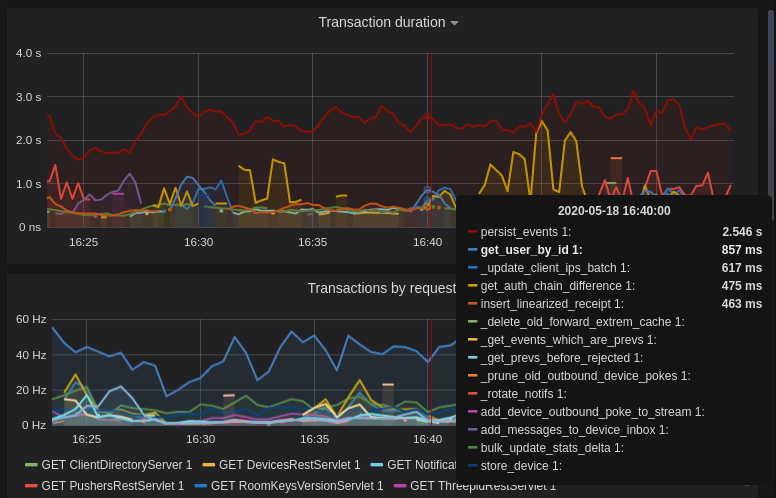
|
||||
|
||||
Still, it's probably worth investigating why we're getting users from the database that often, and whether it's possible to reduce the amount of queries we make by adjusting our cache factor(s).
|
||||
|
||||
The `persist_events` transaction is responsible for saving new room events to the Synapse database, so can often show a high transaction duration.
|
||||
|
||||
## Federation
|
||||
|
||||
The charts in the "Federation" section show information about incoming and outgoing federation requests. Federation data can be divided into two basic types:
|
||||
|
||||
- PDU (Persistent Data Unit) - room events: messages, state events (join/leave), etc. These are permanently stored in the database.
|
||||
- EDU (Ephemeral Data Unit) - other data, which need not be stored permanently, such as read receipts, typing notifications.
|
||||
|
||||
The "Outgoing EDUs by type" chart shows the EDUs within outgoing federation requests by type: `m.device_list_update`, `m.direct_to_device`, `m.presence`, `m.receipt`, `m.typing`.
|
||||
|
||||
If you see a large number of `m.presence` EDUs and are having trouble with too much CPU load, you can disable `presence` in the Synapse config. See also [#3971](https://github.com/matrix-org/synapse/issues/3971).
|
||||
|
||||
## Caches
|
||||
|
||||
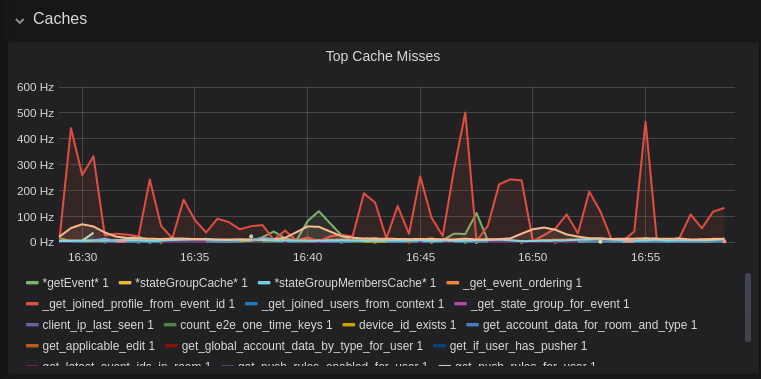
|
||||
|
||||
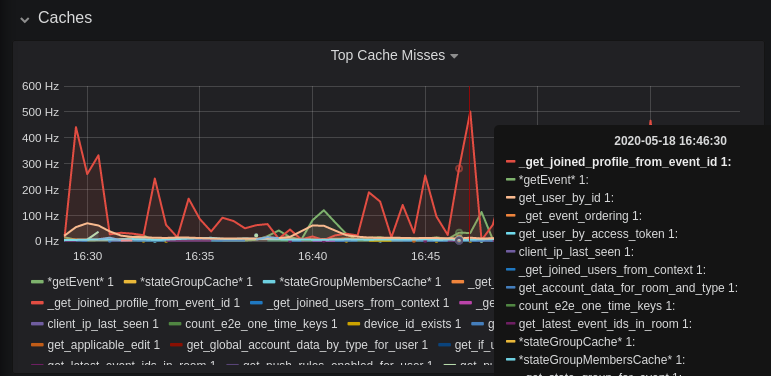
|
||||
|
||||
This is quite a useful graph. It shows how many times Synapse attempts to retrieve a piece of data from a cache which the cache did not contain, thus resulting in a call to the database. We can see here that the `_get_joined_profile_from_event_id` cache is being requested a lot, and often the data we're after is not cached.
|
||||
|
||||
Cross-referencing this with the Eviction Rate graph, which shows that entries are being evicted from `_get_joined_profile_from_event_id` quite often:
|
||||
|
||||

|
||||
|
||||
we should probably consider raising the size of that cache by raising its cache factor (a multiplier value for the size of an individual cache). Information on doing so is available [here](https://github.com/matrix-org/synapse/blob/ee421e524478c1ad8d43741c27379499c2f6135c/docs/sample_config.yaml#L608-L642) (note that the configuration of individual cache factors through the configuration file is available in Synapse v1.14.0+, whereas doing so through environment variables has been supported for a very long time). Note that this will increase Synapse's overall memory usage.
|
||||
|
||||
## Forward Extremities
|
||||
|
||||

|
||||
|
||||
Forward extremities are the leaf events at the end of a DAG in a room, aka events that have no children. The more that exist in a room, the more [state resolution](https://spec.matrix.org/v1.1/server-server-api/#room-state-resolution) that Synapse needs to perform (hint: it's an expensive operation). While Synapse has code to prevent too many of these existing at one time in a room, bugs can sometimes make them crop up again.
|
||||
|
||||
If a room has >10 forward extremities, it's worth checking which room is the culprit and potentially removing them using the SQL queries mentioned in [#1760](https://github.com/matrix-org/synapse/issues/1760).
|
||||
|
||||
## Garbage Collection
|
||||
|
||||

|
||||
|
||||
Large spikes in garbage collection times (bigger than shown here, I'm talking in the
|
||||
multiple seconds range), can cause lots of problems in Synapse performance. It's more an
|
||||
indicator of problems, and a symptom of other problems though, so check other graphs for what might be causing it.
|
||||
|
||||
## Final Thoughts
|
||||
|
||||
If you're still having performance problems with your Synapse instance and you've
|
||||
tried everything you can, it may just be a lack of system resources. Consider adding
|
||||
more CPU and RAM, and make use of [worker mode](../../workers.md)
|
||||
to make use of multiple CPU cores / multiple machines for your homeserver.
|
||||
|
||||
@@ -1,156 +0,0 @@
|
||||
## Some useful SQL queries for Synapse Admins
|
||||
|
||||
## Size of full matrix db
|
||||
`SELECT pg_size_pretty( pg_database_size( 'matrix' ) );`
|
||||
### Result example:
|
||||
```
|
||||
pg_size_pretty
|
||||
----------------
|
||||
6420 MB
|
||||
(1 row)
|
||||
```
|
||||
## Show top 20 larger rooms by state events count
|
||||
```sql
|
||||
SELECT r.name, s.room_id, s.current_state_events
|
||||
FROM room_stats_current s
|
||||
LEFT JOIN room_stats_state r USING (room_id)
|
||||
ORDER BY current_state_events DESC
|
||||
LIMIT 20;
|
||||
```
|
||||
|
||||
and by state_group_events count:
|
||||
```sql
|
||||
SELECT rss.name, s.room_id, count(s.room_id) FROM state_groups_state s
|
||||
LEFT JOIN room_stats_state rss USING (room_id)
|
||||
GROUP BY s.room_id, rss.name
|
||||
ORDER BY count(s.room_id) DESC
|
||||
LIMIT 20;
|
||||
```
|
||||
plus same, but with join removed for performance reasons:
|
||||
```sql
|
||||
SELECT s.room_id, count(s.room_id) FROM state_groups_state s
|
||||
GROUP BY s.room_id
|
||||
ORDER BY count(s.room_id) DESC
|
||||
LIMIT 20;
|
||||
```
|
||||
|
||||
## Show top 20 larger tables by row count
|
||||
```sql
|
||||
SELECT relname, n_live_tup as rows
|
||||
FROM pg_stat_user_tables
|
||||
ORDER BY n_live_tup DESC
|
||||
LIMIT 20;
|
||||
```
|
||||
This query is quick, but may be very approximate, for exact number of rows use `SELECT COUNT(*) FROM <table_name>`.
|
||||
### Result example:
|
||||
```
|
||||
state_groups_state - 161687170
|
||||
event_auth - 8584785
|
||||
event_edges - 6995633
|
||||
event_json - 6585916
|
||||
event_reference_hashes - 6580990
|
||||
events - 6578879
|
||||
received_transactions - 5713989
|
||||
event_to_state_groups - 4873377
|
||||
stream_ordering_to_exterm - 4136285
|
||||
current_state_delta_stream - 3770972
|
||||
event_search - 3670521
|
||||
state_events - 2845082
|
||||
room_memberships - 2785854
|
||||
cache_invalidation_stream - 2448218
|
||||
state_groups - 1255467
|
||||
state_group_edges - 1229849
|
||||
current_state_events - 1222905
|
||||
users_in_public_rooms - 364059
|
||||
device_lists_stream - 326903
|
||||
user_directory_search - 316433
|
||||
```
|
||||
|
||||
## Show top 20 rooms by new events count in last 1 day:
|
||||
```sql
|
||||
SELECT e.room_id, r.name, COUNT(e.event_id) cnt FROM events e
|
||||
LEFT JOIN room_stats_state r USING (room_id)
|
||||
WHERE e.origin_server_ts >= DATE_PART('epoch', NOW() - INTERVAL '1 day') * 1000 GROUP BY e.room_id, r.name ORDER BY cnt DESC LIMIT 20;
|
||||
```
|
||||
|
||||
## Show top 20 users on homeserver by sent events (messages) at last month:
|
||||
```sql
|
||||
SELECT user_id, SUM(total_events)
|
||||
FROM user_stats_historical
|
||||
WHERE TO_TIMESTAMP(end_ts/1000) AT TIME ZONE 'UTC' > date_trunc('day', now() - interval '1 month')
|
||||
GROUP BY user_id
|
||||
ORDER BY SUM(total_events) DESC
|
||||
LIMIT 20;
|
||||
```
|
||||
|
||||
## Show last 100 messages from needed user, with room names:
|
||||
```sql
|
||||
SELECT e.room_id, r.name, e.event_id, e.type, e.content, j.json FROM events e
|
||||
LEFT JOIN event_json j USING (room_id)
|
||||
LEFT JOIN room_stats_state r USING (room_id)
|
||||
WHERE sender = '@LOGIN:example.com'
|
||||
AND e.type = 'm.room.message'
|
||||
ORDER BY stream_ordering DESC
|
||||
LIMIT 100;
|
||||
```
|
||||
|
||||
## Show top 20 larger tables by storage size
|
||||
```sql
|
||||
SELECT nspname || '.' || relname AS "relation",
|
||||
pg_size_pretty(pg_total_relation_size(C.oid)) AS "total_size"
|
||||
FROM pg_class C
|
||||
LEFT JOIN pg_namespace N ON (N.oid = C.relnamespace)
|
||||
WHERE nspname NOT IN ('pg_catalog', 'information_schema')
|
||||
AND C.relkind <> 'i'
|
||||
AND nspname !~ '^pg_toast'
|
||||
ORDER BY pg_total_relation_size(C.oid) DESC
|
||||
LIMIT 20;
|
||||
```
|
||||
### Result example:
|
||||
```
|
||||
public.state_groups_state - 27 GB
|
||||
public.event_json - 9855 MB
|
||||
public.events - 3675 MB
|
||||
public.event_edges - 3404 MB
|
||||
public.received_transactions - 2745 MB
|
||||
public.event_reference_hashes - 1864 MB
|
||||
public.event_auth - 1775 MB
|
||||
public.stream_ordering_to_exterm - 1663 MB
|
||||
public.event_search - 1370 MB
|
||||
public.room_memberships - 1050 MB
|
||||
public.event_to_state_groups - 948 MB
|
||||
public.current_state_delta_stream - 711 MB
|
||||
public.state_events - 611 MB
|
||||
public.presence_stream - 530 MB
|
||||
public.current_state_events - 525 MB
|
||||
public.cache_invalidation_stream - 466 MB
|
||||
public.receipts_linearized - 279 MB
|
||||
public.state_groups - 160 MB
|
||||
public.device_lists_remote_cache - 124 MB
|
||||
public.state_group_edges - 122 MB
|
||||
```
|
||||
|
||||
## Show rooms with names, sorted by events in this rooms
|
||||
`echo "select event_json.room_id,room_stats_state.name from event_json,room_stats_state where room_stats_state.room_id=event_json.room_id" | psql synapse | sort | uniq -c | sort -n`
|
||||
### Result example:
|
||||
```
|
||||
9459 !FPUfgzXYWTKgIrwKxW:matrix.org | This Week in Matrix
|
||||
9459 !FPUfgzXYWTKgIrwKxW:matrix.org | This Week in Matrix (TWIM)
|
||||
17799 !iDIOImbmXxwNngznsa:matrix.org | Linux in Russian
|
||||
18739 !GnEEPYXUhoaHbkFBNX:matrix.org | Riot Android
|
||||
23373 !QtykxKocfZaZOUrTwp:matrix.org | Matrix HQ
|
||||
39504 !gTQfWzbYncrtNrvEkB:matrix.org | ru.[matrix]
|
||||
43601 !iNmaIQExDMeqdITdHH:matrix.org | Riot
|
||||
43601 !iNmaIQExDMeqdITdHH:matrix.org | Riot Web/Desktop
|
||||
```
|
||||
|
||||
## Lookup room state info by list of room_id
|
||||
```sql
|
||||
SELECT rss.room_id, rss.name, rss.canonical_alias, rss.topic, rss.encryption, rsc.joined_members, rsc.local_users_in_room, rss.join_rules
|
||||
FROM room_stats_state rss
|
||||
LEFT JOIN room_stats_current rsc USING (room_id)
|
||||
WHERE room_id IN (WHERE room_id IN (
|
||||
'!OGEhHVWSdvArJzumhm:matrix.org',
|
||||
'!YTvKGNlinIzlkMTVRl:matrix.org'
|
||||
)
|
||||
```
|
||||
@@ -1,139 +0,0 @@
|
||||
# Refresh Tokens
|
||||
|
||||
Synapse supports refresh tokens since version 1.49 (some earlier versions had support for an earlier, experimental draft of [MSC2918] which is not compatible).
|
||||
|
||||
|
||||
[MSC2918]: https://github.com/matrix-org/matrix-doc/blob/main/proposals/2918-refreshtokens.md#msc2918-refresh-tokens
|
||||
|
||||
|
||||
## Background and motivation
|
||||
|
||||
Synapse users' sessions are identified by **access tokens**; access tokens are
|
||||
issued to users on login. Each session gets a unique access token which identifies
|
||||
it; the access token must be kept secret as it grants access to the user's account.
|
||||
|
||||
Traditionally, these access tokens were eternally valid (at least until the user
|
||||
explicitly chose to log out).
|
||||
|
||||
In some cases, it may be desirable for these access tokens to expire so that the
|
||||
potential damage caused by leaking an access token is reduced.
|
||||
On the other hand, forcing a user to re-authenticate (log in again) often might
|
||||
be too much of an inconvenience.
|
||||
|
||||
**Refresh tokens** are a mechanism to avoid some of this inconvenience whilst
|
||||
still getting most of the benefits of short access token lifetimes.
|
||||
Refresh tokens are also a concept present in OAuth 2 — further reading is available
|
||||
[here](https://datatracker.ietf.org/doc/html/rfc6749#section-1.5).
|
||||
|
||||
When refresh tokens are in use, both an access token and a refresh token will be
|
||||
issued to users on login. The access token will expire after a predetermined amount
|
||||
of time, but otherwise works in the same way as before. When the access token is
|
||||
close to expiring (or has expired), the user's client should present the homeserver
|
||||
(Synapse) with the refresh token.
|
||||
|
||||
The homeserver will then generate a new access token and refresh token for the user
|
||||
and return them. The old refresh token is invalidated and can not be used again*.
|
||||
|
||||
Finally, refresh tokens also make it possible for sessions to be logged out if they
|
||||
are inactive for too long, before the session naturally ends; see the configuration
|
||||
guide below.
|
||||
|
||||
|
||||
*To prevent issues if clients lose connection half-way through refreshing a token,
|
||||
the refresh token is only invalidated once the new access token has been used at
|
||||
least once. For all intents and purposes, the above simplification is sufficient.
|
||||
|
||||
|
||||
## Caveats
|
||||
|
||||
There are some caveats:
|
||||
|
||||
* If a third party gets both your access token and refresh token, they will be able to
|
||||
continue to enjoy access to your session.
|
||||
* This is still an improvement because you (the user) will notice when *your*
|
||||
session expires and you're not able to use your refresh token.
|
||||
That would be a giveaway that someone else has compromised your session.
|
||||
You would be able to log in again and terminate that session.
|
||||
Previously (with long-lived access tokens), a third party that has your access
|
||||
token could go undetected for a very long time.
|
||||
* Clients need to implement support for refresh tokens in order for them to be a
|
||||
useful mechanism.
|
||||
* It is up to homeserver administrators if they want to issue long-lived access
|
||||
tokens to clients not implementing refresh tokens.
|
||||
* For compatibility, it is likely that they should, at least until client support
|
||||
is widespread.
|
||||
* Users with clients that support refresh tokens will still benefit from the
|
||||
added security; it's not possible to downgrade a session to using long-lived
|
||||
access tokens so this effectively gives users the choice.
|
||||
* In a closed environment where all users use known clients, this may not be
|
||||
an issue as the homeserver administrator can know if the clients have refresh
|
||||
token support. In that case, the non-refreshable access token lifetime
|
||||
may be set to a short duration so that a similar level of security is provided.
|
||||
|
||||
|
||||
## Configuration Guide
|
||||
|
||||
The following configuration options, in the `registration` section, are related:
|
||||
|
||||
* `session_lifetime`: maximum length of a session, even if it's refreshed.
|
||||
In other words, the client must log in again after this time period.
|
||||
In most cases, this can be unset (infinite) or set to a long time (years or months).
|
||||
* `refreshable_access_token_lifetime`: lifetime of access tokens that are created
|
||||
by clients supporting refresh tokens.
|
||||
This should be short; a good value might be 5 minutes (`5m`).
|
||||
* `nonrefreshable_access_token_lifetime`: lifetime of access tokens that are created
|
||||
by clients which don't support refresh tokens.
|
||||
Make this short if you want to effectively force use of refresh tokens.
|
||||
Make this long if you don't want to inconvenience users of clients which don't
|
||||
support refresh tokens (by forcing them to frequently re-authenticate using
|
||||
login credentials).
|
||||
* `refresh_token_lifetime`: lifetime of refresh tokens.
|
||||
In other words, the client must refresh within this time period to maintain its session.
|
||||
Unless you want to log inactive sessions out, it is often fine to use a long
|
||||
value here or even leave it unset (infinite).
|
||||
Beware that making it too short will inconvenience clients that do not connect
|
||||
very often, including mobile clients and clients of infrequent users (by making
|
||||
it more difficult for them to refresh in time, which may force them to need to
|
||||
re-authenticate using login credentials).
|
||||
|
||||
**Note:** All four options above only apply when tokens are created (by logging in or refreshing).
|
||||
Changes to these settings do not apply retroactively.
|
||||
|
||||
|
||||
### Using refresh token expiry to log out inactive sessions
|
||||
|
||||
If you'd like to force sessions to be logged out upon inactivity, you can enable
|
||||
refreshable access token expiry and refresh token expiry.
|
||||
|
||||
This works because a client must refresh at least once within a period of
|
||||
`refresh_token_lifetime` in order to maintain valid credentials to access the
|
||||
account.
|
||||
|
||||
(It's suggested that `refresh_token_lifetime` should be longer than
|
||||
`refreshable_access_token_lifetime` and this section assumes that to be the case
|
||||
for simplicity.)
|
||||
|
||||
Note: this will only affect sessions using refresh tokens. You may wish to
|
||||
set a short `nonrefreshable_access_token_lifetime` to prevent this being bypassed
|
||||
by clients that do not support refresh tokens.
|
||||
|
||||
|
||||
#### Choosing values that guarantee permitting some inactivity
|
||||
|
||||
It may be desirable to permit some short periods of inactivity, for example to
|
||||
accommodate brief outages in client connectivity.
|
||||
|
||||
The following model aims to provide guidance for choosing `refresh_token_lifetime`
|
||||
and `refreshable_access_token_lifetime` to satisfy requirements of the form:
|
||||
|
||||
1. inactivity longer than `L` **MUST** cause the session to be logged out; and
|
||||
2. inactivity shorter than `S` **MUST NOT** cause the session to be logged out.
|
||||
|
||||
This model makes the weakest assumption that all active clients will refresh as
|
||||
needed to maintain an active access token, but no sooner.
|
||||
*In reality, clients may refresh more often than this model assumes, but the
|
||||
above requirements will still hold.*
|
||||
|
||||
To satisfy the above model,
|
||||
* `refresh_token_lifetime` should be set to `L`; and
|
||||
* `refreshable_access_token_lifetime` should be set to `L - S`.
|
||||
@@ -1,5 +0,0 @@
|
||||
# Single Sign-On
|
||||
|
||||
Synapse supports single sign-on through the SAML, Open ID Connect or CAS protocols.
|
||||
LDAP and other login methods are supported through first and third-party password
|
||||
auth provider modules.
|
||||
@@ -1,8 +0,0 @@
|
||||
# CAS
|
||||
|
||||
Synapse supports authenticating users via the [Central Authentication
|
||||
Service protocol](https://en.wikipedia.org/wiki/Central_Authentication_Service)
|
||||
(CAS) natively.
|
||||
|
||||
Please see the `cas_config` and `sso` sections of the [Synapse configuration
|
||||
file](../../../configuration/homeserver_sample_config.md) for more details.
|
||||
@@ -1,8 +0,0 @@
|
||||
# SAML
|
||||
|
||||
Synapse supports authenticating users via the [Security Assertion
|
||||
Markup Language](https://en.wikipedia.org/wiki/Security_Assertion_Markup_Language)
|
||||
(SAML) protocol natively.
|
||||
|
||||
Please see the `saml2_config` and `sso` sections of the [Synapse configuration
|
||||
file](../../../configuration/homeserver_sample_config.md) for more details.
|
||||
@@ -6,9 +6,9 @@ on this particular server - i.e. ones which your account shares a room with, or
|
||||
who are present in a publicly viewable room present on the server.
|
||||
|
||||
The directory info is stored in various tables, which can (typically after
|
||||
DB corruption) get stale or out of sync. If this happens, for now the
|
||||
solution to fix it is to use the [admin API](usage/administration/admin_api/background_updates.md#run)
|
||||
and execute the job `regenerate_directory`. This should then start a background task to
|
||||
DB corruption) get stale or out of sync. If this happens, for now the
|
||||
solution to fix it is to execute the SQL [here](https://github.com/matrix-org/synapse/blob/master/synapse/storage/schema/main/delta/53/user_dir_populate.sql)
|
||||
and then restart synapse. This should then start a background task to
|
||||
flush the current tables and regenerate the directory.
|
||||
|
||||
Data model
|
||||
|
||||
@@ -24,6 +24,11 @@ Finally, we also stylise the chapter titles in the left sidebar by indenting the
|
||||
slightly so that they are more visually distinguishable from the section headers
|
||||
(the bold titles). This is done through the `indent-section-headers.css` file.
|
||||
|
||||
In addition to these modifications, we have added a version picker to the documentation.
|
||||
Users can switch between documentations for different versions of Synapse.
|
||||
This functionality was implemented through the `version-picker.js` and
|
||||
`version-picker.css` files.
|
||||
|
||||
More information can be found in mdbook's official documentation for
|
||||
[injecting page JS/CSS](https://rust-lang.github.io/mdBook/format/config.html)
|
||||
and
|
||||
|
||||
@@ -131,6 +131,18 @@
|
||||
<i class="fa fa-search"></i>
|
||||
</button>
|
||||
{{/if}}
|
||||
<div class="version-picker">
|
||||
<div class="dropdown">
|
||||
<div class="select">
|
||||
<span></span>
|
||||
<i class="fa fa-chevron-down"></i>
|
||||
</div>
|
||||
<input type="hidden" name="version">
|
||||
<ul class="dropdown-menu">
|
||||
<!-- Versions will be added dynamically in version-picker.js -->
|
||||
</ul>
|
||||
</div>
|
||||
</div>
|
||||
</div>
|
||||
|
||||
<h1 class="menu-title">{{ book_title }}</h1>
|
||||
@@ -309,4 +321,4 @@
|
||||
{{/if}}
|
||||
|
||||
</body>
|
||||
</html>
|
||||
</html>
|
||||
|
||||
78
docs/website_files/version-picker.css
Normal file
78
docs/website_files/version-picker.css
Normal file
@@ -0,0 +1,78 @@
|
||||
.version-picker {
|
||||
display: flex;
|
||||
align-items: center;
|
||||
}
|
||||
|
||||
.version-picker .dropdown {
|
||||
width: 130px;
|
||||
max-height: 29px;
|
||||
margin-left: 10px;
|
||||
display: inline-block;
|
||||
border-radius: 4px;
|
||||
border: 1px solid var(--theme-popup-border);
|
||||
position: relative;
|
||||
font-size: 13px;
|
||||
color: var(--fg);
|
||||
height: 100%;
|
||||
text-align: left;
|
||||
}
|
||||
.version-picker .dropdown .select {
|
||||
cursor: pointer;
|
||||
display: block;
|
||||
padding: 5px 2px 5px 15px;
|
||||
}
|
||||
.version-picker .dropdown .select > i {
|
||||
font-size: 10px;
|
||||
color: var(--fg);
|
||||
cursor: pointer;
|
||||
float: right;
|
||||
line-height: 20px !important;
|
||||
}
|
||||
.version-picker .dropdown:hover {
|
||||
border: 1px solid var(--theme-popup-border);
|
||||
}
|
||||
.version-picker .dropdown:active {
|
||||
background-color: var(--theme-popup-bg);
|
||||
}
|
||||
.version-picker .dropdown.active:hover,
|
||||
.version-picker .dropdown.active {
|
||||
border: 1px solid var(--theme-popup-border);
|
||||
border-radius: 2px 2px 0 0;
|
||||
background-color: var(--theme-popup-bg);
|
||||
}
|
||||
.version-picker .dropdown.active .select > i {
|
||||
transform: rotate(-180deg);
|
||||
}
|
||||
.version-picker .dropdown .dropdown-menu {
|
||||
position: absolute;
|
||||
background-color: var(--theme-popup-bg);
|
||||
width: 100%;
|
||||
left: -1px;
|
||||
right: 1px;
|
||||
margin-top: 1px;
|
||||
border: 1px solid var(--theme-popup-border);
|
||||
border-radius: 0 0 4px 4px;
|
||||
overflow: hidden;
|
||||
display: none;
|
||||
max-height: 300px;
|
||||
overflow-y: auto;
|
||||
z-index: 9;
|
||||
}
|
||||
.version-picker .dropdown .dropdown-menu li {
|
||||
font-size: 12px;
|
||||
padding: 6px 20px;
|
||||
cursor: pointer;
|
||||
}
|
||||
.version-picker .dropdown .dropdown-menu {
|
||||
padding: 0;
|
||||
list-style: none;
|
||||
}
|
||||
.version-picker .dropdown .dropdown-menu li:hover {
|
||||
background-color: var(--theme-hover);
|
||||
}
|
||||
.version-picker .dropdown .dropdown-menu li.active::before {
|
||||
display: inline-block;
|
||||
content: "✓";
|
||||
margin-inline-start: -14px;
|
||||
width: 14px;
|
||||
}
|
||||
127
docs/website_files/version-picker.js
Normal file
127
docs/website_files/version-picker.js
Normal file
@@ -0,0 +1,127 @@
|
||||
|
||||
const dropdown = document.querySelector('.version-picker .dropdown');
|
||||
const dropdownMenu = dropdown.querySelector('.dropdown-menu');
|
||||
|
||||
fetchVersions(dropdown, dropdownMenu).then(() => {
|
||||
initializeVersionDropdown(dropdown, dropdownMenu);
|
||||
});
|
||||
|
||||
/**
|
||||
* Initialize the dropdown functionality for version selection.
|
||||
*
|
||||
* @param {Element} dropdown - The dropdown element.
|
||||
* @param {Element} dropdownMenu - The dropdown menu element.
|
||||
*/
|
||||
function initializeVersionDropdown(dropdown, dropdownMenu) {
|
||||
// Toggle the dropdown menu on click
|
||||
dropdown.addEventListener('click', function () {
|
||||
this.setAttribute('tabindex', 1);
|
||||
this.classList.toggle('active');
|
||||
dropdownMenu.style.display = (dropdownMenu.style.display === 'block') ? 'none' : 'block';
|
||||
});
|
||||
|
||||
// Remove the 'active' class and hide the dropdown menu on focusout
|
||||
dropdown.addEventListener('focusout', function () {
|
||||
this.classList.remove('active');
|
||||
dropdownMenu.style.display = 'none';
|
||||
});
|
||||
|
||||
// Handle item selection within the dropdown menu
|
||||
const dropdownMenuItems = dropdownMenu.querySelectorAll('li');
|
||||
dropdownMenuItems.forEach(function (item) {
|
||||
item.addEventListener('click', function () {
|
||||
dropdownMenuItems.forEach(function (item) {
|
||||
item.classList.remove('active');
|
||||
});
|
||||
this.classList.add('active');
|
||||
dropdown.querySelector('span').textContent = this.textContent;
|
||||
dropdown.querySelector('input').value = this.getAttribute('id');
|
||||
|
||||
window.location.href = changeVersion(window.location.href, this.textContent);
|
||||
});
|
||||
});
|
||||
};
|
||||
|
||||
/**
|
||||
* This function fetches the available versions from a GitHub repository
|
||||
* and inserts them into the version picker.
|
||||
*
|
||||
* @param {Element} dropdown - The dropdown element.
|
||||
* @param {Element} dropdownMenu - The dropdown menu element.
|
||||
* @returns {Promise<Array<string>>} A promise that resolves with an array of available versions.
|
||||
*/
|
||||
function fetchVersions(dropdown, dropdownMenu) {
|
||||
return new Promise((resolve, reject) => {
|
||||
window.addEventListener("load", () => {
|
||||
|
||||
fetch("https://api.github.com/repos/matrix-org/synapse/git/trees/gh-pages", {
|
||||
cache: "force-cache",
|
||||
}).then(res =>
|
||||
res.json()
|
||||
).then(resObject => {
|
||||
const excluded = ['dev-docs', 'v1.91.0', 'v1.80.0', 'v1.69.0'];
|
||||
const tree = resObject.tree.filter(item => item.type === "tree" && !excluded.includes(item.path));
|
||||
const versions = tree.map(item => item.path).sort(sortVersions);
|
||||
|
||||
// Create a list of <li> items for versions
|
||||
versions.forEach((version) => {
|
||||
const li = document.createElement("li");
|
||||
li.textContent = version;
|
||||
li.id = version;
|
||||
|
||||
if (window.SYNAPSE_VERSION === version) {
|
||||
li.classList.add('active');
|
||||
dropdown.querySelector('span').textContent = version;
|
||||
dropdown.querySelector('input').value = version;
|
||||
}
|
||||
|
||||
dropdownMenu.appendChild(li);
|
||||
});
|
||||
|
||||
resolve(versions);
|
||||
|
||||
}).catch(ex => {
|
||||
console.error("Failed to fetch version data", ex);
|
||||
reject(ex);
|
||||
})
|
||||
});
|
||||
});
|
||||
}
|
||||
|
||||
/**
|
||||
* Custom sorting function to sort an array of version strings.
|
||||
*
|
||||
* @param {string} a - The first version string to compare.
|
||||
* @param {string} b - The second version string to compare.
|
||||
* @returns {number} - A negative number if a should come before b, a positive number if b should come before a, or 0 if they are equal.
|
||||
*/
|
||||
function sortVersions(a, b) {
|
||||
// Put 'develop' and 'latest' at the top
|
||||
if (a === 'develop' || a === 'latest') return -1;
|
||||
if (b === 'develop' || b === 'latest') return 1;
|
||||
|
||||
const versionA = (a.match(/v\d+(\.\d+)+/) || [])[0];
|
||||
const versionB = (b.match(/v\d+(\.\d+)+/) || [])[0];
|
||||
|
||||
return versionB.localeCompare(versionA);
|
||||
}
|
||||
|
||||
/**
|
||||
* Change the version in a URL path.
|
||||
*
|
||||
* @param {string} url - The original URL to be modified.
|
||||
* @param {string} newVersion - The new version to replace the existing version in the URL.
|
||||
* @returns {string} The updated URL with the new version.
|
||||
*/
|
||||
function changeVersion(url, newVersion) {
|
||||
const parsedURL = new URL(url);
|
||||
const pathSegments = parsedURL.pathname.split('/');
|
||||
|
||||
// Modify the version
|
||||
pathSegments[2] = newVersion;
|
||||
|
||||
// Reconstruct the URL
|
||||
parsedURL.pathname = pathSegments.join('/');
|
||||
|
||||
return parsedURL.href;
|
||||
}
|
||||
1
docs/website_files/version.js
Normal file
1
docs/website_files/version.js
Normal file
@@ -0,0 +1 @@
|
||||
window.SYNAPSE_VERSION = 'v1.47';
|
||||
184
docs/workers.md
184
docs/workers.md
@@ -178,17 +178,14 @@ recommend the use of `systemd` where available: for information on setting up
|
||||
|
||||
### `synapse.app.generic_worker`
|
||||
|
||||
This worker can handle API requests matching the following regular expressions.
|
||||
These endpoints can be routed to any worker. If a worker is set up to handle a
|
||||
stream then, for maximum efficiency, additional endpoints should be routed to that
|
||||
worker: refer to the [stream writers](#stream-writers) section below for further
|
||||
information.
|
||||
This worker can handle API requests matching the following regular
|
||||
expressions:
|
||||
|
||||
# Sync requests
|
||||
^/_matrix/client/(r0|v3)/sync$
|
||||
^/_matrix/client/(api/v1|r0|v3)/events$
|
||||
^/_matrix/client/(api/v1|r0|v3)/initialSync$
|
||||
^/_matrix/client/(api/v1|r0|v3)/rooms/[^/]+/initialSync$
|
||||
^/_matrix/client/(v2_alpha|r0)/sync$
|
||||
^/_matrix/client/(api/v1|v2_alpha|r0)/events$
|
||||
^/_matrix/client/(api/v1|r0)/initialSync$
|
||||
^/_matrix/client/(api/v1|r0)/rooms/[^/]+/initialSync$
|
||||
|
||||
# Federation requests
|
||||
^/_matrix/federation/v1/event/
|
||||
@@ -200,92 +197,78 @@ information.
|
||||
^/_matrix/federation/v1/query/
|
||||
^/_matrix/federation/v1/make_join/
|
||||
^/_matrix/federation/v1/make_leave/
|
||||
^/_matrix/federation/(v1|v2)/send_join/
|
||||
^/_matrix/federation/(v1|v2)/send_leave/
|
||||
^/_matrix/federation/(v1|v2)/invite/
|
||||
^/_matrix/federation/v1/send_join/
|
||||
^/_matrix/federation/v2/send_join/
|
||||
^/_matrix/federation/v1/send_leave/
|
||||
^/_matrix/federation/v2/send_leave/
|
||||
^/_matrix/federation/v1/invite/
|
||||
^/_matrix/federation/v2/invite/
|
||||
^/_matrix/federation/v1/query_auth/
|
||||
^/_matrix/federation/v1/event_auth/
|
||||
^/_matrix/federation/v1/exchange_third_party_invite/
|
||||
^/_matrix/federation/v1/user/devices/
|
||||
^/_matrix/federation/v1/get_groups_publicised$
|
||||
^/_matrix/key/v2/query
|
||||
^/_matrix/federation/(v1|unstable/org.matrix.msc2946)/hierarchy/
|
||||
^/_matrix/federation/unstable/org.matrix.msc2946/spaces/
|
||||
^/_matrix/federation/unstable/org.matrix.msc2946/hierarchy/
|
||||
|
||||
# Inbound federation transaction request
|
||||
^/_matrix/federation/v1/send/
|
||||
|
||||
# Client API requests
|
||||
^/_matrix/client/(api/v1|r0|v3|unstable)/createRoom$
|
||||
^/_matrix/client/(api/v1|r0|v3|unstable)/publicRooms$
|
||||
^/_matrix/client/(api/v1|r0|v3|unstable)/rooms/.*/joined_members$
|
||||
^/_matrix/client/(api/v1|r0|v3|unstable)/rooms/.*/context/.*$
|
||||
^/_matrix/client/(api/v1|r0|v3|unstable)/rooms/.*/members$
|
||||
^/_matrix/client/(api/v1|r0|v3|unstable)/rooms/.*/state$
|
||||
^/_matrix/client/(v1|unstable/org.matrix.msc2946)/rooms/.*/hierarchy$
|
||||
^/_matrix/client/(api/v1|r0|unstable)/createRoom$
|
||||
^/_matrix/client/(api/v1|r0|unstable)/publicRooms$
|
||||
^/_matrix/client/(api/v1|r0|unstable)/rooms/.*/joined_members$
|
||||
^/_matrix/client/(api/v1|r0|unstable)/rooms/.*/context/.*$
|
||||
^/_matrix/client/(api/v1|r0|unstable)/rooms/.*/members$
|
||||
^/_matrix/client/(api/v1|r0|unstable)/rooms/.*/state$
|
||||
^/_matrix/client/unstable/org.matrix.msc2946/rooms/.*/spaces$
|
||||
^/_matrix/client/unstable/org.matrix.msc2946/rooms/.*/hierarchy$
|
||||
^/_matrix/client/unstable/im.nheko.summary/rooms/.*/summary$
|
||||
^/_matrix/client/(r0|v3|unstable)/account/3pid$
|
||||
^/_matrix/client/(r0|v3|unstable)/devices$
|
||||
^/_matrix/client/(api/v1|r0|unstable)/account/3pid$
|
||||
^/_matrix/client/(api/v1|r0|unstable)/devices$
|
||||
^/_matrix/client/(api/v1|r0|unstable)/keys/query$
|
||||
^/_matrix/client/(api/v1|r0|unstable)/keys/changes$
|
||||
^/_matrix/client/versions$
|
||||
^/_matrix/client/(api/v1|r0|v3|unstable)/voip/turnServer$
|
||||
^/_matrix/client/(r0|v3|unstable)/joined_groups$
|
||||
^/_matrix/client/(r0|v3|unstable)/publicised_groups$
|
||||
^/_matrix/client/(r0|v3|unstable)/publicised_groups/
|
||||
^/_matrix/client/(api/v1|r0|v3|unstable)/rooms/.*/event/
|
||||
^/_matrix/client/(api/v1|r0|v3|unstable)/joined_rooms$
|
||||
^/_matrix/client/(api/v1|r0|v3|unstable)/search$
|
||||
|
||||
# Encryption requests
|
||||
^/_matrix/client/(r0|v3|unstable)/keys/query$
|
||||
^/_matrix/client/(r0|v3|unstable)/keys/changes$
|
||||
^/_matrix/client/(r0|v3|unstable)/keys/claim$
|
||||
^/_matrix/client/(r0|v3|unstable)/room_keys/
|
||||
^/_matrix/client/(api/v1|r0|unstable)/voip/turnServer$
|
||||
^/_matrix/client/(api/v1|r0|unstable)/joined_groups$
|
||||
^/_matrix/client/(api/v1|r0|unstable)/publicised_groups$
|
||||
^/_matrix/client/(api/v1|r0|unstable)/publicised_groups/
|
||||
^/_matrix/client/(api/v1|r0|unstable)/rooms/.*/event/
|
||||
^/_matrix/client/(api/v1|r0|unstable)/joined_rooms$
|
||||
^/_matrix/client/(api/v1|r0|unstable)/search$
|
||||
|
||||
# Registration/login requests
|
||||
^/_matrix/client/(api/v1|r0|v3|unstable)/login$
|
||||
^/_matrix/client/(r0|v3|unstable)/register$
|
||||
^/_matrix/client/v1/register/m.login.registration_token/validity$
|
||||
^/_matrix/client/(api/v1|r0|unstable)/login$
|
||||
^/_matrix/client/(r0|unstable)/register$
|
||||
^/_matrix/client/unstable/org.matrix.msc3231/register/org.matrix.msc3231.login.registration_token/validity$
|
||||
|
||||
# Event sending requests
|
||||
^/_matrix/client/(api/v1|r0|v3|unstable)/rooms/.*/redact
|
||||
^/_matrix/client/(api/v1|r0|v3|unstable)/rooms/.*/send
|
||||
^/_matrix/client/(api/v1|r0|v3|unstable)/rooms/.*/state/
|
||||
^/_matrix/client/(api/v1|r0|v3|unstable)/rooms/.*/(join|invite|leave|ban|unban|kick)$
|
||||
^/_matrix/client/(api/v1|r0|v3|unstable)/join/
|
||||
^/_matrix/client/(api/v1|r0|v3|unstable)/profile/
|
||||
|
||||
# Device requests
|
||||
^/_matrix/client/(r0|v3|unstable)/sendToDevice/
|
||||
|
||||
# Account data requests
|
||||
^/_matrix/client/(r0|v3|unstable)/.*/tags
|
||||
^/_matrix/client/(r0|v3|unstable)/.*/account_data
|
||||
|
||||
# Receipts requests
|
||||
^/_matrix/client/(r0|v3|unstable)/rooms/.*/receipt
|
||||
^/_matrix/client/(r0|v3|unstable)/rooms/.*/read_markers
|
||||
|
||||
# Presence requests
|
||||
^/_matrix/client/(api/v1|r0|v3|unstable)/presence/
|
||||
^/_matrix/client/(api/v1|r0|unstable)/rooms/.*/redact
|
||||
^/_matrix/client/(api/v1|r0|unstable)/rooms/.*/send
|
||||
^/_matrix/client/(api/v1|r0|unstable)/rooms/.*/state/
|
||||
^/_matrix/client/(api/v1|r0|unstable)/rooms/.*/(join|invite|leave|ban|unban|kick)$
|
||||
^/_matrix/client/(api/v1|r0|unstable)/join/
|
||||
^/_matrix/client/(api/v1|r0|unstable)/profile/
|
||||
|
||||
|
||||
Additionally, the following REST endpoints can be handled for GET requests:
|
||||
|
||||
^/_matrix/federation/v1/groups/
|
||||
^/_matrix/client/(api/v1|r0|v3|unstable)/pushrules/
|
||||
^/_matrix/client/(r0|v3|unstable)/groups/
|
||||
|
||||
Pagination requests can also be handled, but all requests for a given
|
||||
room must be routed to the same instance. Additionally, care must be taken to
|
||||
ensure that the purge history admin API is not used while pagination requests
|
||||
for the room are in flight:
|
||||
|
||||
^/_matrix/client/(api/v1|r0|v3|unstable)/rooms/.*/messages$
|
||||
^/_matrix/client/(api/v1|r0|unstable)/rooms/.*/messages$
|
||||
|
||||
Additionally, the following endpoints should be included if Synapse is configured
|
||||
to use SSO (you only need to include the ones for whichever SSO provider you're
|
||||
using):
|
||||
|
||||
# for all SSO providers
|
||||
^/_matrix/client/(api/v1|r0|v3|unstable)/login/sso/redirect
|
||||
^/_matrix/client/(api/v1|r0|unstable)/login/sso/redirect
|
||||
^/_synapse/client/pick_idp$
|
||||
^/_synapse/client/pick_username
|
||||
^/_synapse/client/new_user_consent$
|
||||
@@ -298,7 +281,7 @@ using):
|
||||
^/_synapse/client/saml2/authn_response$
|
||||
|
||||
# CAS requests.
|
||||
^/_matrix/client/(api/v1|r0|v3|unstable)/login/cas/ticket$
|
||||
^/_matrix/client/(api/v1|r0|unstable)/login/cas/ticket$
|
||||
|
||||
Ensure that all SSO logins go to a single process.
|
||||
For multiple workers not handling the SSO endpoints properly, see
|
||||
@@ -347,13 +330,12 @@ Additionally, there is *experimental* support for moving writing of specific
|
||||
streams (such as events) off of the main process to a particular worker. (This
|
||||
is only supported with Redis-based replication.)
|
||||
|
||||
To enable this, the worker must have a HTTP replication listener configured,
|
||||
have a `worker_name` and be listed in the `instance_map` config. The same worker
|
||||
can handle multiple streams, but unless otherwise documented, each stream can only
|
||||
have a single writer.
|
||||
Currently supported streams are `events` and `typing`.
|
||||
|
||||
For example, to move event persistence off to a dedicated worker, the shared
|
||||
configuration would include:
|
||||
To enable this, the worker must have a HTTP replication listener configured,
|
||||
have a `worker_name` and be listed in the `instance_map` config. For example to
|
||||
move event persistence off to a dedicated worker, the shared configuration would
|
||||
include:
|
||||
|
||||
```yaml
|
||||
instance_map:
|
||||
@@ -365,14 +347,8 @@ stream_writers:
|
||||
events: event_persister1
|
||||
```
|
||||
|
||||
Some of the streams have associated endpoints which, for maximum efficiency, should
|
||||
be routed to the workers handling that stream. See below for the currently supported
|
||||
streams and the endpoints associated with them:
|
||||
|
||||
##### The `events` stream
|
||||
|
||||
The `events` stream experimentally supports having multiple writers, where work
|
||||
is sharded between them by room ID. Note that you *must* restart all worker
|
||||
The `events` stream also experimentally supports having multiple writers, where
|
||||
work is sharded between them by room ID. Note that you *must* restart all worker
|
||||
instances when adding or removing event persisters. An example `stream_writers`
|
||||
configuration with multiple writers:
|
||||
|
||||
@@ -383,43 +359,6 @@ stream_writers:
|
||||
- event_persister2
|
||||
```
|
||||
|
||||
##### The `typing` stream
|
||||
|
||||
The following endpoints should be routed directly to the worker configured as
|
||||
the stream writer for the `typing` stream:
|
||||
|
||||
^/_matrix/client/(api/v1|r0|v3|unstable)/rooms/.*/typing
|
||||
|
||||
##### The `to_device` stream
|
||||
|
||||
The following endpoints should be routed directly to the worker configured as
|
||||
the stream writer for the `to_device` stream:
|
||||
|
||||
^/_matrix/client/(r0|v3|unstable)/sendToDevice/
|
||||
|
||||
##### The `account_data` stream
|
||||
|
||||
The following endpoints should be routed directly to the worker configured as
|
||||
the stream writer for the `account_data` stream:
|
||||
|
||||
^/_matrix/client/(r0|v3|unstable)/.*/tags
|
||||
^/_matrix/client/(r0|v3|unstable)/.*/account_data
|
||||
|
||||
##### The `receipts` stream
|
||||
|
||||
The following endpoints should be routed directly to the worker configured as
|
||||
the stream writer for the `receipts` stream:
|
||||
|
||||
^/_matrix/client/(r0|v3|unstable)/rooms/.*/receipt
|
||||
^/_matrix/client/(r0|v3|unstable)/rooms/.*/read_markers
|
||||
|
||||
##### The `presence` stream
|
||||
|
||||
The following endpoints should be routed directly to the worker configured as
|
||||
the stream writer for the `presence` stream:
|
||||
|
||||
^/_matrix/client/(api/v1|r0|v3|unstable)/presence/
|
||||
|
||||
#### Background tasks
|
||||
|
||||
There is also *experimental* support for moving background tasks to a separate
|
||||
@@ -526,33 +465,24 @@ Note that if a reverse proxy is used , then `/_matrix/media/` must be routed for
|
||||
Handles searches in the user directory. It can handle REST endpoints matching
|
||||
the following regular expressions:
|
||||
|
||||
^/_matrix/client/(r0|v3|unstable)/user_directory/search$
|
||||
^/_matrix/client/(api/v1|r0|unstable)/user_directory/search$
|
||||
|
||||
When using this worker you must also set `update_user_directory: false` in the
|
||||
When using this worker you must also set `update_user_directory: False` in the
|
||||
shared configuration file to stop the main synapse running background
|
||||
jobs related to updating the user directory.
|
||||
|
||||
Above endpoint is not *required* to be routed to this worker. By default,
|
||||
`update_user_directory` is set to `true`, which means the main process
|
||||
will handle updates. All workers configured with `client` can handle the above
|
||||
endpoint as long as either this worker or the main process are configured to
|
||||
handle it, and are online.
|
||||
|
||||
If `update_user_directory` is set to `false`, and this worker is not running,
|
||||
the above endpoint may give outdated results.
|
||||
|
||||
### `synapse.app.frontend_proxy`
|
||||
|
||||
Proxies some frequently-requested client endpoints to add caching and remove
|
||||
load from the main synapse. It can handle REST endpoints matching the following
|
||||
regular expressions:
|
||||
|
||||
^/_matrix/client/(r0|v3|unstable)/keys/upload
|
||||
^/_matrix/client/(api/v1|r0|unstable)/keys/upload
|
||||
|
||||
If `use_presence` is False in the homeserver config, it can also handle REST
|
||||
endpoints matching the following regular expressions:
|
||||
|
||||
^/_matrix/client/(api/v1|r0|v3|unstable)/presence/[^/]+/status
|
||||
^/_matrix/client/(api/v1|r0|unstable)/presence/[^/]+/status
|
||||
|
||||
This "stub" presence handler will pass through `GET` request but make the
|
||||
`PUT` effectively a no-op.
|
||||
|
||||
346
mypy.ini
346
mypy.ini
@@ -10,152 +10,98 @@ warn_unreachable = True
|
||||
local_partial_types = True
|
||||
no_implicit_optional = True
|
||||
|
||||
files =
|
||||
scripts-dev/,
|
||||
setup.py,
|
||||
synapse/,
|
||||
tests/
|
||||
|
||||
# Note: Better exclusion syntax coming in mypy > 0.910
|
||||
# https://github.com/python/mypy/pull/11329
|
||||
# To find all folders that pass mypy you run:
|
||||
#
|
||||
# For now, set the (?x) flag enable "verbose" regexes
|
||||
# https://docs.python.org/3/library/re.html#re.X
|
||||
exclude = (?x)
|
||||
^(
|
||||
|scripts-dev/build_debian_packages.py
|
||||
|scripts-dev/check_signature.py
|
||||
|scripts-dev/definitions.py
|
||||
|scripts-dev/federation_client.py
|
||||
|scripts-dev/hash_history.py
|
||||
|scripts-dev/list_url_patterns.py
|
||||
|scripts-dev/release.py
|
||||
|scripts-dev/tail-synapse.py
|
||||
# find synapse/* -type d -not -name __pycache__ -exec bash -c "mypy '{}' > /dev/null" \; -print
|
||||
|
||||
|synapse/_scripts/export_signing_key.py
|
||||
|synapse/_scripts/move_remote_media_to_new_store.py
|
||||
|synapse/_scripts/synapse_port_db.py
|
||||
|synapse/_scripts/update_synapse_database.py
|
||||
|
||||
|synapse/storage/databases/__init__.py
|
||||
|synapse/storage/databases/main/cache.py
|
||||
|synapse/storage/databases/main/devices.py
|
||||
|synapse/storage/databases/main/event_federation.py
|
||||
|synapse/storage/databases/main/push_rule.py
|
||||
|synapse/storage/databases/main/roommember.py
|
||||
|synapse/storage/databases/main/state.py
|
||||
|synapse/storage/schema/
|
||||
|
||||
|tests/api/test_auth.py
|
||||
|tests/api/test_ratelimiting.py
|
||||
|tests/app/test_openid_listener.py
|
||||
|tests/appservice/test_scheduler.py
|
||||
|tests/config/test_cache.py
|
||||
|tests/config/test_tls.py
|
||||
|tests/crypto/test_keyring.py
|
||||
|tests/events/test_presence_router.py
|
||||
|tests/events/test_utils.py
|
||||
|tests/federation/test_federation_catch_up.py
|
||||
|tests/federation/test_federation_sender.py
|
||||
|tests/federation/test_federation_server.py
|
||||
|tests/federation/transport/test_knocking.py
|
||||
|tests/federation/transport/test_server.py
|
||||
|tests/handlers/test_typing.py
|
||||
|tests/http/federation/test_matrix_federation_agent.py
|
||||
|tests/http/federation/test_srv_resolver.py
|
||||
|tests/http/test_fedclient.py
|
||||
|tests/http/test_proxyagent.py
|
||||
|tests/http/test_servlet.py
|
||||
|tests/http/test_site.py
|
||||
|tests/logging/__init__.py
|
||||
|tests/logging/test_terse_json.py
|
||||
|tests/module_api/test_api.py
|
||||
|tests/push/test_email.py
|
||||
|tests/push/test_presentable_names.py
|
||||
|tests/push/test_push_rule_evaluator.py
|
||||
|tests/rest/client/test_transactions.py
|
||||
|tests/rest/media/v1/test_media_storage.py
|
||||
|tests/scripts/test_new_matrix_user.py
|
||||
|tests/server.py
|
||||
|tests/server_notices/test_resource_limits_server_notices.py
|
||||
|tests/state/test_v2.py
|
||||
|tests/storage/test_base.py
|
||||
|tests/storage/test_roommember.py
|
||||
|tests/test_metrics.py
|
||||
|tests/test_phone_home.py
|
||||
|tests/test_server.py
|
||||
|tests/test_state.py
|
||||
|tests/test_terms_auth.py
|
||||
|tests/unittest.py
|
||||
|tests/util/caches/test_cached_call.py
|
||||
|tests/util/caches/test_deferred_cache.py
|
||||
|tests/util/caches/test_descriptors.py
|
||||
|tests/util/caches/test_response_cache.py
|
||||
|tests/util/caches/test_ttlcache.py
|
||||
|tests/util/test_async_helpers.py
|
||||
|tests/util/test_batching_queue.py
|
||||
|tests/util/test_dict_cache.py
|
||||
|tests/util/test_expiring_cache.py
|
||||
|tests/util/test_file_consumer.py
|
||||
|tests/util/test_linearizer.py
|
||||
|tests/util/test_logcontext.py
|
||||
|tests/util/test_lrucache.py
|
||||
|tests/util/test_rwlock.py
|
||||
|tests/util/test_wheel_timer.py
|
||||
|tests/utils.py
|
||||
)$
|
||||
files =
|
||||
scripts-dev/sign_json,
|
||||
synapse/__init__.py,
|
||||
synapse/api,
|
||||
synapse/appservice,
|
||||
synapse/config,
|
||||
synapse/crypto,
|
||||
synapse/event_auth.py,
|
||||
synapse/events,
|
||||
synapse/federation,
|
||||
synapse/groups,
|
||||
synapse/handlers,
|
||||
synapse/http,
|
||||
synapse/logging,
|
||||
synapse/metrics,
|
||||
synapse/module_api,
|
||||
synapse/notifier.py,
|
||||
synapse/push,
|
||||
synapse/replication,
|
||||
synapse/rest,
|
||||
synapse/server.py,
|
||||
synapse/server_notices,
|
||||
synapse/spam_checker_api,
|
||||
synapse/state,
|
||||
synapse/storage/__init__.py,
|
||||
synapse/storage/_base.py,
|
||||
synapse/storage/background_updates.py,
|
||||
synapse/storage/databases/main/appservice.py,
|
||||
synapse/storage/databases/main/client_ips.py,
|
||||
synapse/storage/databases/main/events.py,
|
||||
synapse/storage/databases/main/keys.py,
|
||||
synapse/storage/databases/main/pusher.py,
|
||||
synapse/storage/databases/main/registration.py,
|
||||
synapse/storage/databases/main/relations.py,
|
||||
synapse/storage/databases/main/session.py,
|
||||
synapse/storage/databases/main/stream.py,
|
||||
synapse/storage/databases/main/ui_auth.py,
|
||||
synapse/storage/databases/state,
|
||||
synapse/storage/database.py,
|
||||
synapse/storage/engines,
|
||||
synapse/storage/keys.py,
|
||||
synapse/storage/persist_events.py,
|
||||
synapse/storage/prepare_database.py,
|
||||
synapse/storage/purge_events.py,
|
||||
synapse/storage/push_rule.py,
|
||||
synapse/storage/relations.py,
|
||||
synapse/storage/roommember.py,
|
||||
synapse/storage/state.py,
|
||||
synapse/storage/types.py,
|
||||
synapse/storage/util,
|
||||
synapse/streams,
|
||||
synapse/types.py,
|
||||
synapse/util,
|
||||
synapse/visibility.py,
|
||||
tests/replication,
|
||||
tests/test_event_auth.py,
|
||||
tests/test_utils,
|
||||
tests/handlers/test_password_providers.py,
|
||||
tests/handlers/test_room.py,
|
||||
tests/handlers/test_room_summary.py,
|
||||
tests/handlers/test_send_email.py,
|
||||
tests/handlers/test_sync.py,
|
||||
tests/handlers/test_user_directory.py,
|
||||
tests/rest/client/test_login.py,
|
||||
tests/rest/client/test_auth.py,
|
||||
tests/rest/client/test_relations.py,
|
||||
tests/rest/media/v1/test_filepath.py,
|
||||
tests/rest/media/v1/test_oembed.py,
|
||||
tests/storage/test_state.py,
|
||||
tests/storage/test_user_directory.py,
|
||||
tests/util/test_itertools.py,
|
||||
tests/util/test_stream_change_cache.py
|
||||
|
||||
[mypy-synapse.api.*]
|
||||
disallow_untyped_defs = True
|
||||
|
||||
[mypy-synapse.app.*]
|
||||
disallow_untyped_defs = True
|
||||
|
||||
[mypy-synapse.appservice.*]
|
||||
disallow_untyped_defs = True
|
||||
|
||||
[mypy-synapse.config._base]
|
||||
disallow_untyped_defs = True
|
||||
|
||||
[mypy-synapse.crypto.*]
|
||||
disallow_untyped_defs = True
|
||||
|
||||
[mypy-synapse.event_auth]
|
||||
disallow_untyped_defs = True
|
||||
|
||||
[mypy-synapse.events.*]
|
||||
disallow_untyped_defs = True
|
||||
|
||||
[mypy-synapse.federation.*]
|
||||
disallow_untyped_defs = True
|
||||
|
||||
[mypy-synapse.federation.transport.client]
|
||||
disallow_untyped_defs = False
|
||||
|
||||
[mypy-synapse.handlers.*]
|
||||
disallow_untyped_defs = True
|
||||
|
||||
[mypy-synapse.http.server]
|
||||
disallow_untyped_defs = True
|
||||
|
||||
[mypy-synapse.logging.context]
|
||||
disallow_untyped_defs = True
|
||||
|
||||
[mypy-synapse.metrics.*]
|
||||
disallow_untyped_defs = True
|
||||
|
||||
[mypy-synapse.module_api.*]
|
||||
disallow_untyped_defs = True
|
||||
|
||||
[mypy-synapse.notifier]
|
||||
disallow_untyped_defs = True
|
||||
|
||||
[mypy-synapse.push.*]
|
||||
disallow_untyped_defs = True
|
||||
|
||||
[mypy-synapse.replication.*]
|
||||
disallow_untyped_defs = True
|
||||
|
||||
[mypy-synapse.rest.*]
|
||||
disallow_untyped_defs = True
|
||||
|
||||
@@ -165,79 +111,108 @@ disallow_untyped_defs = True
|
||||
[mypy-synapse.state.*]
|
||||
disallow_untyped_defs = True
|
||||
|
||||
[mypy-synapse.storage.databases.main.account_data]
|
||||
disallow_untyped_defs = True
|
||||
|
||||
[mypy-synapse.storage.databases.main.client_ips]
|
||||
disallow_untyped_defs = True
|
||||
|
||||
[mypy-synapse.storage.databases.main.directory]
|
||||
disallow_untyped_defs = True
|
||||
|
||||
[mypy-synapse.storage.databases.main.e2e_room_keys]
|
||||
disallow_untyped_defs = True
|
||||
|
||||
[mypy-synapse.storage.databases.main.end_to_end_keys]
|
||||
disallow_untyped_defs = True
|
||||
|
||||
[mypy-synapse.storage.databases.main.event_push_actions]
|
||||
disallow_untyped_defs = True
|
||||
|
||||
[mypy-synapse.storage.databases.main.events_bg_updates]
|
||||
disallow_untyped_defs = True
|
||||
|
||||
[mypy-synapse.storage.databases.main.events_worker]
|
||||
disallow_untyped_defs = True
|
||||
|
||||
[mypy-synapse.storage.databases.main.room]
|
||||
disallow_untyped_defs = True
|
||||
|
||||
[mypy-synapse.storage.databases.main.room_batch]
|
||||
disallow_untyped_defs = True
|
||||
|
||||
[mypy-synapse.storage.databases.main.profile]
|
||||
disallow_untyped_defs = True
|
||||
|
||||
[mypy-synapse.storage.databases.main.stats]
|
||||
disallow_untyped_defs = True
|
||||
|
||||
[mypy-synapse.storage.databases.main.state_deltas]
|
||||
disallow_untyped_defs = True
|
||||
|
||||
[mypy-synapse.storage.databases.main.transactions]
|
||||
disallow_untyped_defs = True
|
||||
|
||||
[mypy-synapse.storage.databases.main.user_erasure_store]
|
||||
disallow_untyped_defs = True
|
||||
|
||||
[mypy-synapse.storage.util.*]
|
||||
disallow_untyped_defs = True
|
||||
|
||||
[mypy-synapse.streams.*]
|
||||
disallow_untyped_defs = True
|
||||
|
||||
[mypy-synapse.util.*]
|
||||
[mypy-synapse.util.batching_queue]
|
||||
disallow_untyped_defs = True
|
||||
|
||||
[mypy-synapse.util.caches.treecache]
|
||||
disallow_untyped_defs = False
|
||||
[mypy-synapse.util.caches.cached_call]
|
||||
disallow_untyped_defs = True
|
||||
|
||||
[mypy-synapse.util.caches.dictionary_cache]
|
||||
disallow_untyped_defs = True
|
||||
|
||||
[mypy-synapse.util.caches.lrucache]
|
||||
disallow_untyped_defs = True
|
||||
|
||||
[mypy-synapse.util.caches.response_cache]
|
||||
disallow_untyped_defs = True
|
||||
|
||||
[mypy-synapse.util.caches.stream_change_cache]
|
||||
disallow_untyped_defs = True
|
||||
|
||||
[mypy-synapse.util.caches.ttl_cache]
|
||||
disallow_untyped_defs = True
|
||||
|
||||
[mypy-synapse.util.daemonize]
|
||||
disallow_untyped_defs = True
|
||||
|
||||
[mypy-synapse.util.file_consumer]
|
||||
disallow_untyped_defs = True
|
||||
|
||||
[mypy-synapse.util.frozenutils]
|
||||
disallow_untyped_defs = True
|
||||
|
||||
[mypy-synapse.util.hash]
|
||||
disallow_untyped_defs = True
|
||||
|
||||
[mypy-synapse.util.httpresourcetree]
|
||||
disallow_untyped_defs = True
|
||||
|
||||
[mypy-synapse.util.iterutils]
|
||||
disallow_untyped_defs = True
|
||||
|
||||
[mypy-synapse.util.linked_list]
|
||||
disallow_untyped_defs = True
|
||||
|
||||
[mypy-synapse.util.logcontext]
|
||||
disallow_untyped_defs = True
|
||||
|
||||
[mypy-synapse.util.logformatter]
|
||||
disallow_untyped_defs = True
|
||||
|
||||
[mypy-synapse.util.macaroons]
|
||||
disallow_untyped_defs = True
|
||||
|
||||
[mypy-synapse.util.manhole]
|
||||
disallow_untyped_defs = True
|
||||
|
||||
[mypy-synapse.util.module_loader]
|
||||
disallow_untyped_defs = True
|
||||
|
||||
[mypy-synapse.util.msisdn]
|
||||
disallow_untyped_defs = True
|
||||
|
||||
[mypy-synapse.util.patch_inline_callbacks]
|
||||
disallow_untyped_defs = True
|
||||
|
||||
[mypy-synapse.util.ratelimitutils]
|
||||
disallow_untyped_defs = True
|
||||
|
||||
[mypy-synapse.util.retryutils]
|
||||
disallow_untyped_defs = True
|
||||
|
||||
[mypy-synapse.util.rlimit]
|
||||
disallow_untyped_defs = True
|
||||
|
||||
[mypy-synapse.util.stringutils]
|
||||
disallow_untyped_defs = True
|
||||
|
||||
[mypy-synapse.util.templates]
|
||||
disallow_untyped_defs = True
|
||||
|
||||
[mypy-synapse.util.threepids]
|
||||
disallow_untyped_defs = True
|
||||
|
||||
[mypy-synapse.util.wheel_timer]
|
||||
disallow_untyped_defs = True
|
||||
|
||||
[mypy-synapse.util.versionstring]
|
||||
disallow_untyped_defs = True
|
||||
|
||||
[mypy-tests.handlers.test_user_directory]
|
||||
disallow_untyped_defs = True
|
||||
|
||||
[mypy-tests.storage.test_profile]
|
||||
disallow_untyped_defs = True
|
||||
|
||||
[mypy-tests.storage.test_user_directory]
|
||||
disallow_untyped_defs = True
|
||||
|
||||
[mypy-tests.rest.*]
|
||||
disallow_untyped_defs = True
|
||||
|
||||
[mypy-tests.federation.transport.test_client]
|
||||
disallow_untyped_defs = True
|
||||
|
||||
|
||||
;; Dependencies without annotations
|
||||
;; Before ignoring a module, check to see if type stubs are available.
|
||||
;; The `typeshed` project maintains stubs here:
|
||||
@@ -294,7 +269,7 @@ ignore_missing_imports = True
|
||||
[mypy-netaddr]
|
||||
ignore_missing_imports = True
|
||||
|
||||
[mypy-parameterized.*]
|
||||
[mypy-opentracing]
|
||||
ignore_missing_imports = True
|
||||
|
||||
[mypy-phonenumbers.*]
|
||||
@@ -332,6 +307,3 @@ ignore_missing_imports = True
|
||||
|
||||
[mypy-zope]
|
||||
ignore_missing_imports = True
|
||||
|
||||
[mypy-incremental.*]
|
||||
ignore_missing_imports = True
|
||||
|
||||
@@ -35,7 +35,7 @@
|
||||
showcontent = true
|
||||
|
||||
[tool.black]
|
||||
target-version = ['py37', 'py38', 'py39', 'py310']
|
||||
target-version = ['py36']
|
||||
exclude = '''
|
||||
|
||||
(
|
||||
@@ -54,15 +54,3 @@ exclude = '''
|
||||
)/
|
||||
)
|
||||
'''
|
||||
|
||||
[tool.isort]
|
||||
line_length = 88
|
||||
sections = ["FUTURE", "STDLIB", "THIRDPARTY", "TWISTED", "FIRSTPARTY", "TESTS", "LOCALFOLDER"]
|
||||
default_section = "THIRDPARTY"
|
||||
known_first_party = ["synapse"]
|
||||
known_tests = ["tests"]
|
||||
known_twisted = ["twisted", "OpenSSL"]
|
||||
multi_line_output = 3
|
||||
include_trailing_comma = true
|
||||
combine_as_imports = true
|
||||
|
||||
|
||||
@@ -24,7 +24,9 @@ DISTS = (
|
||||
"debian:bullseye",
|
||||
"debian:bookworm",
|
||||
"debian:sid",
|
||||
"ubuntu:bionic", # 18.04 LTS (our EOL forced by Py36 on 2021-12-23)
|
||||
"ubuntu:focal", # 20.04 LTS (our EOL forced by Py38 on 2024-10-14)
|
||||
"ubuntu:hirsute", # 21.04 (EOL 2022-01-05)
|
||||
"ubuntu:impish", # 21.10 (EOL 2022-07)
|
||||
)
|
||||
|
||||
@@ -35,15 +35,15 @@ CONTRIBUTING_GUIDE_TEXT="!! Please see the contributing guide for help writing y
|
||||
https://github.com/matrix-org/synapse/blob/develop/CONTRIBUTING.md#changelog"
|
||||
|
||||
# If check-newsfragment returns a non-zero exit code, print the contributing guide and exit
|
||||
python -m towncrier.check --compare-with=origin/develop || (echo -e "$CONTRIBUTING_GUIDE_TEXT" >&2 && exit 1)
|
||||
tox -qe check-newsfragment || (echo -e "$CONTRIBUTING_GUIDE_TEXT" >&2 && exit 1)
|
||||
|
||||
echo
|
||||
echo "--------------------------"
|
||||
echo
|
||||
|
||||
matched=0
|
||||
for f in $(git diff --diff-filter=d --name-only FETCH_HEAD... -- changelog.d); do
|
||||
# check that any added newsfiles on this branch end with a full stop.
|
||||
for f in $(git diff --name-only FETCH_HEAD... -- changelog.d); do
|
||||
# check that any modified newsfiles on this branch end with a full stop.
|
||||
lastchar=$(tr -d '\n' < "$f" | tail -c 1)
|
||||
if [ "$lastchar" != '.' ] && [ "$lastchar" != '!' ]; then
|
||||
echo -e "\e[31mERROR: newsfragment $f does not end with a '.' or '!'\e[39m" >&2
|
||||
@@ -5,11 +5,10 @@
|
||||
# It makes a Synapse image which represents the current checkout,
|
||||
# builds a synapse-complement image on top, then runs tests with it.
|
||||
#
|
||||
# By default the script will fetch the latest Complement main branch and
|
||||
# By default the script will fetch the latest Complement master branch and
|
||||
# run tests with that. This can be overridden to use a custom Complement
|
||||
# checkout by setting the COMPLEMENT_DIR environment variable to the
|
||||
# filepath of a local Complement checkout or by setting the COMPLEMENT_REF
|
||||
# environment variable to pull a different branch or commit.
|
||||
# filepath of a local Complement checkout.
|
||||
#
|
||||
# By default Synapse is run in monolith mode. This can be overridden by
|
||||
# setting the WORKERS environment variable.
|
||||
@@ -24,20 +23,16 @@
|
||||
# Exit if a line returns a non-zero exit code
|
||||
set -e
|
||||
|
||||
# enable buildkit for the docker builds
|
||||
export DOCKER_BUILDKIT=1
|
||||
|
||||
# Change to the repository root
|
||||
cd "$(dirname $0)/.."
|
||||
cd "$(dirname "$0")/.."
|
||||
|
||||
# Check for a user-specified Complement checkout
|
||||
if [[ -z "$COMPLEMENT_DIR" ]]; then
|
||||
COMPLEMENT_REF=${COMPLEMENT_REF:-main}
|
||||
echo "COMPLEMENT_DIR not set. Fetching Complement checkout from ${COMPLEMENT_REF}..."
|
||||
wget -Nq https://github.com/matrix-org/complement/archive/${COMPLEMENT_REF}.tar.gz
|
||||
tar -xzf ${COMPLEMENT_REF}.tar.gz
|
||||
COMPLEMENT_DIR=complement-${COMPLEMENT_REF}
|
||||
echo "Checkout available at 'complement-${COMPLEMENT_REF}'"
|
||||
echo "COMPLEMENT_DIR not set. Fetching the latest Complement checkout..."
|
||||
wget -Nq https://github.com/matrix-org/complement/archive/master.tar.gz
|
||||
tar -xzf master.tar.gz
|
||||
COMPLEMENT_DIR=complement-master
|
||||
echo "Checkout available at 'complement-master'"
|
||||
fi
|
||||
|
||||
# Build the base Synapse image from the local checkout
|
||||
@@ -52,7 +47,7 @@ if [[ -n "$WORKERS" ]]; then
|
||||
COMPLEMENT_DOCKERFILE=SynapseWorkers.Dockerfile
|
||||
# And provide some more configuration to complement.
|
||||
export COMPLEMENT_CA=true
|
||||
export COMPLEMENT_SPAWN_HS_TIMEOUT_SECS=25
|
||||
export COMPLEMENT_VERSION_CHECK_ITERATIONS=500
|
||||
else
|
||||
export COMPLEMENT_BASE_IMAGE=complement-synapse
|
||||
COMPLEMENT_DOCKERFILE=Synapse.Dockerfile
|
||||
@@ -66,9 +61,8 @@ cd "$COMPLEMENT_DIR"
|
||||
EXTRA_COMPLEMENT_ARGS=""
|
||||
if [[ -n "$1" ]]; then
|
||||
# A test name regex has been set, supply it to Complement
|
||||
EXTRA_COMPLEMENT_ARGS+="-run $1 "
|
||||
EXTRA_COMPLEMENT_ARGS=(-run "$1")
|
||||
fi
|
||||
|
||||
# Run the tests!
|
||||
echo "Images built; running complement"
|
||||
go test -v -tags synapse_blacklist,msc2403,msc2716,msc3030 -count=1 $EXTRA_COMPLEMENT_ARGS ./tests/...
|
||||
go test -v -tags synapse_blacklist,msc2946,msc3083,msc2403,msc2716 -count=1 "${EXTRA_COMPLEMENT_ARGS[@]}" ./tests/...
|
||||
|
||||
@@ -15,25 +15,6 @@
|
||||
# See the License for the specific language governing permissions and
|
||||
# limitations under the License.
|
||||
|
||||
|
||||
"""
|
||||
Script for signing and sending federation requests.
|
||||
|
||||
Some tips on doing the join dance with this:
|
||||
|
||||
room_id=...
|
||||
user_id=...
|
||||
|
||||
# make_join
|
||||
federation_client.py "/_matrix/federation/v1/make_join/$room_id/$user_id?ver=5" > make_join.json
|
||||
|
||||
# sign
|
||||
jq -M .event make_join.json | sign_json --sign-event-room-version=$(jq -r .room_version make_join.json) -o signed-join.json
|
||||
|
||||
# send_join
|
||||
federation_client.py -X PUT "/_matrix/federation/v2/send_join/$room_id/x" --body $(<signed-join.json) > send_join.json
|
||||
"""
|
||||
|
||||
import argparse
|
||||
import base64
|
||||
import json
|
||||
|
||||
Some files were not shown because too many files have changed in this diff Show More
Reference in New Issue
Block a user